Smart Home Setup for a Studio Flat UK
🏠 Smart Home Setup for a Studio Flat UK: A Simple Plan That Works
A smart home setup for a studio flat UK residents can rely on should make a compact home easier to manage without filling it with unnecessary devices. The most successful setup connects a small number of useful products that control lighting, heating, security and daily routines from one place.
In a studio flat, almost everything happens in the same room. Your bed, sofa, workspace and kitchen may all share one open area, so every device needs a clear purpose and a sensible position. A poorly planned smart home setup for a studio flat UK households use can introduce more cables, wireless connections and controls without solving any real problems.
The goal is not to automate every possible task. It is to remove repeated inconveniences, improve comfort and help the room change function throughout the day.
If you are still deciding which equipment deserves space in your flat, our guide to the best smart home devices for small flats explains which categories provide the most practical value.
This guide explains how to plan your system, which areas to prioritise and how to build a reliable setup without making a small space feel crowded.
⚡ Quick Answer
The best smart home setup for a studio flat UK residents can create usually starts with four areas:
✔ Smart lighting for working, relaxing and sleeping
✔ Heating controls that prevent the entire room becoming uncomfortable
✔ One central voice or app control point
✔ Simple security devices suitable for a flat entrance
Begin with one ecosystem and add devices gradually. Check that every product works with your existing WiFi, preferred phone and chosen voice assistant before buying it.
For most studio flats, a smart speaker, two or three smart lights, a suitable heating control and one entrance sensor can provide more practical value than a large collection of disconnected gadgets.
🧭 Plan Your Studio Flat Before Buying Devices
A smart home should be designed around the room rather than around a shopping list. Before choosing any equipment, walk through an ordinary weekday and notice the tasks you repeat.
You may regularly:
- Switch several lights when starting work
- Turn the heating down before leaving
- Check whether the door is locked
- Struggle to hear a speaker from the kitchen area
- Leave lamps or appliances operating unnecessarily
- Adjust the room again when preparing for bed
These repeated actions reveal where automation may be useful. A smart home setup for a studio flat UK residents plan around genuine habits is more likely to remain useful after the novelty disappears.
Decide what you actually want to improve
Choose two or three clear outcomes for the first stage.
For example:
✔ Make the room brighter for working
✔ Create warmer lighting in the evening
✔ Control the heating more accurately
✔ Improve security around the entrance
✔ Reduce unnecessary electricity use
✔ Operate key devices without finding a phone
Avoid vague goals such as making the flat “fully smart.” A practical smart home setup for a studio flat UK home should solve identifiable problems rather than simply contain connected products.
Check your WiFi coverage
Most consumer smart-home products communicate through WiFi, Bluetooth or a separate low-power wireless system. Your router must be able to reach the areas where the devices will be installed.
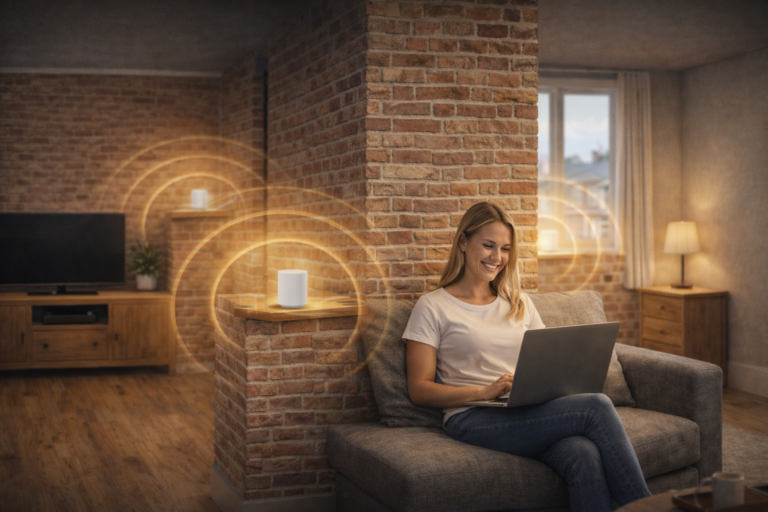
Walk around the flat and check whether the connection remains reliable near the entrance, sleeping area and kitchen. Studio flats are compact, but thick walls, metal appliances and poorly positioned routers can still weaken the signal.
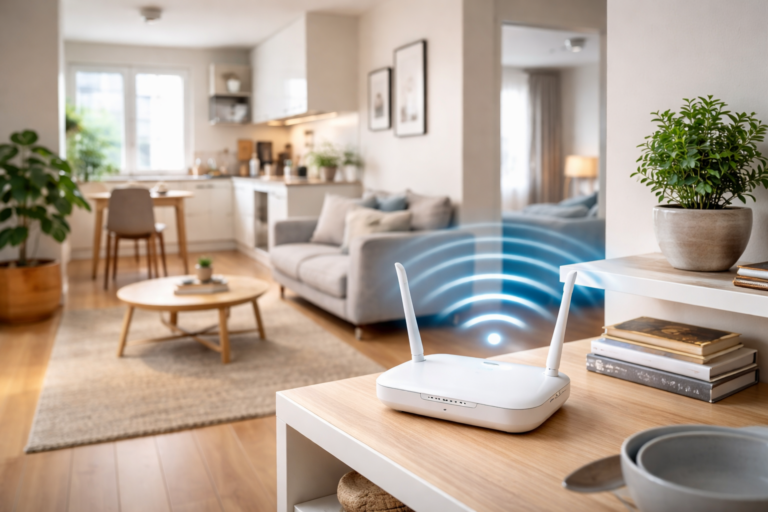
Do not hide the router behind a television, inside a cupboard or on the floor beneath furniture. A central, raised and open position usually provides better coverage.
Our guide explaining where to place a WiFi router in a small flat covers the most effective positions in more detail.
Reliable connectivity is the foundation of a smart home setup for a studio flat UK residents can operate consistently. Automation becomes frustrating if lights or sensors regularly appear offline.
If reliability is already a problem, start by learning how to improve WiFi in a small flat before adding more connected devices.
Choose one main control system
Connected devices may be controlled through manufacturer apps, voice assistants, automation platforms or smart-home hubs. Using too many unrelated systems can leave you switching between several apps for basic tasks.
Choose a main ecosystem before expanding the setup. That does not mean every product must come from the same manufacturer, but each one should work with the control method you intend to use.
Check compatibility carefully rather than relying on a product being described simply as “smart.” A device may support one voice assistant while excluding another, or it may require a separate hub that occupies an additional socket.
The simplest smart home setup for a studio flat UK beginners can manage is normally one with a single primary control method and straightforward manual backups.
🛠️ 9 Essential Steps for Setting Up a Smart Studio Flat
1. Position the router correctly
The router is the centre of many smart-home connections, so its position should be considered before the devices themselves.
Place it:
✔ Above floor level
✔ In an open area
✔ Away from large metal appliances
✔ Away from the microwave where possible
✔ Near the centre of the studio
✔ Clear of enclosed cabinets
In many studio flats, a raised shelf near the living area works well. It keeps the router away from floor-level obstructions while allowing the signal to reach the entrance, kitchen and sleeping zone.
Do not position the router directly beside several decorative objects or cover it to make it less visible. It needs airflow as well as clear signal paths.
A stable router position makes every later stage of a smart home setup for a studio flat UK property easier to complete.
2. Build the lighting around daily activities
Lighting is usually the easiest and most noticeable place to begin. A studio room may need bright light for working, clear light for cooking and warm low-level illumination for relaxing.
Instead of replacing every bulb immediately, begin with the main ceiling light and one secondary lamp.
Create simple lighting scenes such as:
✔ Morning: bright neutral ceiling lighting
✔ Working: ceiling light plus focused desk lighting
✔ Evening: dimmed main light and warm floor lamp
✔ Film night: low background lighting
✔ Bedtime: gentle warm light near the route to bed
You can find additional room-zoning inspiration in our smart lighting ideas for small flats UK guide.
Keep manual switches accessible. Visitors should be able to operate the lights without learning voice commands, and you should still have control when the internet connection is unavailable.
A well-planned smart home setup for a studio flat UK residents can manage should remain easy to control even when the internet connection fails.
Lighting gives a smart home setup for a studio flat UK residents use the flexibility to make one open room feel suitable for several different activities.
If you need help choosing the equipment itself, compare the best smart lighting for small apartments.
3. Choose a central position for the smart speaker
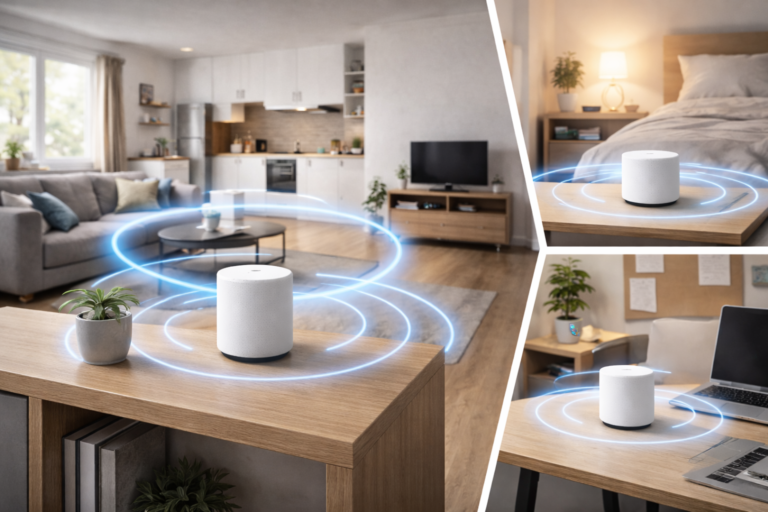
A smart speaker can control compatible devices, operate routines, play audio and provide timers. In a studio flat, one well-positioned speaker is often sufficient.
Place it on a stable open shelf or sideboard near the centre of the room. It should be easy to hear from the living and kitchen zones without sitting directly beside the television or another loud appliance.
Avoid placing it:
- Inside a cupboard
- Behind large furniture
- On the floor
- Directly beside the hob or sink
- Against a shared wall at high volume
- In a corner that causes sound to feel uneven
Keep the microphone accessible, but consider privacy as well. Use the physical microphone control when you do not want voice activation operating.
The speaker should support the smart home setup for a studio flat UK households need rather than becoming the only way to control it.
4. Add heating control carefully
Heating a studio flat can be awkward because one system affects the living, working and sleeping zones at the same time. Smart heating controls can help maintain a comfortable temperature without repeatedly adjusting the thermostat.
The correct option depends on the existing heating system. Some flats have individual boilers, while others use electric heaters or communal systems with limited resident control.
Do not assume that a smart thermostat will be compatible with every property. Check the heating system, tenancy conditions and installation requirements before purchasing anything.
Place temperature sensors away from:
- Direct sunlight
- Open windows
- Cooking heat
- Radiators
- Portable heaters
- Draughty entrance doors
Poor sensor placement can cause inaccurate readings and unnecessary heating. If wiring or permanent installation is required, use an appropriately qualified professional.
Heating should be one carefully planned part of a smart home setup for a studio flat UK residents can use safely, not an improvised addition.
5. Secure the entrance without monitoring the whole room
Studio flats present a particular privacy challenge because the entrance may open directly into the main living and sleeping area. Security devices should protect the access point without making residents feel constantly watched.
A contact sensor can notify you when the entrance door opens. A suitable video doorbell may help you identify visitors, although installation rules, communal corridors and neighbours’ privacy must be considered.
An indoor camera is not essential for every studio. If you use one, position it towards the entrance rather than the bed, sofa or workspace. Choose a model with clear privacy controls or a physical method of covering the lens.
Geofencing or an “away” routine can activate selected security features only after the resident leaves. When the flat is occupied, the same routine can disable unnecessary monitoring.
A privacy-conscious smart home setup for a studio flat UK residents feel comfortable living with is more valuable than a system that records every part of the room.
6. Use smart plugs only where they add real value
Smart plugs can add scheduling and remote control to ordinary plug-in devices, but they are not suitable for every appliance.
Our comparison of the best smart plugs for small flats covers compact options designed for limited socket space.
They work particularly well with simple lamps and some low-powered devices that resume operating when electricity is restored. However, a smart plug cannot make every conventional appliance fully smart.
If you are unsure whether they provide enough practical value, read Are Smart Plugs Worth It UK? before expanding your setup.
Before connecting anything, check:
✔ The smart plug’s maximum load
✔ The appliance manufacturer’s instructions
✔ Whether the appliance restarts safely after losing power
✔ Whether the socket remains easy to reach
✔ Whether the plug blocks a neighbouring outlet
✔ Whether the device should ever operate unattended
Never use a smart plug to override an appliance’s safety controls. Portable heaters, cooking appliances and other high-powered equipment require particular caution and should not be automated unless both products are explicitly designed for that use.
A carefully selected smart plug can support a smart home setup for a studio flat UK residents want to keep flexible, but unnecessary plugs can occupy limited sockets and add more wireless devices to the network.
7. Create routines instead of separate commands
The main advantage of combining smart devices is the ability to control several actions together.
Without routines, you may need to adjust the thermostat, switch three lights, disable a sensor and change the speaker volume separately. A routine combines these actions into one command, schedule or button press.
Start with routines linked to clear moments in the day rather than creating complicated automations for every possible situation.
Useful routines include:
✔ Good morning: gradually brighten the main light and provide a weather update
✔ Start work: switch on bright task lighting and reduce entertainment distractions
✔ Relax: dim the ceiling light and activate a warm lamp
✔ Leaving home: switch off selected lights and activate entrance monitoring
✔ Bedtime: reduce the heating, switch off the main lights and leave one low-level light temporarily active
Keep the names short and easy to remember. Routines should also be simple enough that another resident or visitor can understand what they do.
Well-designed routines turn a collection of products into a coordinated smart home setup for a studio flat UK households can use naturally every day.
8. Keep security and privacy settings under control
Every connected device introduces settings that should be reviewed. Cameras, microphones and cloud-connected services require particular attention in a studio because there is little separation between private and shared areas.
Use strong, unique passwords and enable additional account verification where it is available. Install device updates and remove products from your account before selling or disposing of them.
Review:
- Which household members have access
- Whether audio or video is being recorded
- How long recordings are retained
- Whether remote viewing is enabled
- Which third-party services are connected
- Whether voice recordings can be deleted
- Whether the device has a physical privacy control
Avoid positioning cameras towards the bed or any area where privacy is expected. If guests stay in the flat, make them aware of any indoor recording equipment.
A secure smart home setup for a studio flat UK residents trust should collect only the information required for its intended purpose.
Follow the National Cyber Security Centre’s smart-device guidance when creating passwords, enabling two-step verification and managing software updates.
9. Test everything before adding more devices
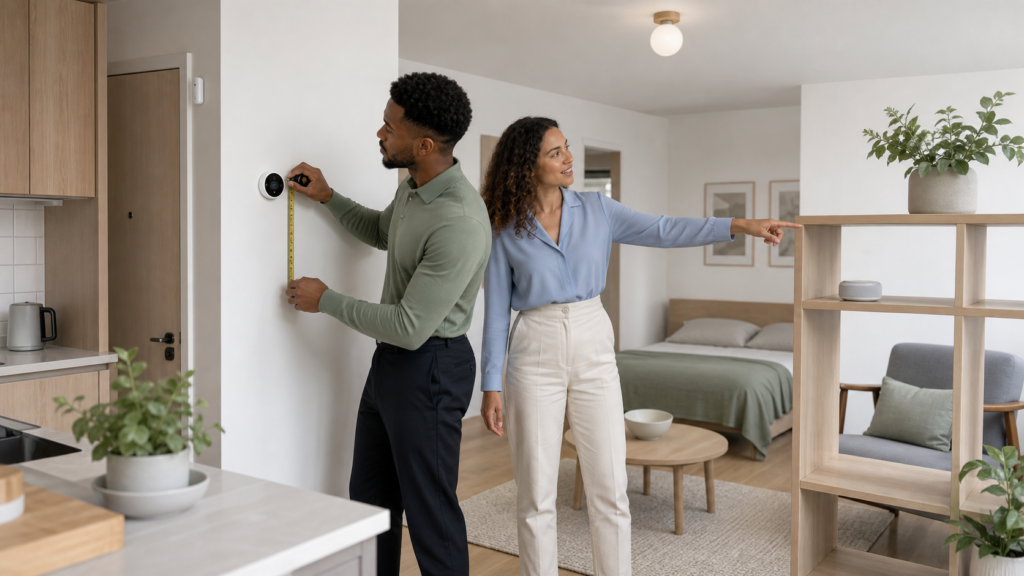
Live with the first group of devices for at least a week before expanding the system. This reveals whether the routines are useful, whether the WiFi remains reliable and whether manual controls are easy to reach.
Test what happens when:
✔ The internet connection stops
✔ The router restarts
✔ A phone runs out of battery
✔ A voice command is misunderstood
✔ A bulb is switched off manually
✔ A houseguest needs to operate the lights
✔ You return home earlier than expected
Devices that fail only in particular parts of the room may be affected by WiFi dead zones in flats rather than a fault with the device itself.
Every essential function should have a simple fallback. You should still be able to switch on a light, adjust the heating or enter the property when an app or connection is unavailable.
Testing prevents a smart home setup for a studio flat UK residents build from becoming unnecessarily dependent on one device or service.
⏰ Useful Smart-Home Routines for Studio Living
Studio-flat routines are most effective when they help the room change purpose. The same open area may need to feel energising in the morning, productive during the day and calm at night.
Morning routine
A morning routine can gradually increase the main lighting rather than switching immediately to full brightness. It may also raise the heating slightly during winter and provide a short weather update.
Keep the routine quiet if you share walls with neighbours. There is rarely any need for music or spoken updates to begin at a high volume.
A gentle morning routine helps a smart home setup for a studio flat UK residents use feel supportive rather than intrusive.
Working routine
Create a working scene that brightens the desk or dining table without illuminating the sleeping zone unnecessarily.
If the speaker is used for timers or background audio, set an appropriate daytime volume. You may also want the routine to switch off entertainment lighting and keep the room at a comfortable working temperature.
At the end of the working day, a separate routine can turn off the task light and restore warmer living-room lighting. This visual change can help establish a boundary between work and rest.
Away routine
An away routine might switch off non-essential lights, reduce the heating and activate an entrance sensor.
Avoid automatically cutting power to appliances that require a continuous supply. Fridges, freezers, routers, medical equipment and certain security products must remain powered.
The away routine should also be easy to cancel if someone remains at home. A smart home setup for a studio flat UK couples or flatmates share must account for different schedules.
Bedtime routine
A bedtime routine should be predictable and easy to reverse. It might switch off the main ceiling light, reduce the thermostat and leave a low warm lamp active for several minutes.
Do not make the route to the bathroom or entrance completely dark. Low-level lighting can improve visibility without disturbing the sleeping area.
Avoid complicated routines that lock doors or disable essential equipment without a clear confirmation and manual alternative.
🔑 Smart-Home Setup Tips for Renters
Renters should prioritise devices that can be removed without altering the property. Smart bulbs, plug-in lamps, portable speakers and removable sensors are normally easier to take to a new home than wired switches or permanent thermostats.
The right smart home setup for a studio flat UK tenants choose can improve daily comfort without requiring permanent alterations.
Keep every original bulb, switch plate and fitting that you replace. Store them safely so the flat can be returned to its previous condition when the tenancy ends.
Request permission before:
- Drilling into walls or doors
- Replacing wired switches
- Installing a thermostat
- Changing an entry or intercom system
- Attaching equipment in communal areas
- Altering fixed electrical fittings
Adhesive mounts can still damage paint, wallpaper and finished surfaces. Follow removal instructions carefully and avoid positioning devices where a failed adhesive pad could allow them to fall.
A renter-friendly smart home setup for a studio flat UK tenants can move between properties should focus on portable improvements and minimal installation.
🚫 Common Studio Smart-Home Mistakes
Buying too much at the beginning
A large bundle of devices may appear convenient, but it can introduce products you do not need. Begin with the most useful room function and expand after testing it.
Buying gradually also makes it easier to identify which device is causing a connection or compatibility problem.
The best smart home setup for a studio flat UK beginners can create is usually smaller than they initially expect.
Building a smart home setup for a studio flat UK residents can expand gradually helps prevent unnecessary spending and technical clutter.
Using too many different apps
Separate apps can make simple actions slower. Before buying a device, confirm that it works with your main control system and can participate in the routines you intend to create.
Manufacturer apps may still be needed for updates and advanced settings, but everyday operation should remain consistent.
Every device in a smart home setup for a studio flat UK households create should solve a clear and recurring problem.
Placing devices wherever a socket is available
The nearest socket is not always the correct position. Routers need open space, speakers need a central location, temperature sensors need neutral conditions and security devices need a suitable viewing direction.
Plan the position first and then consider how the device will be powered without creating a trip hazard.
Ignoring neighbours
Smart speakers, doorbells, alarms and automated routines can affect people outside the flat. Keep audio at considerate levels and avoid positioning speakers directly against shared walls.
Security equipment should not monitor neighbours’ doors or private areas. A studio may be your personal home, but the corridor and surrounding building are shared environments.
Removing every manual control
Automation should never make ordinary tasks difficult. Retain accessible switches, physical buttons and keys where possible.
A guest should not need to download an app simply to switch on a lamp. Likewise, a phone or internet failure should not prevent you from controlling essential features.
💷 How Much Should a Basic Setup Cost?
The cost depends on the devices, heating system and whether professional installation is required. A simple setup based on lighting, one central controller and a small number of sensors can be built gradually.
Set a budget for the complete first stage rather than looking only at individual product prices. Remember to account for hubs, mounting accessories, batteries or installation where required.
Prioritise:
- Reliable connectivity
- Useful lighting control
- Safe heating management
- Appropriate entrance security
- Additional convenience devices
A smart home setup for a studio flat UK residents build does not need premium versions of every device. Compatibility, reliability and simple control are more important than an extensive feature list.
❓ Frequently Asked Questions
What smart devices are most useful in a studio flat?
Smart lighting, a centrally positioned speaker or controller, suitable heating controls and a basic entrance sensor are useful starting points.
The right devices depend on your routine. A resident who works from home may prioritise lighting scenes, while someone who travels regularly may value heating schedules and entrance notifications.
Do I need a smart-home hub?
Not always. Many devices connect directly through WiFi or use a voice assistant as their main control point. Other products require a dedicated hub.
A hub may improve coordination and reduce the number of devices connecting directly to the router, but it also adds another powered component. Check the requirements before purchasing anything.
Will smart devices slow down my WiFi?
Individual smart lights and sensors typically use modest amounts of data, but many connected products can add traffic and management demands to the network.
Connection quality also depends on the router, interference, device placement and broadband service. A reliable smart home setup for a studio flat UK residents use begins with good local WiFi coverage.
Our complete guide to WiFi in small flats UK explains coverage, interference and device-capacity considerations.
Can I create a smart studio flat without a voice assistant?
Yes. Devices can often be controlled through apps, schedules, sensors or compatible wireless switches. Voice control is convenient but not essential.
If you prefer not to use an always-listening assistant, choose products with strong app controls and physical alternatives.
Is a smart-home setup suitable for renters?
Yes, provided the devices are removable and the tenancy agreement is respected. Smart bulbs, plug-in lamps, portable speakers and non-permanent sensors are usually the easiest options.
Permanent wiring, drilling and changes to heating or entry systems may require permission.
Is smart-home technology expensive to run?
Most small sensors and controllers use relatively little electricity, but every powered device adds some consumption. The overall effect depends on the number of devices and how they are used.
Automation may reduce waste by switching off lights or lowering the heating, but savings are not guaranteed. Choose each device for a practical benefit rather than assuming it will automatically reduce bills.
✅ Final Thoughts
A successful smart home setup for a studio flat UK residents can depend on does not need to be complicated. Start with reliable WiFi, flexible lighting and one consistent control system. Add heating and security features only when they suit the property and solve a genuine problem.
Position every device carefully, protect your privacy and retain manual controls. Test each stage before buying more equipment.
A privacy-conscious smart home setup for a studio flat UK users trust should include strong passwords, regular updates and accessible manual controls.
When the technology supports real routines instead of demanding constant attention, a smart home setup for a studio flat UK households create can make one compact room feel more comfortable, organised and adaptable throughout the day.