

5 Best Study Tech for Students UK: Essential Picks
💻 Useful Technology That Makes Studying Easier
The best study tech for students UK learners can buy should remove small everyday frustrations, support focused work and fit comfortably into the space available.
Students do not need a bedroom filled with expensive gadgets. A reliable Chromebook, comfortable headphones or properly positioned laptop can make a greater difference than several unnecessary devices competing for desk space.
The challenge is deciding which technology will genuinely help.
Some products provide a complete platform for writing assignments and accessing online learning. Others solve a specific problem, such as distracting background noise, uncomfortable laptop positioning or poor lighting on a compact desk.
We compared five very different products to identify the best study tech for students UK families can consider for secondary school, sixth form, college and university.
Our selection includes:
✔ A lightweight Chromebook for everyday coursework
✔ Active noise-cancelling headphones for focused study
✔ A premium digital notebook for handwritten notes
✔ An adjustable laptop stand for a more comfortable setup
✔ A compact clip-on lamp for small study spaces
Students who want to coordinate assignments, revision sessions and important deadlines can combine their technology with one of the best academic planners for students UK learners can use throughout the academic year.
This guide explains what each product does well, where its limitations lie and which type of student is most likely to benefit.
The best study tech for students UK learners choose should suit their course requirements, existing equipment and available workspace rather than simply being the newest device.
⚡ Quick Answer: Best Study Tech for Students UK
The best study tech for students UK shoppers should consider is:
✔ ASUS Chromebook 14 CX1405CTA — Our Top Pick
✔ Soundcore Anker Q20i Headphones — Best for focused study
✔ reMarkable Paper Pure Bundle — Best premium digital notebook
✔ Babacom Adjustable Laptop Stand — Best for study comfort
✔ KNAMKY USB Clip-On Desk Lamp — Best for small study desks
For most students who do not already own a suitable computer, the ASUS Chromebook 14 is the most useful overall choice. It provides a 14-inch Full HD display, a lightweight design and the essential connectivity needed for browser-based schoolwork.
Students who already have a laptop may gain more value from improving the way they use it. The Soundcore Q20i headphones can reduce distracting background noise, while the Babacom stand can raise a laptop into a more comfortable viewing position.
The reMarkable Paper Pure is the most specialised and expensive option. It is designed for distraction-free handwriting, document review and digital organisation rather than replacing a full laptop.
The best study tech for students UK buyers select should solve a genuine problem. If the student already owns a reliable laptop, buying another computer is unlikely to improve their revision.
Anyone preparing for student accommodation can also explore our guide to the best university essentials UK students may need for studying, sleeping and managing everyday life away from home.
🏆 Our Top Pick
ASUS Chromebook 14 CX1405CTA
The ASUS Chromebook 14 CX1405CTA is our top pick because it provides the central device many students need for research, written coursework, online learning and everyday organisation.
It combines a 14-inch Full HD display with an Intel Celeron N50 processor, 4GB of RAM and 64GB of eMMC storage. At approximately 1.39kg, it should be manageable for students travelling between home, lessons and the library.
The Chromebook also includes HDMI, USB-C, USB-A and a 3.5mm audio connection. That range of ports is useful because it reduces the immediate need for separate adaptors.
Among the best study tech for students UK learners can buy, the ASUS Chromebook offers the broadest everyday usefulness.
However, ChromeOS is different from Windows and macOS. Students should confirm that their school, college or university systems work correctly in a browser before ordering. Full desktop versions of some specialist applications cannot be installed on a Chromebook.
Check Latest Price on Amazon →
🔍 How We Chose the Best Study Tech for Students UK
The best study tech for students UK learners need is not always the most powerful or expensive equipment.
We focused on products that solve common student problems without demanding a large permanent workspace. Every item in this guide has a clear purpose.
We considered:
✔ Everyday usefulness — Does the product help with a task students regularly perform?
✔ Small-space suitability — Can it work on a compact desk or inside student accommodation?
✔ Portability — Is it realistic to carry between lessons, libraries and home?
✔ Compatibility — Will it work with common student devices and online services?
✔ Comfort — Can it reduce avoidable strain or distraction during longer sessions?
✔ Ease of use — Does it work without an unnecessarily complicated setup?
✔ Value — Does the benefit justify the cost for the intended student?
✔ Current availability — Was the product available from the supplied Amazon UK listing when checked?
We also considered whether a less expensive item could produce a meaningful improvement.
A good laptop is important when a student has no suitable computer. Once that need is met, however, a stand, lamp or pair of headphones may improve the study experience more than paying for a second major device.
The best study tech for students UK households buy should form a practical setup rather than a collection of disconnected gadgets.
Affiliate Disclosure: This article contains affiliate links. If you purchase through one of these links, we may earn a commission at no additional cost to you. As an Amazon Associate I earn from qualifying purchases.
📊 Best Study Tech for Students UK Comparison Table
| Product | Best for | Main benefit | Important consideration | Check latest price |
|---|---|---|---|---|
| ASUS Chromebook 14 CX1405CTA | Best overall | Lightweight computer for browser-based coursework and online learning | ChromeOS cannot run every desktop application | Check Latest Price on Amazon → |
| Soundcore Anker Q20i | Focused study | Hybrid active noise cancellation and long listed battery life | Noise cancellation does not create complete silence | Check Latest Price on Amazon → |
| reMarkable Paper Pure Bundle | Premium digital notes | Distraction-free handwriting and document annotation | Expensive and not a replacement for a full laptop | Check Latest Price on Amazon → |
| Babacom Adjustable Laptop Stand | Study comfort | Raises and angles a laptop while preserving desk space | A separate keyboard may be needed for extended use | Check Latest Price on Amazon → |
| KNAMKY USB Clip-On Desk Lamp | Small desks | Clamp fitting with adjustable colour and brightness | Requires a suitable USB power source | Check Latest Price on Amazon → |
Prices and availability can change, so check the current Amazon listing before purchasing.
🥇 1. ASUS Chromebook 14 CX1405CTA — Best Overall
The ASUS Chromebook 14 CX1405CTA takes first place in our guide to the best study tech for students UK learners can use.
A computer is the foundation of modern school, college and university work. Students may need to access online portals, complete written assignments, research topics, join video lessons and manage cloud-based files.
This Chromebook is designed around those everyday online tasks.
Main Specifications
The listed specification includes:
✔ Intel Celeron N50 processor
✔ 4GB RAM
✔ 64GB eMMC storage
✔ 14-inch Full HD display
✔ ChromeOS
✔ UK keyboard
✔ HDMI connection
✔ USB-C port
✔ USB-A port
✔ 3.5mm audio connection
✔ Approximately 1.39kg weight
✔ 180-degree hinge
These are modest specifications rather than those of a high-performance workstation. For browser-based coursework, email, online research and document editing, however, they provide a sensible starting point.
Why a Chromebook Can Work Well for Students
Chromebooks are built around ChromeOS and cloud-based services.
Students can use browser versions of productivity tools, access online classrooms and store work in cloud services. This can make switching between school and home devices easier because files are linked to an account rather than stored only on one computer.
ChromeOS also tends to provide a relatively straightforward interface. Students who mainly work in a browser may not need the complexity of a more powerful operating system.
For those needs, this is one of the best study tech for students UK families can consider without moving immediately into premium laptop pricing.
The 14-Inch Full HD Display
A 14-inch screen provides a useful middle ground.
It is larger than a compact 11-inch Chromebook, making documents and web pages more comfortable to view. It remains smaller and lighter than many 15.6-inch laptops.
The Full HD resolution should allow more information to fit on screen than a lower-resolution display. This can be helpful when viewing reference material beside a document or reading longer articles.
Students should still avoid working for hours without breaks. A clearer display helps, but sensible screen positioning and regular movement remain important.
Ports and Connectivity
The Chromebook includes HDMI alongside USB-C and USB-A connections.
HDMI may be useful for:
✔ Connecting a monitor at home
✔ Using a classroom display
✔ Presenting work on a larger screen
✔ Creating a two-screen study setup
The USB ports provide connections for storage devices, a mouse, keyboard or other accessories.
This built-in connectivity makes it one of the best study tech for students UK learners can use without immediately purchasing a separate hub.
Portability
At approximately 1.39kg, the Chromebook should be manageable for many students to carry.
Weight matters because a student may already have folders, textbooks, stationery, lunch and a water bottle inside the same bag.
The laptop should still be stored in a padded compartment or protective sleeve. A lightweight design does not protect the screen from pressure, drops or liquid spills.
Students should also check the complete dimensions against their backpack rather than relying only on the 14-inch screen description.
If the Chromebook will travel between home and school, pair it with one of the best school backpacks for secondary school UK students can use to protect their technology and organise their daily equipment.
Suitability for Small Study Spaces
A 14-inch Chromebook can work on a relatively narrow desk while still offering a usable screen.
In a small bedroom, it can be:
✔ Stored vertically in a padded holder when not in use
✔ Raised on a laptop stand
✔ Connected to a compact keyboard
✔ Used at a dining table and packed away afterwards
✔ Carried to a library when home is too noisy
The best study tech for students UK learners living in small homes use should be easy to store when the desk is needed for handwriting or other activities.
ChromeOS Limitations
ChromeOS will not suit every student.
The Chromebook can access web versions of Microsoft 365, but full Windows desktop applications cannot be installed in the usual way. Specialist software required for engineering, media production, architecture, computer-aided design or particular university courses may not be compatible.
Before purchasing, ask:
✔ Does the school use browser-based learning platforms?
✔ Are assignments completed in Google Workspace or Microsoft 365 online?
✔ Does the course require Windows-only or macOS-only software?
✔ Will examinations use a specific application?
✔ Does the student need heavy video editing or gaming performance?
The best study tech for students UK buyers choose must support the course rather than forcing the student to find workarounds later.
Storage Considerations
The Chromebook includes 64GB of eMMC storage.
That is less local space than many Windows laptops, but Chromebook users often store documents online. It should be adequate for ordinary files when cloud storage is used sensibly.
Students working with large video files, extensive offline media or specialist projects may find the capacity limiting.
Files should never exist in only one location. Important coursework should be backed up using an approved cloud service or another secure method.
Who Is It Best For?
The ASUS Chromebook should suit:
✔ Secondary-school students using browser-based platforms
✔ Sixth-form students writing essays and conducting online research
✔ Students who need a lightweight everyday computer
✔ Learners already using Google Workspace
✔ Households looking for a straightforward study device
✔ Students who do not require specialist desktop software
It is less suitable for students studying courses that demand powerful creative, engineering or development applications.
Possible Drawbacks
The main limitations are the modest 4GB RAM, 64GB storage and ChromeOS compatibility.
Students should not expect the device to behave like a gaming laptop or high-performance Windows workstation. Opening a large number of demanding browser tabs may also reduce responsiveness.
The best study tech for students UK shoppers buy should meet realistic expectations. This Chromebook is intended for everyday educational work, not heavy specialist computing.
Google’s official Chromebook update-schedule guidance explains how to check when a device is scheduled to receive its final automatic ChromeOS update.
Why It Ranks First
The ASUS Chromebook provides the greatest overall benefit because it can become the main device through which a student completes coursework, research and online learning.
It is lightweight, offers a Full HD screen and includes useful built-in connections. Provided ChromeOS is suitable for the student’s course, it is our strongest overall recommendation.
Check Latest Price on Amazon →
🎧 2. Soundcore Anker Q20i — Best for Focused Study
The Soundcore Anker Q20i headphones rank second among the best study tech for students UK learners can buy because background noise is a common problem in small and shared homes.
These wireless over-ear headphones include hybrid active noise cancellation, transparency mode, app-based sound adjustment and multipoint connectivity.
They can help create a more consistent listening environment when studying in a busy flat, student accommodation, library or shared bedroom.
What Is Hybrid Active Noise Cancellation?
Active noise cancellation uses microphones to detect external sound and produce an opposing signal that reduces some of the noise reaching the listener.
The Q20i uses four microphones as part of its noise-cancelling system.
ANC is generally most effective against steady, lower-frequency sounds such as:
✔ Transport noise
✔ Ventilation hum
✔ Distant traffic
✔ Appliance noise
✔ General low background rumble
It will not completely remove nearby conversation, sudden noises, alarms or somebody calling the student’s name.
The best study tech for students UK learners use should support awareness as well as concentration. Noise-cancelling headphones must not be treated as hearing protection or used where the student needs to hear warnings.
Transparency Mode
Transparency mode allows more surrounding sound to reach the listener without removing the headphones.
This can be useful when:
✔ Waiting for a transport announcement
✔ Studying in a shared family area
✔ Speaking briefly to somebody nearby
✔ Walking through a public space
✔ Remaining aware of the environment
Students should still remove the headphones when full attention to another person or a safety announcement is required.
Battery Life
The listing states up to 40 hours of playback with active noise cancellation enabled.
Actual battery performance will vary with volume, settings, connection conditions and battery age. The headphones also advertise a quick-charge function, with a short charge providing several hours of listening.
Long battery life is useful for students who move between home, lessons and the library and do not want another device requiring daily charging.
Among the best study tech for students UK commuters use, dependable battery life is a practical advantage.
Multipoint Connection
Multipoint Bluetooth allows the headphones to connect with two compatible devices.
For example, a student may connect them to a laptop and phone. Audio can then switch between the devices when needed.
This reduces repeated pairing and may be helpful for students who attend an online lecture on a laptop but receive calls through their phone.
Comfort During Study
The Q20i uses an over-ear, foldable design.
Over-ear headphones distribute contact around the ears rather than pressing directly into the ear canal. Comfort remains personal, however, and any pair may feel warm or heavy during long sessions.
Students should take regular breaks and keep the volume moderate.
Headphones should not be worn continuously simply because they feel comfortable. Quiet periods without audio can be valuable during reading and memory-based revision.
Headphones can reduce distractions while studying, but our guide explaining how to stop noise from neighbours in a flat offers additional ideas for managing unwanted sound at home.
How to Use Them for Studying
Noise-cancelling headphones do not need to play loud music.
Students could use:
✔ Low-volume instrumental audio
✔ Neutral background sound
✔ Recorded lectures
✔ Language-learning material
✔ Silence with ANC enabled
✔ Online lessons and calls
Music containing lyrics can distract some learners during reading or writing. The right choice depends on the task and individual concentration style.
The best study tech for students UK learners use for focus should reduce distractions rather than introducing a new one.
App-Based Controls
The Soundcore app provides sound adjustment and noise-control settings.
Students can change equalisation and select modes that suit different environments. The listing also mentions customised white noise.
An app is optional for basic listening but may be required for some personalised features. Users should review the permissions and account requirements before installing any companion application.
Suitability for Small and Shared Homes
Headphones occupy less permanent space than acoustic panels, speakers or other room alterations.
They can be folded and stored inside a drawer or headphone case when not in use. That makes them useful for renters and students living in temporary accommodation.
The best study tech for students UK families use in shared homes should solve problems without requiring permanent changes, which is one reason the Q20i ranks highly.
Who Are They Best For?
The Q20i should suit:
✔ Students studying in shared bedrooms
✔ Learners affected by steady household noise
✔ University students in busy accommodation
✔ Commuters listening to recorded course material
✔ Students switching between a phone and laptop
✔ Learners who want ANC without premium headphone pricing
Important Safety Considerations
Active noise cancellation can reduce awareness of the surrounding environment.
Students should avoid using strong noise cancellation when:
✔ Crossing roads
✔ Cycling
✔ Waiting for safety instructions
✔ Working near hazards
✔ Supervising children
✔ Walking alone where environmental awareness is important
Volume also matters. Noise cancellation may make it possible to listen at a lower volume because the student is not trying to overpower background noise.
Possible Drawbacks
The Q20i cannot create complete silence.
Voices, doors and sudden noises may still be audible. Over-ear headphones can also become warm during long sessions, and the sound profile may require adjustment for users who prefer less bass.
The best study tech for students UK shoppers compare should be judged on realistic benefits rather than exaggerated expectations.
Why They Rank Second
The Soundcore Q20i headphones address a problem that affects students across flats, family homes and university accommodation.
Their active noise cancellation, long listed battery life and multipoint connectivity make them versatile for study and travel. They rank below the Chromebook only because they support learning rather than providing the main platform for completing coursework.
Check Latest Price on Amazon →
✍️ 3. reMarkable Paper Pure Bundle — Best Premium Digital Notebook
The reMarkable Paper Pure Bundle is the most specialised product in our guide to the best study tech for students UK learners can consider.
It combines a 10.3-inch monochrome paper-style tablet with the Marker Plus stylus and an Ocean Blue Sleeve Folio. It is designed for handwriting, reading, document annotation and organised digital notes without the distractions of a conventional tablet.
This is not intended to replace a full laptop. It is better understood as a digital alternative to carrying several notebooks and printed documents.
A Distraction-Free Writing Device
Conventional tablets can run entertainment apps, social media, games and notifications alongside study tools. The reMarkable takes a much narrower approach.
Its main functions include:
✔ Handwritten note-taking
✔ Document annotation
✔ Sketching
✔ Organising notes with folders and tags
✔ Converting handwriting into typed text
✔ Reviewing PDFs
✔ Using note-taking templates
✔ Sharing completed work
For students who repeatedly become distracted when writing on a multipurpose tablet, that limited focus may be valuable.
The best study tech for students UK learners choose does not always need to perform every possible task. Sometimes a device is useful precisely because it does less.
The Paper-Style Display
The reMarkable uses a 10.3-inch black-and-white display designed to provide a paper-like writing experience.
The listing states that its third-generation display offers improved whiteness and contrast, with digital ink appearing in approximately 21 milliseconds.
Unlike a conventional illuminated tablet, an e-ink-style device is primarily intended to resemble paper. Students should therefore ensure they have suitable room lighting, particularly when working in the evening.
Marker Plus and Sleeve Folio
This bundle includes the Marker Plus and a protective sleeve.
The Marker Plus attaches magnetically and includes an integrated eraser function. That allows students to write and correct notes without repeatedly changing tools on screen.
The sleeve provides protection during storage and travel. It does not make the device immune to bending, impact or liquid damage, so it should still be placed carefully inside a backpack.
Lightweight for Everyday Notes
The tablet is listed at approximately 360g, making it lighter than many laptops and comparable to a substantial paper notebook.
For students who normally carry several subject notebooks, one digital device could reduce the quantity of paper inside their bag.
That does not automatically mean every student should stop using paper. Some courses require physical workbooks, and some learners remember information more effectively when writing in separate notebooks.
The best study tech for students UK students use should support their learning preferences rather than forcing a fashionable system.
Organisation Features
Digital folders and tags can help students separate:
✔ Subjects
✔ Modules
✔ Lecture notes
✔ Coursework research
✔ Revision summaries
✔ Reading lists
✔ Project ideas
Search and handwriting-related features may depend on the available software and subscription level.
Students should check which functions are included without an ongoing subscription and which require the optional Connect service. A premium device should be assessed on its complete long-term cost, not only the initial purchase price.
Working With Documents
The reMarkable can receive documents and PDFs from supported services and applications.
This may be useful for:
✔ Annotating lecture slides
✔ Reviewing academic readings
✔ Marking practice papers
✔ Adding notes to PDFs
✔ Reading without opening a laptop
✔ Collecting handwritten project ideas
Compatibility should be checked against the student’s actual school or university workflow. A device can be excellent at annotation but still become inconvenient if files are distributed in unsupported formats.
Suitability for Small Study Spaces
The reMarkable can replace a pile of active notebooks on a small desk.
It can lie flat beside a laptop while the student takes notes, then return to its sleeve when the session ends. Its narrow purpose also means the desk does not need to accommodate a keyboard, mouse or charging hub during simple reading and writing.
Among the best study tech for students UK learners in compact rooms might use, the reMarkable offers an unusually clean note-taking setup.
Students who still prefer handwriting some of their notes can compare the tablet with the best stationery sets for students UK learners can keep at home or carry to lessons.
Who Is It Best For?
The reMarkable Paper Pure should suit:
✔ University students reading and annotating many documents
✔ Learners who prefer handwriting to typing
✔ Students who want fewer digital distractions
✔ People carrying several notebooks each day
✔ Postgraduate students organising research notes
✔ Learners who already own a suitable laptop
It is less appropriate for students who need one affordable device to perform every study task.
What It Cannot Replace
The reMarkable is not a complete laptop replacement.
Students will still need another device for:
✔ Full web research
✔ Complex document formatting
✔ Video lessons
✔ Specialist software
✔ Presentations
✔ Spreadsheets
✔ Coding
✔ Multimedia work
A conventional tablet may provide greater flexibility at a similar or lower price, although it will not offer the same distraction-free paper-style experience.
Possible Drawbacks
Price is the largest limitation.
At the time of checking, this bundle cost considerably more than the Chromebook in our selection. It is therefore difficult to recommend to students who do not already have their essential computing needs covered.
Some cloud, search and extended features may also require the optional Connect subscription. Buyers should check the current subscription terms before ordering.
The best study tech for students UK families buy should improve learning without placing unnecessary pressure on the household budget.
Why It Ranks Third
The reMarkable Paper Pure is a thoughtfully focused device for handwritten notes and document review. It could be excellent for the right student, especially one who already understands how it fits into their workflow.
It ranks third because its high price and specialist purpose make it less universally useful than a Chromebook or noise-cancelling headphones.
Check Latest Price on Amazon →
🧍 4. Babacom Adjustable Laptop Stand — Best for Study Comfort
The Babacom Adjustable Laptop Stand earns fourth place in our guide to the best study tech for students UK learners can use.
It does not perform coursework, store notes or block background noise. Instead, it solves a simple physical problem: laptops are normally too low when placed directly on a desk.
Looking down towards a laptop for long periods can encourage an uncomfortable working position. Raising the screen may help students create a more practical setup, particularly when the laptop is used with a separate keyboard and mouse.
Adjustable Height and Angle
The Babacom stand allows the laptop to be raised and tilted at different angles.
A sensible screen position depends on the student’s height, chair, desk and laptop. As a general starting point, the upper section of the display should be reasonably close to eye level without forcing the student to tilt their head upwards.
The stand should not be raised so high that the laptop keyboard becomes uncomfortable to reach.
Among the best study tech for students UK learners can buy, a laptop stand is most effective when it forms part of a complete desk arrangement rather than being adjusted in isolation.
Foldable and Portable Design
The stand folds for storage and transport.
This is helpful for students who:
✔ Study at a dining table
✔ Move between home and university
✔ Use shared workspaces
✔ Need to clear the desk after studying
✔ Have very little permanent storage
✔ Work in libraries or communal study rooms
A fixed monitor riser may offer more stability, but it occupies desk space continuously. A folding stand can be packed away when the room needs to return to another purpose.
The best study tech for students UK students living in small flats use should be easy to store, making the folding design a genuine advantage.
Aluminium Construction
The stand is made from aluminium alloy and is listed as supporting laptops weighing up to approximately 4kg.
It includes non-slip contact areas intended to hold the laptop in position and reduce movement on the desk. Students should still check that the laptop is stable before typing or making adjustments.
A stand must sit on a firm, level surface. It should not be used on soft bedding, an unstable table or a narrow shelf where it could tip.
Ventilation
The open design leaves space around the underside of the laptop.
This may allow more air to circulate than placing the device directly on a soft surface. Laptop ventilation openings should remain uncovered while the computer is running.
Students should never use a laptop on a duvet, pillow or thick blanket if doing so blocks its vents.
A stand cannot repair an overheating computer or replace necessary maintenance. Persistent excessive heat, unexpected shutdowns or unusual fan noise should be investigated properly.
Compatibility
The listing describes the stand as suitable for laptops and tablets between 10 and 16 inches.
That range covers many common student laptops, including the ASUS Chromebook in this guide. However, screen size alone does not guarantee a perfect fit.
Before ordering, check:
✔ The laptop’s width and depth
✔ The position of its ventilation openings
✔ Its weight
✔ Whether the front hooks obstruct the keyboard
✔ Whether cables can connect at the chosen angle
✔ The available desk depth
The best study tech for students UK buyers select should fit the equipment they already own rather than requiring additional changes.
Do You Need a Separate Keyboard?
A separate keyboard is strongly worth considering when the laptop is raised for extended work.
Typing directly on a steeply angled laptop can lift the wrists and shoulders into an uncomfortable position. A compact keyboard and mouse allow the screen to remain raised while the student’s arms stay closer to desk level.
For short reading sessions, video calls or watching recorded lectures, a separate keyboard may be unnecessary.
For several hours of essay writing, it will usually create a more practical setup.
Suitability for Compact Desks
A laptop stand can free some usable space beneath the device, depending on its position.
Students may place a compact keyboard partly underneath the raised laptop when the desk is not in use. This helps a small work surface feel less crowded.
The stand also separates the screen and keyboard, allowing each to be positioned more deliberately.
The best study tech for students UK learners use on narrow desks should improve comfort without consuming the space needed for notebooks or textbooks.
For more ways to build a comfortable workspace without filling the room, explore these practical small studio flat home office ideas for compact UK homes.
Who Is It Best For?
The Babacom stand should suit:
✔ Students who use a laptop for long periods
✔ Learners working at compact desks
✔ Students who regularly join video lessons
✔ People who move between different study locations
✔ Anyone using a separate keyboard and mouse
✔ Students who need equipment that folds away
Possible Drawbacks
A stand introduces another item into the study setup.
It provides its greatest benefit when paired with an external keyboard and mouse, increasing the total cost and number of accessories required.
Students must also adjust it carefully. Raising the screen too far or using an unstable angle can make the setup less comfortable rather than better.
The best study tech for students UK learners choose should remain easy to use. If setting up the stand becomes a daily annoyance, a simpler fixed position may work better.
Why It Ranks Fourth
The Babacom stand is affordable compared with the main electronic devices in this guide and can improve how an existing laptop fits into a small workspace.
It ranks fourth because its value depends on already owning a suitable laptop, and the strongest ergonomic benefit may require an additional keyboard and mouse.
Check Latest Price on Amazon →
💡 5. KNAMKY USB Clip-On Desk Lamp — Best for Small Study Desks
The KNAMKY USB Clip-On Desk Lamp completes our selection of the best study tech for students UK learners can use.
Good lighting is easy to overlook when money is being directed towards laptops, tablets and headphones. However, a poorly lit desk can make reading and handwriting uncomfortable, particularly during winter evenings.
This lamp uses a clamp rather than a wide base, allowing it to attach to the edge of a desk, shelf or suitable bedside table.
Three Lighting Modes
The lamp provides three listed colour-temperature modes:
✔ Warm light at approximately 3000K
✔ Warm white light at approximately 4500K
✔ White light at approximately 6500K
It also offers ten brightness levels within each mode.
Different settings may suit different times and tasks. A brighter neutral or white setting may feel useful for detailed work, while a warmer setting may be more comfortable during relaxed evening reading.
There is no single perfect colour temperature for every person. The best setting is one that makes the work clearly visible without producing uncomfortable glare.
The best study tech for students UK learners use should allow useful adjustment rather than forcing one extreme level of brightness.
Space-Saving Clamp Design
A conventional lamp base occupies part of the desk.
On a small student desk, that space may be needed for a laptop, exercise book or textbook. A clamp lamp leaves more of the main surface available.
The clamp should only be attached to a stable edge of suitable thickness. It should not be forced onto fragile furniture, and any protective pad should sit correctly to reduce marking.
Renters and students in university halls should avoid attaching it to surfaces that could be damaged.
Flexible Arm
The lamp uses a flexible gooseneck arm that allows the light direction to be adjusted.
For handwriting, position the lamp so the student’s hand does not cast a strong shadow across the page. A right-handed student may prefer the lamp towards the left, while a left-handed student may prefer it towards the right.
For laptop work, angle the lamp towards the desk rather than directly into the display. This reduces distracting glare and bright reflections.
Among the best study tech for students UK students with awkward desk layouts can buy, flexible positioning is particularly useful.
USB Power
The lamp is powered through USB and requires a suitable power source.
The listing specifies use with an appropriate 5V/2A connection and explains that the lamp itself is not rechargeable.
It may be powered through a compatible:
✔ USB mains adaptor
✔ Laptop port
✔ Desktop computer
✔ Power bank
An adaptor is not necessarily included, so check the current package contents before ordering.
Students should avoid overloading sockets or creating a web of cables across the floor. The lamp cable should be routed where it will not be pulled, trapped or become a trip hazard.
Lighting a Small Study Area
A desk lamp should illuminate the work without trying to light the entire room.
For comfortable studying:
- Use the room’s general light as well as the desk lamp
- Avoid a very bright screen in an otherwise dark room
- Position the lamp away from direct eye level
- Reduce reflections on glossy pages and screens
- Adjust brightness as daylight changes
- Take regular breaks from close work
The best study tech for students UK learners use in the evening should support the room’s lighting rather than becoming the only source of illumination.
Useful Beyond Studying
The clip-on design may also be helpful for:
✔ Reading beside a bed
✔ Online lessons
✔ Video calls
✔ Drawing
✔ Craft projects
✔ Temporary dining-table study
✔ Lighting a small keyboard area
Students working with very little desk or floor space may also find inspiration in these space-saving lighting ideas for studio flats UK homes can use without adding bulky fittings.
Its flexibility makes it useful in rooms where the study space changes throughout the day.
Who Is It Best For?
The KNAMKY lamp should suit:
✔ Students with narrow desks
✔ Learners studying during dark winter evenings
✔ Students using temporary workspaces
✔ Renters who cannot install wall lighting
✔ Anyone who wants adjustable brightness and colour
✔ Students who need a lamp that can be moved easily
Possible Drawbacks
The lamp requires USB power and does not contain a rechargeable battery.
Its circular light design may not distribute illumination as evenly across a large desk as a wider lamp head. The flexible arm and clamp must also be adjusted carefully to prevent wobbling.
Students with a large permanent desk may prefer a more substantial lamp.
The best study tech for students UK shoppers compare should suit the size of the work surface rather than simply offer the greatest number of brightness settings.
Why It Ranks Fifth
The KNAMKY lamp is a practical, affordable solution for a compact study area.
It ranks fifth because it solves a narrower problem than the other products. Nevertheless, for a student trying to work at a poorly lit desk, it may provide an immediate improvement.
Check Latest Price on Amazon →
🤔 How to Choose the Best Study Tech for Students UK

The best study tech for students UK families purchase should begin with the student’s most persistent problem.
Avoid starting with a list of popular gadgets. Instead, ask what currently makes studying harder.
If the Student Has No Reliable Computer
Prioritise a suitable laptop or Chromebook.
A computer is likely to be needed for:
✔ Written assignments
✔ Online research
✔ Learning platforms
✔ Email
✔ Video lessons
✔ Presentations
✔ File management
✔ Applications and forms
Before choosing a Chromebook, confirm that the required course software works through ChromeOS or a browser.
The ASUS Chromebook is one of the best study tech for students UK school learners can consider for ordinary online work, but it is not appropriate for every specialist course.
If Noise Is the Main Problem
Consider active noise-cancelling headphones.
The Soundcore Q20i may help reduce steady background sound from traffic, transport, appliances and shared accommodation.
Headphones will not soundproof the room or remove every voice. They are most useful as one part of a concentration routine.
If Paper Notes Become Disorganised
A digital notebook may help.
The reMarkable allows handwritten notes and annotated documents to be stored in one device. Its high cost only makes sense when the student will use those features regularly.
Students who are already organised with inexpensive notebooks may gain very little from switching.
If Laptop Positioning Is Uncomfortable
Consider a laptop stand with a separate keyboard and mouse.
A stand is not a medical treatment, but it can make it easier to place the screen at a more suitable height.
The desk, chair and screen should be assessed together. Changing one item cannot correct every problem.
If the Desk Is Dark or Very Small
A clamp lamp can add adjustable task lighting without occupying the main work surface.
The best study tech for students UK learners in compact rooms use often includes simple equipment that makes the existing space easier to work in.
💷 How Much Should Students Spend on Study Technology?
There is no fixed amount that every student needs to spend.
Choosing the best study tech for students UK learners can rely on helps make everyday revision more focused, comfortable and manageable.
A sensible budget should prioritise essential equipment before optional convenience.
A possible order is:
- A device capable of running required course tools
- Reliable internet access
- Necessary software or subscriptions
- Safe charging equipment
- Comfortable basic desk equipment
- Optional accessories
The best study tech for students UK households buy should not create financial pressure for a marginal improvement.
Before ordering anything:
✔ Check what the school or university provides
✔ Ask whether equipment can be borrowed
✔ Look for student-access software licences
✔ Check existing devices for compatibility
✔ Compare the price with the likely frequency of use
✔ Avoid duplicating equipment already owned
A £20 stand used every day may offer better value than a £399 digital notebook that remains in a drawer.
🎓 Best Study Tech for Different Types of Students
The best study tech for students UK learners require changes with their stage of education.
Secondary-School Students
Secondary-school pupils commonly need a reliable browser-based device, basic headphones and suitable lighting.
Parents should check which platforms the school uses before purchasing a Chromebook. Some schools provide devices or recommend specific minimum requirements.
Expensive specialist equipment is rarely essential unless the student has a clear educational use for it.
Sixth-Form Students
Sixth-form learners may spend longer completing independent research, essays and revision.
Useful technology could include:
✔ A portable laptop or Chromebook
✔ Noise-cancelling headphones
✔ A laptop stand
✔ A reliable desk lamp
✔ External storage or approved cloud backup
The best study tech for students UK sixth-form learners choose should also support university or employment applications.
University Students
University requirements vary greatly by course.
A humanities student may work mainly with documents, online research and PDFs. An engineering, architecture, design or media student may require powerful specialist software.
Students must check departmental guidance before choosing the main computer.
The reMarkable may suit students reading many academic papers, while the Q20i headphones may be more useful for those living in noisy halls.
The best study tech for students UK university learners buy should be based on the course rather than generic student recommendations.
🏠 Creating a Study-Tech Setup in a Small Bedroom
The best study tech for students UK learners use in small bedrooms should occupy as little permanent space as possible.
A practical compact setup might include:
✔ One laptop
✔ One folding stand
✔ One compact keyboard
✔ One mouse
✔ One clamp lamp
✔ One pair of headphones
✔ A safe charging point
Avoid surrounding the desk with equipment that is rarely used.
Keep the Centre of the Desk Clear
The middle of the desk should remain available for the current task.
If the student is handwriting notes, move the keyboard aside. If the laptop is being used, store unrelated books vertically.
A crowded desk increases the chance of drinks being knocked over or devices being damaged.
Use Vertical Space Carefully
A small shelf above the desk may hold notebooks or headphones, but it must be securely installed and should not overload the wall.
Renters and university students should check their agreement before drilling or permanently attaching storage.
Do not place heavy items where they could fall onto a laptop or student.
Route Cables Safely
Keep charging cables away from:
✔ Chair wheels
✔ Doorways
✔ Heaters
✔ Bed frames
✔ Wet areas
✔ Places where somebody may trip
Do not pull cables tightly across the desk. Leave enough slack for normal movement without creating loops that catch on objects.
The best study tech for students UK students use should be supported by safe, tidy cable management.
Clear the Setup After Studying
Students using a dining table or shared room should create a quick packing routine:
- Save and back up work
- Shut down or safely sleep the device
- Disconnect accessories carefully
- Fold the laptop stand
- Store headphones in one place
- Coil cables loosely
- Return the table to normal use
A repeatable routine prevents equipment becoming scattered around the home.
🔐 Keeping Student Technology Secure

Technology used for school and university may contain coursework, personal information and account access.
Students should:
✔ Use a strong device password
✔ Enable supported security updates
✔ Use multi-factor authentication where available
✔ Lock the screen when stepping away
✔ Avoid sharing account details
✔ Back up important coursework
✔ Check links before entering passwords
✔ Use secure networks for sensitive accounts
✔ Keep devices physically protected during travel
The best study tech for students UK learners own is only useful when their work remains accessible and secure.
Back Up Coursework Properly
Never keep an important assignment in only one place.
A sensible system might include:
✔ The working copy on the device
✔ A synchronised cloud copy
✔ A separate exported copy at important milestones
Students should follow their institution’s rules for handling confidential research, placement information or personal data.
Install Updates
Security and operating-system updates help protect devices and maintain compatibility.
Chromebooks normally manage much of this process automatically, but students should still restart when required and check that updates are completing.
Before buying any Chromebook, check its remaining automatic-update support period because this affects how long the device will continue receiving ChromeOS updates.
⚠️ Common Study-Tech Buying Mistakes
Even the best study tech for students UK buyers consider can be unsuitable when purchased without checking the student’s needs.
Buying Before Checking Course Requirements
This is the most important mistake to avoid.
A Chromebook may be excellent for browser-based work but unsuitable for specialist Windows or macOS software.
Ask the school, college or university for its current technical requirements.
Assuming Expensive Means Essential
A premium digital notebook can be useful without being necessary.
Most students can take effective notes with an ordinary notebook or existing tablet. The expensive option only provides value when its specific features solve a real problem.
Buying Too Many Accessories
Each accessory adds cost, cables and storage requirements.
Start with the essential device, then add equipment when a genuine need becomes obvious.
Ignoring Desk Size
A laptop, stand, keyboard, mouse, lamp and notebook may not all fit on a very narrow desk.
Measure the surface before ordering. The best study tech for students UK small-space learners choose must work together physically.
Forgetting Ongoing Costs
Possible ongoing costs include:
✔ Cloud storage
✔ Productivity software
✔ Companion-app subscriptions
✔ Replacement stylus tips
✔ Protective accessories
✔ Repairs
✔ Replacement charging equipment
Always check whether headline features depend on a subscription.
❓ Frequently Asked Questions
What is the best study tech for students in the UK?
The ASUS Chromebook 14 CX1405CTA is our top overall choice for students who need an affordable device for browser-based coursework, research and online learning.
The best study tech for students UK learners choose will still depend on course compatibility and equipment already owned.
Is a Chromebook good enough for schoolwork?
A Chromebook can be suitable for online learning platforms, web research, email and browser-based document editing.
It may not be suitable for specialist desktop software. Check the school or course requirements before purchasing.
Can students use Microsoft Word on a Chromebook?
Students can access browser-based Microsoft 365 services on a Chromebook.
The normal full Windows desktop versions cannot be installed in the same way. Some features may require a Microsoft 365 subscription.
Are noise-cancelling headphones worth it for studying?
They can be worthwhile when steady background noise makes concentration difficult.
The Soundcore Q20i may reduce transport, appliance and general environmental noise, but it will not create complete silence.
Among the best study tech for students UK learners in shared accommodation use, ANC headphones can be particularly helpful.
Is the reMarkable worth buying for students?
It may be worthwhile for students who prefer handwriting, annotate many PDFs and want a distraction-free note-taking device.
It is expensive and cannot replace a full laptop. Students with a limited budget should prioritise their essential computing requirements first.
Does the reMarkable require a subscription?
The device can perform core functions without an ongoing subscription, but certain expanded cloud, search or connected features may depend on the optional Connect service.
Check the current terms and included features before buying.
Does a laptop stand improve posture?
A stand can make it easier to place the screen at a more appropriate height.
It should normally be combined with a separate keyboard and mouse for longer typing sessions. Comfort also depends on the chair, desk and student’s working habits.
Is a clip-on lamp suitable for a student bedroom?
Yes, provided the desk or shelf has a strong, suitable edge for the clamp and a safe USB power source is available.
A clamp lamp is especially useful where a conventional lamp base would consume too much desk space.
How much RAM does a student Chromebook need?
Basic browser-based study can work with 4GB RAM, although heavier multitasking may benefit from more.
Students who regularly open many tabs or use demanding web applications should consider whether a higher specification would provide better long-term value.
How much storage does a student need?
The answer depends on the course and use of cloud storage.
Documents and ordinary school files occupy relatively little space. Video, photography, design work and offline media require much more.
The best study tech for students UK learners choose should provide enough storage for the actual course workload with a safe backup plan.
What technology does a university student really need?
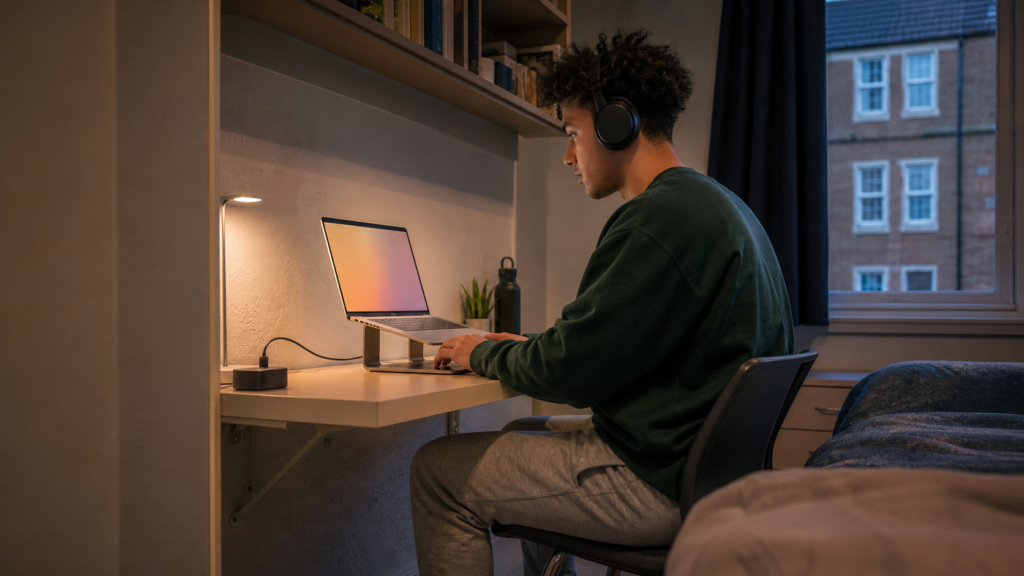
Most university students need:
✔ A suitable computer
✔ Reliable internet access
✔ Required software
✔ Safe charging equipment
✔ A backup system
✔ Headphones where shared-space noise is a problem
Everything else depends on the course, accommodation and personal workflow.
Should students buy technology before university begins?
Buy essential equipment only after checking departmental requirements.
Some universities provide software, computer rooms, loan equipment or discounted services. Waiting for accurate guidance may prevent an expensive mistake.
✅ Final Verdict: Best Study Tech for Students UK
The best study tech for students UK learners can buy should make studying more reliable, focused and comfortable without filling a small room with unnecessary gadgets.
Our top recommendation is the ASUS Chromebook 14 CX1405CTA. Its lightweight design, 14-inch Full HD display and useful connectivity make it a practical option for browser-based coursework and online learning.
The Soundcore Anker Q20i headphones are our preferred choice for students affected by steady background noise. Their active noise cancellation, multipoint connectivity and long listed battery life make them useful at home, in libraries and during travel.
The reMarkable Paper Pure Bundle offers a premium distraction-free approach to handwritten notes and document review, although its specialist purpose and high price limit its appeal.
The Babacom Adjustable Laptop Stand can improve how an existing laptop fits into a compact workspace, while the KNAMKY USB Clip-On Desk Lamp adds adjustable task lighting without occupying the centre of the desk.
The best study tech for students UK families choose should solve the student’s most important problem first.
Check compatibility, measure the available space and consider how often the product will genuinely be used. One carefully selected device is more valuable than several impressive accessories that never become part of the student’s routine.