Why WiFi Is Bad in Flats (UK Guide 2026)
Introduction
If you’ve ever wondered why WiFi is bad in flats, you’re not alone. Many people living in studio flats or apartment buildings experience weak signals, slow speeds, or unreliable connections even when they are paying for high-speed internet.
The problem usually isn’t your internet plan. Instead, several factors inside apartment buildings can interfere with wireless signals. Walls, neighbouring networks, and router placement all affect how well WiFi works in smaller homes.
Understanding why WiFi is bad in flats is the first step to fixing the issue. In this guide, we explain the most common reasons WiFi struggles in apartments and what you can do to improve your connection.
Why WiFi Is Bad in Flats
One of the main reasons WiFi is bad in flats is the number of wireless networks operating close together. In apartment buildings, dozens of routers may be transmitting signals in the same space.
When these signals overlap, they create interference that can reduce speeds and make connections unstable. Even if your internet provider delivers fast broadband, your WiFi signal may still struggle to perform properly in a crowded building.
Thick Walls and Building Materials
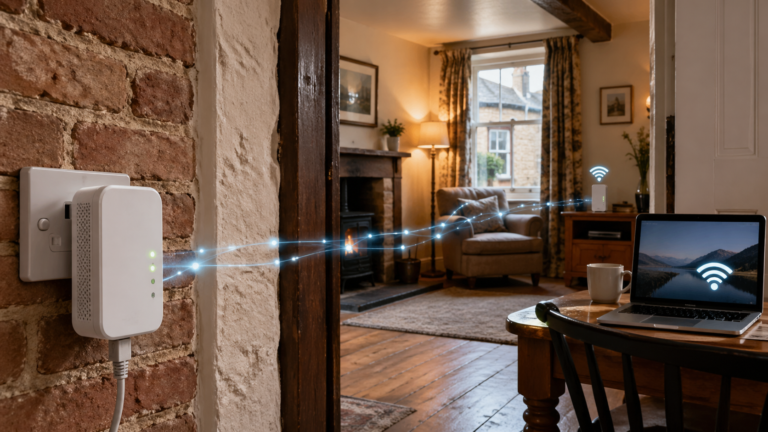
Apartment buildings often use dense construction materials such as concrete, brick, and reinforced walls. These materials can block or weaken wireless signals.
Unlike houses where signals travel through lighter walls and open spaces, flats often create physical barriers that reduce WiFi coverage. This means the signal from your router may not reach every part of the apartment equally.
This is another reason why WiFi is bad in flats, especially in older buildings with thicker internal walls.
Router Placement Problems
Where you place your router can dramatically affect WiFi performance.
Many people position routers in corners of the flat, behind furniture, or inside cupboards. Unfortunately, these locations block the signal and reduce coverage.
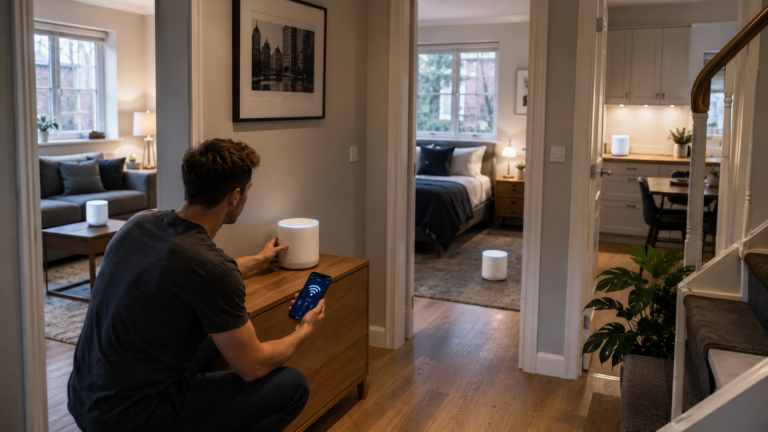
For the best results, routers should be placed in a central and elevated location where the signal can travel more freely throughout the room.
If you are looking for equipment designed for smaller homes, our guide to best WiFi routers for small flats explains which features improve signal strength in apartments.
Interference from Neighbouring Networks
Apartment buildings can contain dozens of wireless networks operating on the same frequency channels.
When multiple routers use the same channels, their signals compete with each other. This creates interference that slows down speeds and weakens signal stability.
This network congestion is a major reason why WiFi is bad in flats, particularly in large residential buildings. According to guidance from the UK communications regulator Ofcom, WiFi interference in apartment buildings is common due to overlapping wireless networks.
Older Routers Can Struggle in Apartments
Another common cause of poor performance is outdated router technology.
Older routers often lack the signal management features found in newer devices. These newer routers can automatically adjust channels and distribute signals more efficiently in crowded wireless environments.
Upgrading to modern equipment designed for smaller spaces can often improve WiFi reliability significantly.
Simple Ways to Improve WiFi in a Flat
Although apartment WiFi problems are common, several simple adjustments can improve performance.
These include:
- placing the router in a central location
- keeping the router away from thick walls
- reducing interference from electronics
- upgrading older routers
- choosing less congested wireless channels
Even small changes can noticeably improve connection stability and speed.
Why Router Position Matters in Small Flats
Router placement is often overlooked, but it plays a major role in determining how well your internet performs. In smaller homes and studio flats, placing the router in the wrong position can drastically reduce signal strength.
If the router is located in one corner of the flat, the signal must travel through multiple walls and obstacles before reaching other areas of the room. Furniture, appliances, and even mirrors can weaken wireless signals.
For the best results, routers should ideally be positioned in a central and elevated location. This allows the signal to spread more evenly throughout the apartment and improves coverage across the entire living space.
Many people living in studio flats notice a significant improvement simply by moving their router away from walls or lifting it onto a shelf or desk.
Conclusion
Understanding why WiFi is bad in flats helps explain why internet connections can feel slower or less reliable in apartment buildings. Wireless signals are affected by walls, neighbouring networks, and router placement.
Fortunately, improving WiFi in a flat is often easier than many people expect. With better router positioning and modern equipment, most apartment dwellers can significantly improve their connection quality.