How to Improve WiFi in a Small Flat
How to Improve WiFi in a Small Flat
Slow or unreliable internet can be incredibly frustrating, especially when you live in a small flat where you expect the WiFi signal to reach every room easily. Surprisingly, even compact apartments can suffer from weak WiFi due to building materials, poor router placement, and interference from neighbouring networks.
If you’re wondering how to improve WiFi in a small flat, the good news is that most problems can be fixed with a few simple adjustments. From moving your router to upgrading your equipment, the following tips can dramatically boost signal strength and eliminate frustrating dead zones.
1. Move Your Router to a Better Location
Router placement has a huge impact on signal strength. Many people hide their router in cupboards or behind furniture, which blocks the signal before it even reaches the room.
To improve WiFi coverage:
- Place the router in a central location
- Keep it elevated on a shelf or desk
- Avoid placing it behind TVs or inside cabinets
When considering how to improve WiFi in a small flat, simply moving the router into an open area can sometimes double your coverage.
2. Reduce Interference from Other Devices
Many household electronics interfere with WiFi signals, including:
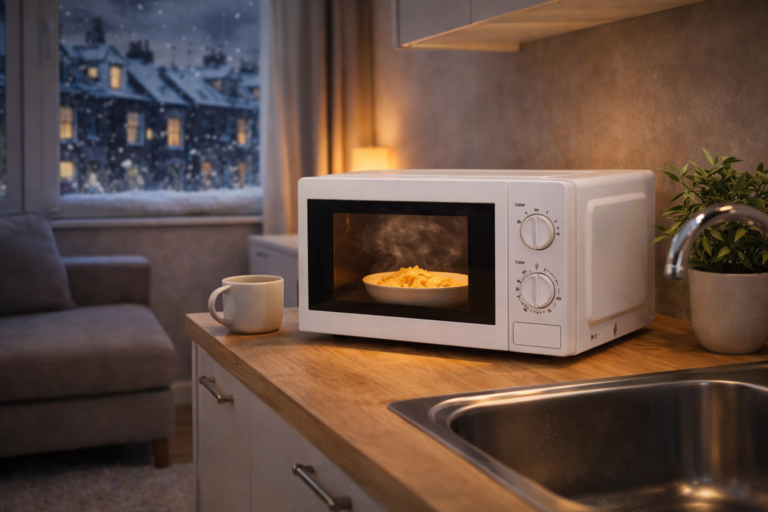
- Microwaves
- Bluetooth devices
- Baby monitors
- Wireless speakers
Flats and apartments often suffer more interference because neighbouring WiFi networks compete for the same channels.
Changing your router channel or switching to the 5GHz band can significantly improve performance.
3. Upgrade to a Modern Router
Older routers struggle to handle multiple devices, especially with modern streaming and smart home setups.
Upgrading to a WiFi 6 router can improve:
- connection speed
- signal reliability
- device capacity
If you’re researching how to improve WiFi in a small flat, upgrading your router is one of the most effective long-term solutions.
You can explore our guide to the best WiFi routers for small flats if you think your current router may be outdated.
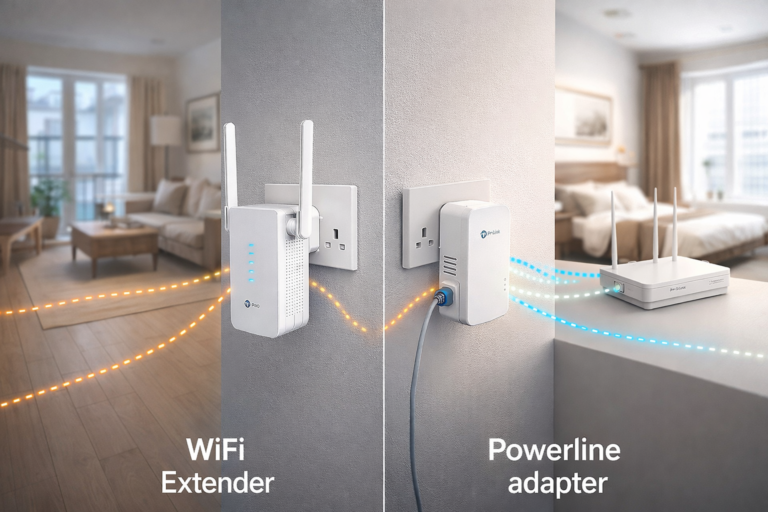
4. Use a WiFi Extender
If your WiFi signal drops in certain areas of your flat, a WiFi extender can help expand coverage.
WiFi extenders work by:
- receiving the existing signal
- rebroadcasting it further into the home
They are especially useful for:
- flats with thick walls
- duplex apartments
- rooms far from the router
Our guide to the best WiFi extenders for small flats UK explains which models work best in compact spaces.
5. Consider a Mesh WiFi System
Mesh WiFi systems use multiple devices working together to create a seamless network throughout your home.
Instead of relying on a single router, mesh systems place small nodes around the flat to ensure strong coverage everywhere.
For anyone serious about how to improve WiFi in a small flat, mesh WiFi systems are often the most reliable solution.
You can also read our guide on the best mesh WiFi systems for small flats to see which setups work best in apartments.
6. Reduce Physical Signal Barriers
Some building materials block WiFi signals more than others.
Common WiFi blockers include:
- thick brick walls
- concrete floors
- metal shelving
- mirrors and large appliances
If your router sits behind these materials, the signal may struggle to reach other rooms.
Even in smaller flats, these barriers can create frustrating dead zones.
7. Limit Bandwidth-Heavy Devices
Too many connected devices can slow down your network.
Common bandwidth hogs include:
- streaming TVs
- gaming consoles
- video calls
- cloud backups
Disconnect unused devices and prioritise important ones through your router settings.
This simple step often helps people wondering how to improve WiFi in a small flat without buying any new equipment.
According to broadband advice from Ofcom, building materials and device interference are two of the biggest causes of poor WiFi signals in flats.
Final Thoughts
If your internet connection feels slow or unreliable, learning how to improve WiFi in a small flat can make a huge difference to everyday life.
Simple changes like repositioning your router, upgrading equipment, or using WiFi extenders can dramatically improve signal strength and eliminate frustrating dead zones.
With the right setup, even a compact studio flat can enjoy fast, reliable WiFi in every room.