5 Best Laptops for Students UK: Powerful Picks for Study
💻 Reliable Laptops for School, College and University
The best laptops for students UK learners can buy should make studying easier without adding unnecessary weight, expense or frustration. A dependable student laptop needs enough memory for research, video calls and multiple browser tabs, alongside practical storage, good software compatibility and a screen that remains comfortable during long assignments. After comparing five options for different courses and budgets, we found that the HP 14s-dq5007sa offers the strongest overall balance. However, the best laptops for students UK buyers should consider also include a long-lasting Snapdragon laptop, a large-screen Acer and two affordable Chromebooks. This guide explains which model suits each type of student, where the compromises lie and which specifications are genuinely worth paying for.
This article contains affiliate recommendations. If you purchase through one of our links, we may earn a small commission at no additional cost to you.
⚡ Quick Answer: Which Are the Best Laptops for Students UK?
The HP 14s-dq5007sa is our overall winner among the best laptops for students UK because it combines an Intel Core i7 processor, 16GB of RAM, a 512GB SSD and Windows 11 within a compact 14-inch design.
✔ Best overall: HP 14s-dq5007sa
✔ Best for battery life: ASUS Vivobook 16 X1607QA
✔ Best large-screen option: Acer Aspire 17 A17-51M
✔ Best Chromebook for performance: ASUS Chromebook CX14
✔ Best lightweight budget option: Lenovo IdeaPad Slim 3 Chromebook
Students who need a portable Windows laptop for essays, coursework and everyday multitasking will usually be best served by the HP. Those prioritising battery life and a larger screen may prefer the ASUS Vivobook, while someone studying mostly from one desk may appreciate the Acer’s expansive 17.3-inch display. The two Chromebooks are simpler choices for browser-based schoolwork, Google Workspace and online learning.
Students who already own a suitable computer can compare the best study tech for students UK for practical accessories that can improve concentration, lighting and everyday comfort.
🏆 OUR TOP PICK
HP 14s-dq5007sa
The HP 14s-dq5007sa is our top recommendation because it provides the specifications most students actually need: 16GB of memory, a fast 512GB SSD, a Full HD display and an Intel Core i7-1255U processor. It is one of the best laptops for students UK shoppers can choose when they want dependable Windows compatibility in a more portable 14-inch format.
Check Latest Price on Amazon →
📊 Best Laptops for Students UK Comparison Table
The table below compares our five best laptops for students UK selections by operating system, main specification and ideal user.
| Product | Operating system | Key specification | Best for | Latest price |
|---|---|---|---|---|
| HP 14s-dq5007sa | Windows 11 | Core i7, 16GB RAM, 512GB SSD | Best overall | Check Latest Price on Amazon → |
| ASUS Vivobook 16 X1607QA | Windows 11 on ARM | Snapdragon X, 16GB RAM, 512GB SSD | Battery life and everyday productivity | Check Latest Price on Amazon → |
| Acer Aspire 17 A17-51M | Windows 11 | Core 7, 16GB RAM, 512GB SSD | Large-screen home study | Check Latest Price on Amazon → |
| ASUS Chromebook CX14 | ChromeOS | 14-inch Full HD Chromebook | Web-based coursework | Check Latest Price on Amazon → |
| Lenovo IdeaPad Slim 3 Chromebook | ChromeOS | Lightweight design and long battery potential | Basic study on a budget | Check Latest Price on Amazon → |
All five models can handle ordinary student tasks, but they are not interchangeable. Windows laptops provide broader software support, while Chromebooks prioritise simplicity, portability and cloud-based work. Choosing the correct operating system matters just as much as comparing memory, processor names or storage capacity.
🔍 How We Chose the Best Laptops for Students UK
We assessed the best laptops for students UK users might realistically buy rather than simply selecting the most expensive machines. Student needs vary enormously, so each recommendation was considered against six practical criteria.

Everyday study performance
A student laptop should remain responsive while running a browser, word processor, music service and communication apps simultaneously. For Windows laptops, 16GB of RAM provides useful breathing room and should remain comfortable throughout several academic years.
The best laptops for students UK courses demand do not necessarily require dedicated graphics cards or top-tier workstation processors. For essays, presentations, spreadsheets, online lectures and research, balanced components usually provide better value than expensive gaming specifications that may never be used.
The HP, ASUS Vivobook and Acer all include 16GB of memory and 512GB of storage. This gives them a considerable advantage over the two entry-level Chromebooks when several applications or large collections of local files are involved.
Software compatibility
Software compatibility is particularly important for university students. Windows remains the safest general-purpose option because it supports a wide range of educational, professional and specialist applications.
The HP 14s-dq5007sa and Acer Aspire 17 use conventional Intel processors. That makes them sensible options for students who are unsure which desktop applications their course may introduce later.
ChromeOS works extremely well for Google Docs, web research, email and online learning platforms, but it cannot run every traditional Windows or macOS program. Similarly, the Snapdragon-powered ASUS Vivobook uses an ARM-based Windows platform. Most everyday applications should work well, but students who depend on specialist drivers, older software or course-specific programs should check compatibility before buying.
This is why our list of the best laptops for students UK learners can use places the conventional Intel-powered HP first.
Portability
A laptop that stays in a bedroom can be larger and heavier than one carried between lessons every day. Fourteen-inch laptops are generally easier to fit inside a backpack, while 15.6-inch and 16-inch models provide more working space at the expense of additional bulk.
The HP’s 14-inch format is one of its most useful student-friendly qualities. It provides a Full HD workspace while remaining more manageable for sixth-form, college and university travel than a large desktop-replacement machine.
The Acer’s 17.3-inch display is excellent for a permanent study area, but its approximate 2.09kg weight makes it less appealing for daily commuting. The best laptops for students UK commuters choose should balance screen size with portability rather than maximising either one.
Battery life and charging
Battery claims are useful for comparison, although real results depend on screen brightness, Wi-Fi use, applications and power settings. We looked for machines capable of supporting useful study sessions without constantly searching for a socket.
The HP listing states battery life of up to eight hours. That may be sufficient for lessons, library work and travel when power settings are managed carefully, but it is not the longest claim in this comparison.
Battery endurance is the ASUS Vivobook’s main strength. The two Chromebooks are also designed around efficient everyday computing and can be practical when convenient sockets are limited.
The best laptops for students UK buyers choose for all-day use should be judged on realistic mixed usage rather than ideal laboratory claims.
Storage
A 512GB SSD is an excellent starting point for a Windows student laptop. It provides room for applications, downloaded lectures, coursework, photographs and offline files while keeping the system responsive.
The HP, ASUS Vivobook and Acer all meet this preferred capacity. That means students can install ordinary applications and store files locally without immediately depending on external storage.
Chromebooks commonly provide less internal storage because they are designed around cloud services. That can be perfectly adequate for organised users, but students should understand how much local space they are buying. The best laptops for students UK buyers select should fit their actual file habits rather than relying on storage they may quickly outgrow.
Value over several academic years
A cheap laptop is not good value if sluggish performance makes it frustrating within a year. We prioritised sensible memory, current operating systems and useful everyday features rather than chasing the lowest possible purchase price.
The best laptops for students UK households invest in should ideally last through several years of study. Spending slightly more on 16GB of RAM and a 512GB SSD can therefore be more economical than replacing a severely limited laptop sooner.
Value also depends on the course. A Chromebook may provide excellent value for browser-based homework, while a Windows laptop could be the wiser purchase when specialist applications are required.
🥇 1. HP 14s-dq5007sa — Best Overall
The HP 14s-dq5007sa earns first place in our guide to the best laptops for students UK because it combines strong everyday hardware with a genuinely student-friendly 14-inch format. Its conventional Intel processor and Windows 11 operating system make it suitable for a broad range of courses, while 16GB of RAM supports comfortable multitasking.
Key specifications
✔ Intel Core i7-1255U processor
✔ 16GB RAM
✔ 512GB SSD
✔ 14-inch Full HD display
✔ 1920 × 1080 resolution
✔ Windows 11
✔ Intel Iris Xe integrated graphics
✔ Dual speakers
✔ Natural silver finish
✔ Stated battery life of up to eight hours
Why it works well for students
The Core i7-1255U is a capable mobile processor designed to balance performance with everyday efficiency. It provides enough power for essays, presentations, spreadsheets, web research, video meetings and ordinary creative tasks.
Its 16GB of RAM is one of the strongest reasons to choose this HP. Many students routinely keep numerous browser tabs open alongside Word, Teams, Spotify and cloud-storage applications. Having more memory reduces the likelihood of the laptop becoming sluggish during this type of multitasking.
The 512GB SSD is also a sensible capacity. It provides considerably more flexibility than the 64GB eMMC drives commonly found in budget Chromebooks, yet it avoids charging students for excessive storage that may never be used.
Among the best laptops for students UK shoppers are likely to encounter, the HP feels like the safest recommendation for someone who does not yet know which specialist applications their course may require.
A practical 14-inch design
The 14-inch Full HD display is compact enough for travelling while still providing a clear workspace for documents and online lessons. It should fit more comfortably inside an ordinary student backpack than the 16-inch ASUS or 17.3-inch Acer.
A smaller laptop also suits compact bedrooms, shared homes and temporary study areas. It can be used on a narrow desk or dining table and stored away more easily when the space is needed for something else.
This portability is why the HP ranks so highly among the best laptops for students UK commuters can buy. It avoids forcing students to choose between capable Windows hardware and a manageable everyday size.
Windows compatibility
The HP uses a conventional Intel processor rather than an ARM-based platform. This provides broad compatibility with established Windows software, external accessories and course-specific applications.
No laptop can guarantee support for every specialist program, so students should still check their institution’s requirements. However, the HP is less likely to encounter architecture-related compatibility problems than a Snapdragon Windows machine.
This is particularly useful for students who have not yet received a complete software list or who want a laptop capable of adapting to different modules.
Graphics and creative work
Intel Iris Xe integrated graphics are suitable for media playback, general visual work, light photo editing and casual games. They are more capable than the most basic integrated graphics solutions, but they do not turn the HP into a dedicated gaming or professional rendering laptop.
Students studying advanced animation, complex 3D modelling, architecture or professional video production may need dedicated graphics and a more powerful cooling system.
For mainstream coursework, however, integrated graphics help keep the laptop smaller, quieter and more affordable.
Battery life
The product listing states battery life of up to eight hours. Actual results will depend on brightness, applications, video use, Wi-Fi activity and battery condition.
Eight hours may cover a useful portion of the academic day, but students should not assume it guarantees uninterrupted all-day use. Carrying the charger may still be sensible during long days on campus.
Students who place battery life above conventional software compatibility may prefer the ASUS Vivobook. The HP wins overall because it balances portability, processing power, storage and Windows flexibility more evenly.
What to consider
The 14-inch screen will feel smaller than the displays on the ASUS Vivobook and Acer Aspire 17. Students who work with wide spreadsheets or several windows at once may prefer a larger panel or an external monitor at home.
The Core i7-1255U is also an older-generation processor than some alternatives. It remains capable for mainstream study, but buyers should judge it by the complete specification and current price rather than the Core i7 name alone.
Despite those limitations, this is one of the best laptops for students UK users can select when portability, compatibility and useful everyday specifications matter more than fashionable extras.
Anyone preparing to move away from home can also explore the best university essentials UK for useful equipment that works in compact student accommodation.
Best suited to
- Secondary-school and sixth-form students
- University students writing essays and reports
- Business, humanities and social-science courses
- Microsoft Office and online learning
- Everyday multitasking
- Students commuting with a laptop
- Compact desks and smaller bedrooms
- Buyers wanting broad Windows compatibility
Verdict
The HP 14s-dq5007sa provides the strongest all-round package in this comparison. It is not the largest or longest-lasting model here, but it combines a compact 14-inch design with 16GB of memory, 512GB of storage and a capable Intel processor.
That balance makes it our overall winner among the best laptops for students UK.
Check Latest Price on Amazon →
🔋 2. ASUS Vivobook 16 X1607QA — Best for Battery Life
The ASUS Vivobook 16 X1607QA is one of the more interesting best laptops for students UK options because it combines a large 16-inch display with an efficient Snapdragon X processor. It is designed for long-lasting productivity and includes 16GB of LPDDR5X memory alongside a 512GB PCIe SSD.
Key specifications
✔ Snapdragon X X1-26-100 processor
✔ 16GB LPDDR5X RAM
✔ 512GB PCIe SSD
✔ 16-inch WUXGA display
✔ 1920 × 1200 resolution
✔ Windows 11 Home
✔ Wi-Fi 6E
✔ Two USB4 Type-C ports
✔ HDMI connection
✔ Full HD camera with privacy shutter
Why it works well for students
The 16:10 screen provides more vertical space than a traditional 16:9 panel. That extra height is useful for reading documents, browsing research papers and working within spreadsheets. It also makes the laptop feel more spacious when several windows are open.
Its Snapdragon processor is designed around efficiency. For students moving between seminars, libraries and shared study spaces, extended battery potential can be more valuable than benchmark-leading performance.
With 16GB of memory and a 512GB SSD, the Vivobook meets our preferred baseline for a long-term Windows study laptop. It should feel responsive during everyday productivity and provides enough local storage for most students.
For these reasons, the ASUS deserves a prominent place among the best laptops for students UK shoppers prioritising screen space and battery life.
The Windows-on-ARM consideration
The Snapdragon processor uses ARM architecture, which differs from the conventional Intel and AMD systems found in most Windows laptops. Modern applications and Microsoft’s own software increasingly support ARM well, while Windows can emulate many traditional programs.
However, compatibility is not universal. Some specialist university software, older applications, accessories and hardware drivers may not work exactly as expected. This will not affect every student, but it is important enough to check before purchasing.
Students studying subjects that rely on laboratory equipment, engineering packages, specialist audio tools or institution-specific examination software should ask their course provider which systems are supported.
The Vivobook may be one of the best laptops for students UK writers and general users can buy, but the Intel-powered HP remains the safer universal recommendation.
Screen and connectivity
The 16-inch WUXGA screen has a 1920 × 1200 resolution and anti-glare finish. It offers a comfortable workspace for assignments, online lessons and entertainment without requiring a separate display.
Connectivity is strong for a modern laptop. Two USB4 Type-C ports support high-speed data, display output and power delivery, while two USB-A ports help with older accessories. HDMI is also available for connecting a monitor, television or projector.
What to consider
The main concern is application compatibility rather than raw everyday performance. Students should also remember that the 16-inch body occupies more desk and backpack space than the HP or either Chromebook.
The integrated graphics are appropriate for study and media consumption but are not intended to replace a gaming laptop or specialist creative workstation.
Best suited to
- Students prioritising battery life
- Essay writing and online research
- Microsoft 365 and browser-based study
- Video calls and remote learning
- Students wanting a spacious 16:10 display
- Users who have confirmed ARM compatibility
Verdict
For general productivity, battery-conscious study and a roomy screen, the ASUS Vivobook 16 is a compelling option. It ranks second in our guide to the best laptops for students UK because its hardware is excellent, although the ARM compatibility question prevents it from becoming our universal top pick.
Check Latest Price on Amazon →
🖥️ 3. Acer Aspire 17 A17-51M — Best Large-Screen Laptop
The Acer Aspire 17 is the largest of our best laptops for students UK recommendations. Its 17.3-inch Full HD display makes it especially attractive for students who work mainly from a bedroom, home office or fixed study space.
Key specifications
✔ Intel Core 7 150U processor
✔ 16GB LPDDR5 RAM
✔ 512GB PCIe NVMe SSD
✔ 17.3-inch Full HD IPS display
✔ Windows 11 Home
✔ Integrated Intel graphics
✔ Backlit keyboard
✔ Fingerprint reader
✔ USB4 connectivity
✔ Approximate weight of 2.09kg
Why it works well for students
A 17.3-inch display provides substantially more room for long documents, spreadsheets and side-by-side windows. Students who would otherwise purchase a separate monitor may find the Acer’s built-in screen large enough for their normal workflow.
The Core 7 150U processor, 16GB of memory and 512GB SSD create a strong general-purpose specification. It should handle demanding multitasking more comfortably than entry-level laptops and provides enough capacity for several years of normal academic use.
That makes it one of the best laptops for students UK buyers can consider when performance and screen size matter more than portability.
The backlit keyboard is useful during evening study, while the fingerprint reader provides convenient sign-in. Its selection of ports also supports common student accessories without requiring numerous adapters.
The portability compromise
The Acer is approximately 2.09kg before adding its charger. It is also physically wider and deeper than a 14-inch or 15.6-inch laptop. Carrying it between lectures every day could become tiring, especially alongside books, lunch and other equipment.
It is therefore best treated as a portable desktop replacement rather than a lightweight campus companion. Students should also measure their desk before buying because the 17.3-inch chassis requires meaningful surface space.
For a student who studies mainly at home, these compromises may not matter. For a daily commuter, they could be decisive.
Best suited to
- Students studying mainly from home
- Spreadsheet-heavy coursework
- Long writing and research sessions
- Users wanting a desktop-replacement laptop
- Students who prefer a larger screen
- Anyone unlikely to carry their laptop every day
Verdict
The Acer Aspire 17 provides an excellent combination of screen size, memory and everyday processing power. It is one of the best laptops for students UK home-based learners can choose, but its size keeps it below the more versatile HP and ASUS options.
Check Latest Price on Amazon →
🌐 4. ASUS Chromebook CX14 — Best Chromebook for Performance
The ASUS Chromebook CX14 takes fourth place among the best laptops for students UK buyers can consider. It is a compact, straightforward laptop designed for online research, Google Workspace, streaming and cloud-based coursework rather than demanding Windows applications.
Key specifications
✔ Intel Celeron N50 processor
✔ 4GB RAM
✔ 64GB eMMC storage
✔ 14-inch Full HD display
✔ 1920 × 1080 resolution
✔ ChromeOS
✔ Integrated Intel graphics
✔ Approximate weight of 1.39kg
✔ Claimed battery life of up to 12 hours
✔ HDMI and USB connectivity
Why it works well for students
ChromeOS is designed to feel quick and uncomplicated on modest hardware. The operating system starts rapidly, updates quietly and places a strong emphasis on browser-based applications. Students can write assignments, create presentations, join video lessons and organise files without managing a complicated Windows installation.
The 14-inch Full HD screen is a particularly useful feature at this price level. It provides enough space for reading, writing and watching educational content while keeping the overall laptop compact enough for a school bag or small bedroom desk.
At approximately 1.39kg, the ASUS is easier to carry than the large-screen Windows machines in this guide. This makes it one of the best laptops for students UK commuters can choose when portability matters more than advanced software support.
ChromeOS also integrates naturally with Google Docs, Google Drive, Gmail and Classroom. Work can be saved automatically to the cloud, reducing the risk of losing an assignment if the device is damaged or misplaced.
Is 4GB of RAM enough?
Four gigabytes of memory is enough for basic Chromebook use, but students need to keep expectations realistic. The ASUS should cope with document editing, email, video playback and a moderate selection of browser tabs. It is not intended for heavy multitasking involving dozens of tabs and demanding Android applications.
Students who habitually leave every research page open may need to organise their workflow more carefully. The best laptops for students UK power users choose should generally have 8GB or 16GB of memory instead.
Is 64GB of storage enough?
The 64GB eMMC drive is considerably smaller and slower than the 512GB SSDs fitted to our Windows recommendations. ChromeOS is designed to rely on cloud storage, so this limitation may not affect students who keep most files in Google Drive.
However, local storage can fill quickly if the student downloads large videos, photographs, Android applications or offline course materials. Buyers should treat cloud storage and an organised file routine as part of owning this Chromebook.
What to consider
The most important limitation is software compatibility. A Chromebook cannot natively run every full Windows program. Students who need specialist engineering, design, music-production or examination software should confirm that a browser-based or Android alternative is available.
The Celeron processor, 4GB of memory and 64GB eMMC storage also position this as a basic study machine. It may be one of the best laptops for students UK users can buy for uncomplicated coursework, but it is not a replacement for a powerful Windows workstation.
Best suited to
- Google Docs and Google Classroom
- Browser-based homework
- Online lessons and research
- Students already using Google Drive
- Carrying between school and home
- Small bedrooms and compact desks
- Families wanting a straightforward study laptop
Verdict
The ASUS Chromebook CX14 is a practical portable option for students whose work happens mostly inside a browser. Its Full HD display and lightweight design help it stand out, although its 4GB of memory and 64GB storage require sensible expectations.
It is one of the best laptops for students UK families can consider when simplicity, portability and affordability are more important than specialist application support.
Check Latest Price on Amazon →
🎒 5. Lenovo IdeaPad Slim 3 Chromebook — Best Lightweight Budget Choice
The Lenovo IdeaPad Slim 3 Chromebook completes our list of the best laptops for students UK shoppers should consider. It combines a 14-inch Full HD display with a MediaTek Kompanio 520 processor, 4GB of RAM and 64GB of eMMC storage.
Its main strengths are portability, quiet everyday operation and long battery potential. At approximately 1.3kg, it is the lightest option in this comparison.
Key specifications
✔ MediaTek Kompanio 520 processor
✔ 4GB LPDDR4X RAM
✔ 64GB eMMC storage
✔ 14-inch Full HD display
✔ ChromeOS
✔ Wi-Fi 6
✔ Bluetooth connectivity
✔ MicroSD card slot
✔ USB-C and USB-A connections
✔ Approximate weight of 1.3kg
✔ Claimed battery life of up to 13.5 hours
Why it works well for students
A lightweight laptop is easier to carry consistently. The difference between a 1.3kg Chromebook and a laptop weighing more than 2kg becomes noticeable when the bag also contains books, stationery, lunch and sports equipment.
The Lenovo’s MediaTek processor is designed for efficient everyday computing. It should handle document writing, web browsing, online lessons, video playback and ordinary school platforms without creating unnecessary noise or heat.
Battery life will depend on brightness, applications and connectivity, but the efficient processor and ChromeOS make the Lenovo suitable for studying away from a power socket. This helps it qualify as one of the best laptops for students UK learners can use across a normal school or college day.
Display and portability
The 14-inch Full HD display is compact without feeling excessively cramped. A 1920 × 1080 resolution provides a clearer workspace than low-resolution entry-level laptop screens, although viewing quality will also depend on the panel and the room’s lighting.
The chassis is thin enough for an ordinary laptop compartment, and the low weight makes it attractive for students travelling by bus or train. It also occupies little space on a narrow desk, dining table or temporary homework station.
For students living in small homes, this portability is valuable. The laptop can be stored in a drawer or vertical stand when lessons are finished, leaving the surface available for other activities.
Storage and performance limitations
Like the ASUS Chromebook, this Lenovo provides 4GB of memory and 64GB of eMMC storage. It is intended for light cloud-based work rather than demanding multitasking.
Students should avoid filling the internal storage unnecessarily. Documents can remain in cloud storage, while a microSD card may help with compatible media files. Important coursework should always be backed up rather than stored in only one location.
The best laptops for students UK creative or technical courses require will normally need more processing power, memory and local storage. This Lenovo is better suited to essays, online research and routine homework.
ASUS Chromebook or Lenovo Chromebook?
The choice between the two Chromebooks is relatively close. The ASUS uses an Intel Celeron processor and weighs approximately 1.39kg, while the Lenovo uses the efficient MediaTek Kompanio 520 and weighs approximately 1.3kg.
Choose the ASUS if you prefer its Intel-based platform or available connections. Choose the Lenovo if minimum weight and battery efficiency are your priorities. Prices can change, so the better-value Chromebook may simply be whichever is discounted when you buy.
Neither Chromebook should be selected before checking course software requirements. The best laptops for students UK buyers purchase must support the applications required by the school, college or university.
Best suited to
- Lightweight daily commuting
- Google Workspace
- Web research and essay writing
- Online school platforms
- Students with cloud-based workflows
- Smaller desks and shared rooms
- Basic everyday coursework
Verdict
The Lenovo IdeaPad Slim 3 Chromebook is light, uncomplicated and suitable for students who work mainly online. It lacks the memory, storage and software flexibility of our Windows recommendations, but it remains one of the best laptops for students UK households can consider for basic study.
Check Latest Price on Amazon →
⚖️ Windows Laptop or Chromebook for Students?
One of the biggest decisions when comparing the best laptops for students UK learners can buy is whether to choose Windows or ChromeOS.
Neither system is automatically better. The correct choice depends on the student’s course, applications and working habits.
Families preparing a pupil for Year 7 or a new academic year can also compare the best secondary-school supplies UK before purchasing additional equipment.
Choose a Windows laptop if:
✔ The course requires traditional desktop applications
✔ The student uses Microsoft Office extensively
✔ Specialist educational software may be needed
✔ More local storage is important
✔ The laptop must support a wide range of accessories
✔ The student wants maximum flexibility over several years
Windows is the safest option for students who are uncertain about future requirements. The HP 14s-dq5007sa and Acer Aspire 17 use conventional Intel processors, providing broad support for existing Windows applications.
The Snapdragon-powered ASUS Vivobook also runs Windows, but its ARM architecture deserves an additional compatibility check for specialist software and hardware.
The best laptops for students UK university courses require are often Windows machines simply because specialist applications are more likely to support them.
Choose a Chromebook if:
✔ Most work happens in a web browser
✔ The student uses Google Classroom and Google Docs
✔ Low weight is a priority
✔ Simple maintenance is appealing
✔ Cloud storage is already part of the workflow
✔ The purchase budget is limited
Chromebooks are particularly effective for younger students and courses built around web-based platforms. They start quickly, receive automatic updates and require relatively little maintenance.
However, a Chromebook should not be purchased purely because it costs less. The best laptops for students UK courses rely on are the machines that can complete every required task.
💷 How Much Should You Spend on a Student Laptop?
There is no single correct student-laptop budget. The right amount depends on the length of the course, software demands and whether the laptop will be carried daily.
A laptop can store assignments and calendars, but some learners may still benefit from one of the best academic planners for students UK when managing deadlines, revision and weekly study sessions.
Entry-level budget
An entry-level Chromebook can be suitable for browser-based homework, email, video lessons and Google Docs. This category makes sense when the school provides cloud services and does not require Windows applications.
The ASUS and Lenovo Chromebooks fit this simpler role. They minimise cost and weight but provide only 4GB of RAM and 64GB of internal storage.
Mid-range budget
The mid-range is usually the sweet spot for the best laptops for students UK buyers want to keep for several years. A laptop with 16GB of memory, a 512GB SSD and a capable Intel, AMD or Snapdragon processor should feel substantially more flexible than a basic Chromebook.
The HP 14s-dq5007sa offers the most balanced specification in this comparison. It provides enough memory and storage for ordinary university work while remaining compact enough to carry regularly.
Higher budget
Students studying architecture, engineering, animation, game development or professional video production may need more powerful hardware. A dedicated graphics processor, stronger cooling, a colour-accurate screen and additional memory can increase the price considerably.
None of the five recommendations in this guide is intended to be a specialist gaming or workstation laptop. That is deliberate: the best laptops for students UK general users need should not include expensive hardware that most students will never use.
🧠 How Much RAM Does a Student Laptop Need?
For Windows laptops, 16GB is our preferred target. It provides enough memory for a browser, Office applications, video calls and background services to run together comfortably.
Eight gigabytes can still work for straightforward study, but it provides less headroom for future software. Four gigabytes is now best reserved for lightweight ChromeOS devices and very basic use.
The operating system makes a difference. ChromeOS is designed to run on modest hardware, so 4GB is more usable on a Chromebook than it would be on a modern general-purpose Windows laptop.
Even so, students who multitask heavily should choose more memory. The best laptops for students UK researchers and university learners use should not require constant tab closing just to remain responsive.
Both the HP 14s-dq5007sa and Acer Aspire 17 include 16GB of memory. The ASUS Vivobook also includes 16GB, although its ARM-based processor introduces a separate compatibility consideration.
💾 How Much Storage Does a Student Need?
A 512GB SSD is a strong choice for a Windows student laptop. It provides space for software, assignments, downloads and personal files without requiring immediate expansion.
A 256GB SSD can be enough for disciplined users who rely on cloud storage. Below that level, Windows storage can become restrictive once updates and applications are installed.
The HP, ASUS Vivobook and Acer all provide 512GB SSDs. This makes them easier to use offline and better suited to applications that generate larger local files.
Chromebooks operate differently. The 64GB eMMC drives in the ASUS and Lenovo are intended to work alongside online storage. Students should therefore check whether their school account includes adequate cloud capacity.
Local files, cloud files and backups should not be confused. Important assignments should exist in more than one location regardless of the laptop’s storage capacity.
📏 What Screen Size Is Best for a Student Laptop?
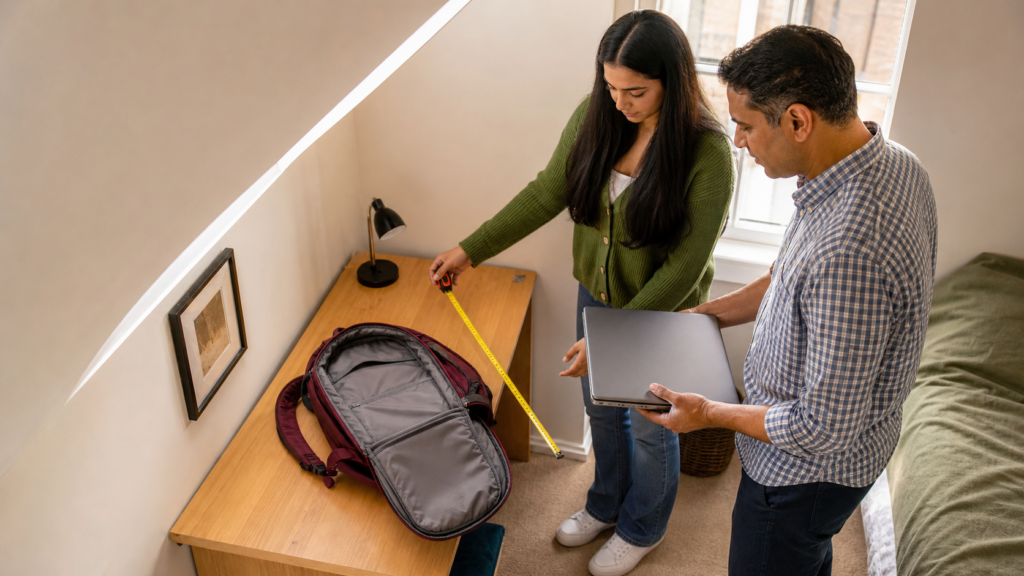
A 14-inch display offers the best balance for daily travel. It fits comfortably inside most backpacks and leaves more room on a small desk. This is one reason the HP 14s-dq5007sa becomes our top recommendation.
Students with limited floor space can compare the best study desks for small bedrooms UK before choosing a large laptop that will remain at home.
A 15.6-inch screen provides additional workspace while remaining reasonably portable, although there is no 15.6-inch model in our final five-product selection.
Sixteen-inch displays with a 16:10 aspect ratio provide useful vertical space for documents. The ASUS Vivobook offers this advantage, although its chassis is naturally larger than the HP or either Chromebook.
A 17.3-inch laptop is best for home-based work. The Acer is spacious and comfortable, but it is unlikely to be the best laptops for students UK commuters want to carry every day.
Students who want portability during lessons and extra screen space at home could choose the 14-inch HP and connect it to a separate monitor when needed.
🔌 Which Connections Should a Student Laptop Have?
A useful student laptop should provide enough connections for common accessories without requiring a bag full of adapters.
USB-A remains helpful for older flash drives, wired mice and basic peripherals. USB-C can support charging, storage, hubs and external displays depending on the laptop. HDMI is useful for monitors, televisions and classroom projectors.
Students should check the exact port specification rather than looking only at the connector’s shape. Not every USB-C port supports charging or video output.
A headphone connection can also be valuable in libraries and shared accommodation. Although wireless headphones are convenient, a wired option does not depend on battery life or Bluetooth pairing.
The best laptops for students UK users keep for several years should support both their current accessories and the study setup they may build later.
🎓 Which Laptop Is Best for Different Subjects?
Humanities, law and social sciences
Students writing long essays need a comfortable keyboard, reliable performance and enough memory for research. The HP 14s-dq5007sa is the safest choice, while the ASUS Vivobook is attractive for long study sessions if required software supports ARM.
The HP’s smaller 14-inch body is particularly useful for students moving regularly between seminars, libraries and home.
Business and accounting
Spreadsheets benefit from a larger screen and plenty of memory. The HP, ASUS Vivobook and Acer are all appropriate, with the Acer offering the most expansive working area.
Students choosing the HP may want to add a separate monitor for intensive spreadsheet work at home.
Computing and programming
Course requirements vary considerably. Some programming tools work well on every platform, while others need a specific operating system or processor architecture.
The Intel-powered HP or Acer provides the safest conventional Windows environment. A Chromebook may support browser-based coding platforms, but students should not assume it can run every development tool.
Art, design and media
Basic image editing is possible on the Windows recommendations, but professional creative courses may require dedicated graphics, more memory and a colour-accurate display.
Students should follow their institution’s published hardware requirements rather than relying entirely on a general guide to the best laptops for students UK.
School and GCSE coursework
For Google Classroom, web research and document writing, either Chromebook may be sufficient. The HP provides more flexibility and may remain useful for longer, but it is likely to cost more than a basic Chromebook.
Students preparing for college can use our guide to the best sixth-form essentials UK to identify the other equipment they may need alongside their laptop.
University students commuting daily
The HP 14s-dq5007sa offers the best balance of portability and conventional Windows performance. The Lenovo Chromebook is lighter, but its software compatibility and modest storage make it less versatile.
🚫 Common Student-Laptop Buying Mistakes
Buying on price alone
The cheapest laptop may have very limited memory, storage or screen quality. A device that becomes frustrating after one year is rarely good value.
A larger initial saving can disappear quickly if the laptop needs replacing before the course ends.
Remember to leave room in the budget for everyday equipment, including one of the best stationery sets for students UK if existing pens, maths tools and writing supplies need replacing.
Ignoring the operating system
A Chromebook is not simply a cheaper Windows laptop. It uses a different operating system and has different application support.
Students should also understand that a Snapdragon Windows laptop differs from a conventional Intel Windows laptop when specialist software is involved.
Choosing a laptop that is too heavy
A large laptop may feel manageable during a short test but become irritating after repeated journeys. Include the charger, protective sleeve and other bag contents when considering the total weight.
The Acer is excellent for home study but less suitable for daily travel. The compact HP and the two Chromebooks are easier commuting options.
Paying for gaming hardware unnecessarily
Dedicated graphics increase price, weight, heat and power consumption. They are worthwhile only when the student’s course or hobbies genuinely need them.
Integrated graphics are sufficient for documents, research, streaming, presentations and ordinary video calls.
Forgetting course requirements
The institution may recommend a particular operating system, processor family or memory capacity. Always check before buying.
Avoiding these mistakes makes it easier to identify the best laptops for students UK learners can use throughout their course rather than merely during the first term.
Assuming a Core i7 label tells the whole story
Processor branding can be confusing. A mobile Core i7 is not automatically faster than every newer Core 5 or Core 7 processor.
The HP’s Core i7-1255U is a capable student processor, but buyers should consider memory, storage, battery life, cooling and price alongside the processor name.
❓ Frequently Asked Questions
What is the best laptop for a student in the UK?
The HP 14s-dq5007sa is our overall recommendation because it combines 16GB of RAM, a 512GB SSD, an Intel Core i7-1255U processor and broad Windows compatibility within a portable 14-inch design.
It offers the most balanced specification among the best laptops for students UK buyers can choose.
Is 8GB of RAM enough for a student laptop?

Eight gigabytes can handle web browsing, documents and online lessons, but 16GB provides better multitasking and longer-term flexibility. Students buying a Windows laptop for several academic years should choose 16GB where the budget allows.
Is an Intel Core i7 good for students?
Yes. The Intel Core i7-1255U inside the HP is capable of everyday coursework, multitasking, video calls and moderate creative work.
However, students should not buy it purely because it carries a Core i7 label. The laptop’s 16GB of memory, 512GB SSD and compact size are equally important reasons for its recommendation.
Is a Chromebook good enough for university?
A Chromebook can be good enough when the course uses browser-based tools, Google Workspace and online learning systems. It may not suit courses requiring specialist Windows or macOS applications.
Students should confirm every essential program before purchasing. The best laptops for students UK university learners choose must work with all mandatory software.
Google publishes an official Chromebook Auto Update policy that buyers can use to check how long a particular model is scheduled to receive automatic software and security updates.
Should a student buy a 14-inch or 16-inch laptop?
A 14-inch laptop is easier to carry and suits smaller desks. A 16-inch model offers more working space for documents and multiple windows.
Choose the HP for portability or the ASUS Vivobook for additional screen space and battery potential.
Can a student use a Snapdragon Windows laptop?
Yes, many everyday Windows applications work well on Snapdragon laptops. However, students should verify compatibility with specialist course software, older peripherals and institution-specific applications before choosing one.
Is 64GB enough storage for a Chromebook?
It can be enough when most documents are stored in the cloud. Students downloading many applications, videos or offline files may find 64GB restrictive.
A microSD card can help with compatible files, but it does not replace a sensible backup system.
Which student laptop has the biggest screen?
The Acer Aspire 17 has the largest screen in this comparison at 17.3 inches. It is a strong home-study option but is heavier and less convenient to carry than the other best laptops for students UK recommendations.
Which student laptop is easiest to carry?
The Lenovo IdeaPad Slim 3 Chromebook is the lightest model in this comparison at approximately 1.3kg. However, the HP 14s-dq5007sa provides a better balance for students who need full Windows compatibility.
Do students need a dedicated graphics card?
Most students do not. Integrated graphics are sufficient for essays, research, video calls, streaming and ordinary productivity.
Dedicated graphics are more relevant for 3D design, professional video production, engineering visualisation and gaming.
Is eight hours of battery life enough for a student?
It may be enough for a mixed day of lessons and independent work, but actual battery life can be lower than the manufacturer’s maximum claim.
Students with long campus days should carry their charger, reduce screen brightness where practical and use battery-saving settings.
When is the best time to buy a student laptop?
Back-to-school promotions, major Amazon sales and seasonal retail events can produce useful discounts. However, stock and pricing change frequently, so compare the current specification rather than assuming every advertised deal is good value.
The best laptops for students UK shoppers buy during a sale should still meet the student’s software and portability requirements.
✅ Final Verdict
The HP 14s-dq5007sa is our overall winner among the best laptops for students UK because it offers the broadest balance of performance, memory, storage, portability and software compatibility.
Before the new term begins, work through our back-to-school checklist UK to confirm that the laptop, charger, accounts, stationery and travel arrangements are ready.
Its 16GB of RAM and 512GB SSD provide enough capacity for serious everyday study, while the Intel processor avoids the architecture-related compatibility questions associated with ARM. The compact 14-inch format also makes it easier to carry than the larger Windows alternatives.
The ASUS Vivobook 16 X1607QA is a compelling option for students prioritising battery life and a spacious 16:10 display. It is particularly attractive for research, writing and media use, provided every required application supports Windows on ARM.
The Acer Aspire 17 is the strongest choice for a large fixed study setup. Its 17.3-inch screen, 16GB of memory and 512GB SSD make it comfortable for lengthy home-study sessions, although its size and weight reduce portability.
For simpler browser-based coursework, the ASUS Chromebook CX14 and Lenovo IdeaPad Slim 3 Chromebook offer affordable alternatives. The ASUS provides an Intel-based Chromebook experience, while the Lenovo is particularly attractive for lightweight daily travel.
Ultimately, the best laptops for students UK learners should purchase are not necessarily the most expensive. The right laptop is the one that supports every required application, fits comfortably into the student’s routine and remains capable throughout the course.
Check software requirements first, decide how often the laptop will be carried and choose enough memory and storage for several years. Following those steps will make it easier to select one of the best laptops for students UK households can rely on long after the first week of term.