HD Ready vs Full HD vs 4K: Best Resolution for Small TVs
Which TV Resolution Actually Makes Sense When the Screen Is Small?
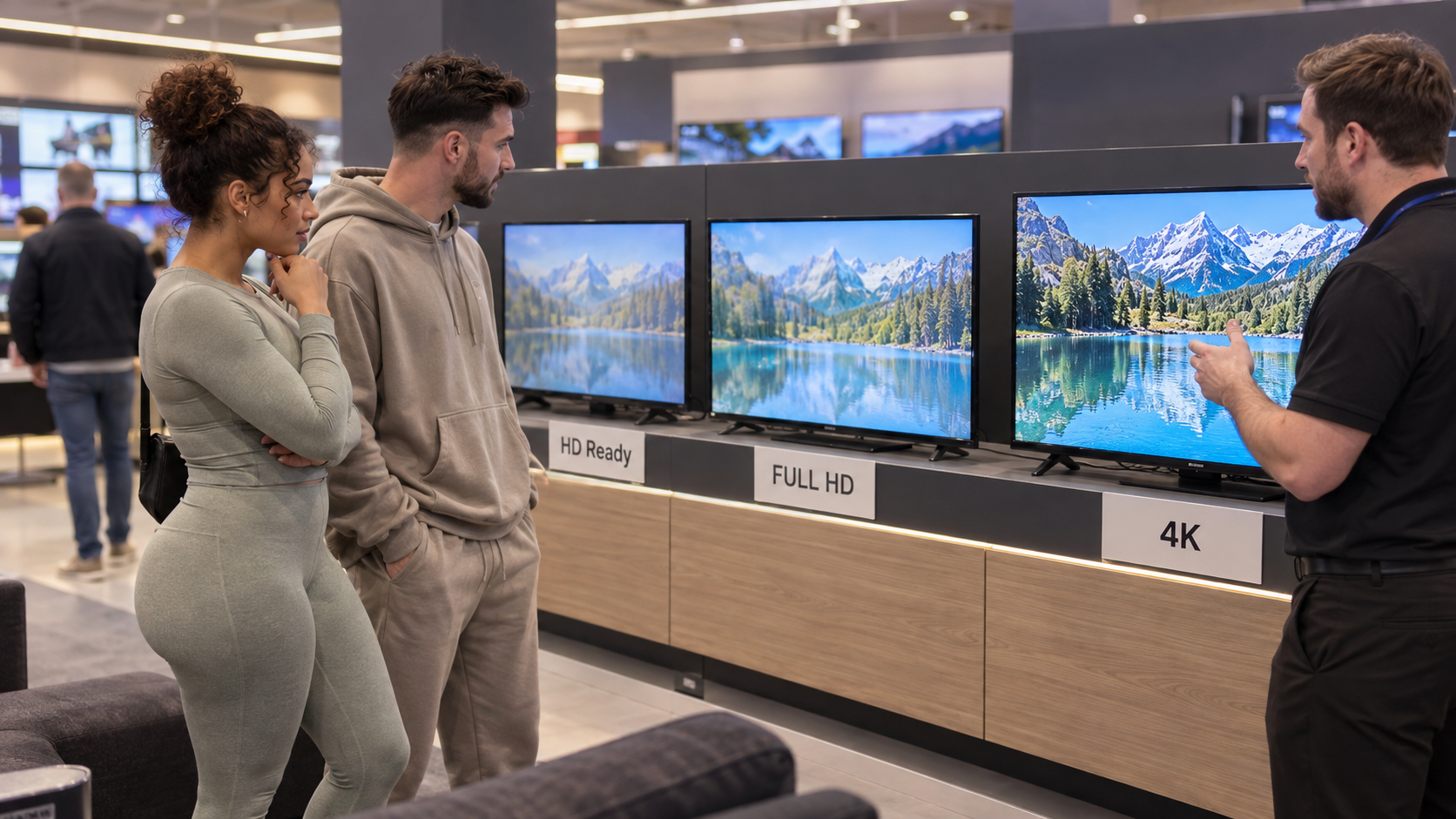
Choosing between HD Ready vs Full HD vs 4K sounds straightforward until you start shopping for a smaller television and discover that a 24-inch TV might still be HD Ready, a 32-inch model might be either HD Ready or Full HD, and a slightly larger compact TV may suddenly introduce 4K into the conversation. The numbers make 4K look automatically superior, but television resolution only matters when your screen size, viewing distance and content allow you to see the extra detail. In a small bedroom, kitchen, studio flat or compact living room, spending more for a higher-resolution panel can be worthwhile in some situations and almost irrelevant in others.
This guide explains HD Ready vs Full HD vs 4K specifically for smaller TVs, including what the resolutions actually mean, how many pixels you are getting, when Full HD becomes noticeably better than HD Ready, why 4K can be unnecessary on very small screens, and how to choose a resolution based on how you genuinely watch television rather than the biggest number printed on the box.
⚡ Quick Answer: HD Ready vs Full HD vs 4K
When comparing HD Ready vs Full HD vs 4K on a small TV, our practical rule is:
- 24-inch TV: HD Ready is often perfectly adequate, although Full HD is worthwhile if you sit very close or use the TV as a computer screen.
- 32-inch TV: Full HD is preferable if the price difference is reasonable, particularly for close bedroom viewing.
- 40-inch TV: Full HD makes strong sense and is usually the minimum we would actively look for.
- 43-inch and above: 4K becomes much easier to justify, especially at shorter viewing distances.
- Computer use: favour Full HD or 4K because text and fine interface details expose lower resolution more easily.
- Casual kitchen or bedroom viewing from several feet away: HD Ready can still look completely acceptable.
The important thing about HD Ready vs Full HD vs 4K is that higher resolution does not automatically mean you will see a dramatic improvement.
A 4K television contains far more pixels than a Full HD television, but if the screen is small enough or you sit far enough away, your eyes may not resolve much of that additional detail.
If 24 inches suits your available space, compare our Best 24-Inch Smart TVs UK guide to see current compact models across HD Ready and Full HD resolutions.
📊 HD Ready vs Full HD vs 4K at a Glance
| Resolution | Typical Pixel Dimensions | Approximate Total Pixels | Best Suited To | Main Limitation |
|---|---|---|---|---|
| HD Ready | 1366 × 768 on many small TVs | Around 1 million | 24-inch TVs, casual bedroom or kitchen viewing | Less fine detail when viewed close |
| Full HD | 1920 × 1080 | Around 2.1 million | 24–40-inch TVs, closer viewing, gaming and computer use | Less detailed than 4K on larger screens |
| 4K UHD | 3840 × 2160 | Around 8.3 million | Larger TVs, close viewing, 4K films and gaming | Often unnecessary on very small screens |
The jump in HD Ready vs Full HD vs 4K is substantial on paper.
Full HD contains roughly twice as many pixels as a typical 1366 × 768 HD Ready television.
4K then contains four times as many pixels as Full HD.
But the real-world question is not how many pixels the television contains.
It is how many of those additional pixels you can actually see from your sofa, bed or dining chair.
What Does HD Ready Mean?
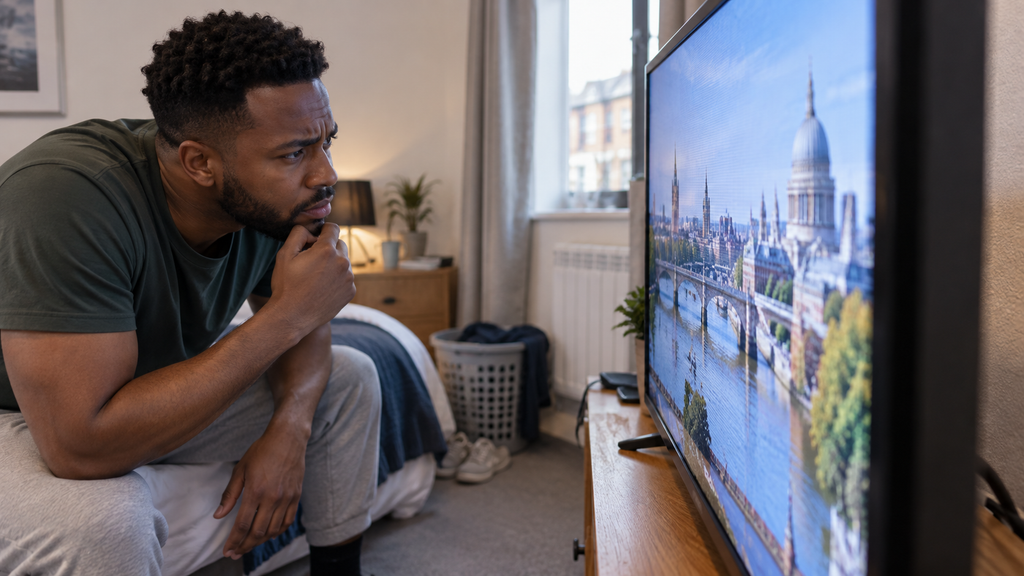
HD Ready is the lowest resolution you will commonly encounter when shopping for modern small TVs in the UK.
Many compact televisions use a panel with a native resolution of 1366 × 768 pixels.
You may also encounter 1280 × 720 associated with 720p video, although 1366 × 768 has historically been common for small TV panels.
When discussing HD Ready vs Full HD vs 4K, HD Ready should not automatically be treated as bad.
It is simply lower resolution.
Why HD Ready Still Exists
Small televisions are frequently used in:
- Kitchens
- Spare bedrooms
- Children’s rooms
- Caravans
- Student accommodation
- Home offices
- Small rented rooms
In many of these situations, viewers are not sitting extremely close or watching high-quality cinematic content.
Manufacturers can therefore use a lower-resolution panel while keeping the television affordable.
On a 24-inch screen viewed from several feet away, HD Ready can still appear sharp.
That is an important point in the HD Ready vs Full HD vs 4K debate because specification sheets can make a perfectly usable screen sound outdated.
When You Notice HD Ready’s Limitations
The weaknesses become easier to see when you move closer.
You may notice:
- Less detail in faces
- Softer text
- Less defined fine patterns
- Slightly rougher edges on graphics
- Less clarity when connecting a laptop
- Less detail in high-quality streaming content
The closer you sit, the easier it becomes to distinguish HD Ready vs Full HD vs 4K.
That is why viewing distance matters so much.
What Does Full HD Mean?
Full HD uses 1920 × 1080 pixels, commonly referred to as 1080p.
For smaller televisions, Full HD is often the resolution sweet spot.
It offers significantly more detail than HD Ready without requiring the screen sizes where 4K really starts to become valuable.
For many Small Living Solutions readers, the most meaningful decision in HD Ready vs Full HD vs 4K will therefore be HD Ready versus Full HD rather than Full HD versus 4K.
Why Full HD Works So Well on Small TVs
A small TV often sits relatively close to the viewer.
Examples include:
- A television at the end of a bed
- A TV beside a kitchen dining table
- A compact screen opposite a small sofa
- A television used partly as a PC display
At these distances, Full HD gives your eyes more detail to work with.
Text appears cleaner.
Faces can look more defined.
Fine textures become easier to distinguish.
This is where HD Ready vs Full HD vs 4K starts producing a visible difference rather than merely a specification difference.
Full HD Is Particularly Useful at 32 Inches
A 32-inch screen is an interesting transition point.
HD Ready can still look fine.
But Full HD becomes much easier to justify.
If two otherwise similar 32-inch TVs are available and the Full HD model is only moderately more expensive, we would generally favour Full HD.
That is especially true if the television is going into a bedroom where the viewing distance may only be a couple of metres.
For current models at the point where Full HD becomes particularly attractive, see our Best 32-Inch Smart TVs UK comparison for bedrooms and compact rooms.
Full HD Also Makes Sense at 40 Inches
At 40 inches, the argument becomes stronger.
A 40-inch TV gives each individual pixel more physical space than a 24-inch television with the same resolution.
That means the difference in HD Ready vs Full HD vs 4K becomes easier to notice.
For a 40-inch television, Full HD is a sensible target.
It provides enough detail for normal streaming, live TV, films and casual gaming without forcing you into a larger 4K television.
If you want a larger screen without jumping straight to a 43-inch 4K model, our Best 40-Inch Smart TVs UK guide compares Full HD options for flats and cosy living rooms.
What Does 4K Mean?
4K UHD televisions use 3840 × 2160 pixels.
That works out at roughly 8.3 million pixels.
Full HD contains approximately 2.1 million.
So 4K gives you four times the total pixel count.
On paper, HD Ready vs Full HD vs 4K therefore looks like an easy contest.
4K wins.
But that is not how human vision or television viewing works.
You Need to Be Able to See the Extra Pixels
The benefit of 4K becomes larger when:
- The screen gets bigger
- You sit closer
- The content is genuinely 4K
- The source quality is good
If none of those conditions apply, the improvement can become surprisingly difficult to see.
A hypothetical 24-inch 4K TV watched from across a bedroom would contain millions more pixels than an HD Ready model.
But your eyes might not resolve enough additional detail to make the upgrade worthwhile.
That is the central lesson of HD Ready vs Full HD vs 4K for small TVs.
Why 4K Is Rare on 24-Inch and 32-Inch TVs
There is limited demand.
Manufacturers know most people buying a 24-inch TV are prioritising:
- Compact dimensions
- Price
- Streaming apps
- Ease of use
They are rarely buying that television for a premium cinema setup.
Adding a 4K panel would raise manufacturing costs without necessarily providing a visible benefit for the typical customer.
That is why the HD Ready vs Full HD vs 4K landscape changes significantly as screen sizes increase.
Screen Size Changes Everything
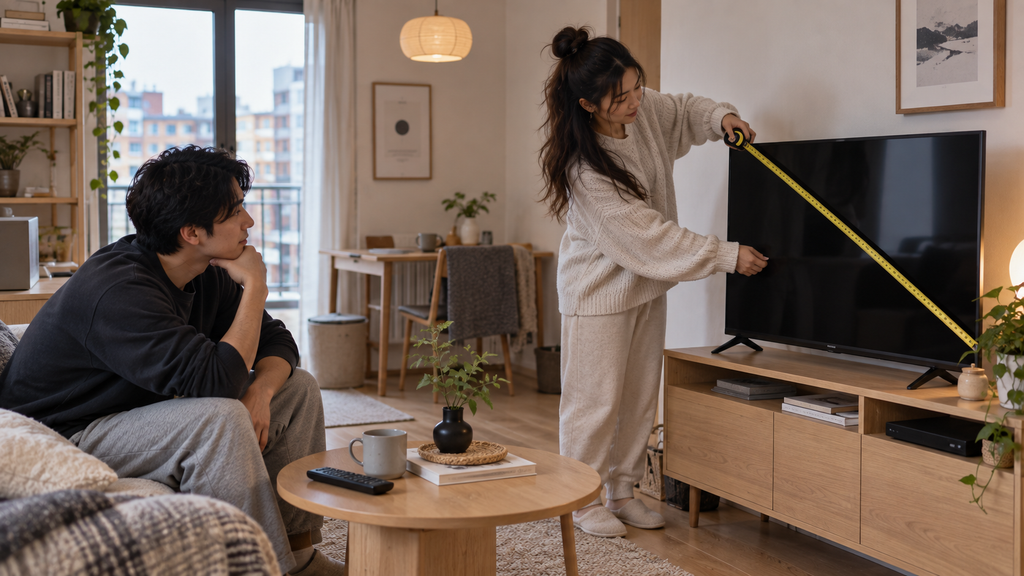
Resolution cannot be judged without screen size.
Imagine displaying exactly the same Full HD image on:
- 24 inches
- 32 inches
- 40 inches
- 55 inches
The number of pixels remains identical.
But each pixel becomes physically larger as the screen gets bigger.
That is why Full HD can look extremely sharp on a 24-inch display yet less impressive on a very large television viewed from close range.
The relationship between HD Ready vs Full HD vs 4K is therefore tied directly to pixel density.
For a broader look at compact television sizes, our Amazon Small TV Deals UK guide compares smaller screens designed for bedrooms, studios and other space-conscious setups.
Smaller Screen = Higher Pixel Density
If two televisions share the same resolution, the smaller one packs those pixels into a tighter area.
That increases the number of pixels per inch.
The result is that lower resolutions can still look surprisingly sharp on smaller televisions.
This explains why HD Ready has remained common in 24-inch TVs.
Larger Screen = Resolution Matters More
As screen size increases, the pixels spread across a larger physical area.
At that point, increasing resolution helps preserve fine detail.
This is why 4K makes dramatically more sense at 55 inches than it does at 24 inches.
Viewing Distance Matters Just as Much
The second half of the HD Ready vs Full HD vs 4K equation is distance.
Walk towards any television and eventually you will begin to see individual pixel structure or softness.
Move away and those differences become harder to distinguish.
Sitting Close Makes Resolution More Important
Imagine a 32-inch television placed at the end of a small bed.
The viewer may be relatively close.
In that situation, Full HD can provide a worthwhile improvement over HD Ready.
Now imagine the same television in a kitchen viewed from the opposite side of the room.
The difference may be much harder to see.
Same screen.
Same resolution.
Different viewing distance.
Sitting Farther Away Reduces the Benefit of 4K
At longer distances, your eyes cannot distinguish extremely fine detail.
This is why upgrading from Full HD to 4K does not automatically transform the picture.
The higher-resolution television may objectively contain far more information, but the visual benefit decreases as you move farther away.
When deciding between HD Ready vs Full HD vs 4K, viewing distance should therefore come before marketing.
HD Ready vs Full HD vs 4K on a 24-Inch TV
A 24-inch television is small enough that HD Ready can still make sense.
Choose HD Ready If:
- The TV is inexpensive
- You mainly watch normal broadcast television
- You sit several feet away
- It is used casually in a kitchen or spare bedroom
- Picture perfection is not the priority
Choose Full HD If:
- You sit close
- You watch high-quality streaming content
- You connect a laptop
- You read text on screen
- The price difference is relatively small
For a 24-inch television, 4K provides very little practical value for normal TV viewing.
In the HD Ready vs Full HD vs 4K comparison, Full HD is already the premium practical choice at this screen size.
HD Ready vs Full HD vs 4K on a 32-Inch TV
At 32 inches, Full HD becomes more attractive.
HD Ready still works.
But the larger physical screen makes the difference in detail easier to notice.
HD Ready Still Makes Sense When:
- Budget matters more than maximum sharpness
- Viewing distance is relatively long
- You mainly watch ordinary television
- The TV is used as a secondary screen
Full HD Is Better When:
- You sit relatively close
- You watch films and streaming regularly
- You game
- You connect a computer
- You want the sharper option without buying a larger TV
4K at 32 inches is still difficult to justify for normal television use.
For most buyers comparing HD Ready vs Full HD vs 4K at 32 inches, Full HD is the sensible ceiling.
HD Ready vs Full HD vs 4K on a 40-Inch TV
At 40 inches, Full HD becomes our preferred starting point.
The screen is now large enough that HD Ready can look noticeably softer, particularly at shorter viewing distances.
Full HD provides a better balance between detail, cost and screen size.
Is 4K Worth It at 40 Inches?
Potentially, but the answer depends heavily on viewing distance.
If you sit close and consume a lot of genuine 4K material, extra resolution can help.
However, the UK market increasingly jumps from 40-inch Full HD models to 43-inch 4K televisions.
That means shoppers may find the practical choice is not simply HD Ready vs Full HD vs 4K.
It may be:
40-inch Full HD vs 43-inch 4K.
At that point, room size and furniture width become part of the buying decision.
Content Resolution Matters Too
A television cannot create true detail that is missing from the source.
Watching low-resolution footage on a 4K screen does not magically turn it into genuine 4K video.
Modern televisions use upscaling to adapt lower-resolution material to their panels, and good processing can improve the result.
But the original source still matters.
That means the benefit of HD Ready vs Full HD vs 4K depends partly on what you actually watch.
Broadcast Television
Not every television channel is delivered at Full HD or 4K quality.
A 4K screen will therefore spend plenty of time displaying lower-resolution material.
Streaming
Netflix, Prime Video, Disney+ and other streaming services offer a mixture of resolutions depending on:
- Subscription tier
- Programme
- Device compatibility
- Broadband speed
If most of your viewing is standard HD streaming, buying 4K purely for resolution may provide less benefit than expected.
Blu-ray and Games Consoles
Higher-quality sources can make Full HD and 4K advantages easier to appreciate.
Modern games can particularly benefit from higher resolution when you sit close enough to the screen.
Does 4K Make a Small TV Future-Proof?
Not necessarily.
The phrase “future-proof” is often used to encourage people to buy more specification than they currently need.
A higher-resolution television may remain technically capable for longer.
But smart-TV software, app support, panel quality, connectivity and general reliability also determine how useful the television remains.
When choosing between HD Ready vs Full HD vs 4K, buying the resolution that suits your real setup today is often more sensible than paying substantially more for pixels you cannot see.
The Small Living Solutions Rule
For compact homes, the television should fit the room first.
Then choose the best resolution available within that appropriate size.
Do not buy a physically oversized 4K television just because its specification looks better than a properly sized Full HD model.
The best result in HD Ready vs Full HD vs 4K is not the television with the most pixels.
It is the television whose screen size, resolution and viewing distance work together.
Choosing a television that fits the room rather than dominating it also supports the practical layout ideas in our guide to how to make a studio flat feel bigger.
How to Choose Between HD Ready vs Full HD vs 4K in a Small Home
The easiest way to choose between HD Ready vs Full HD vs 4K is to stop treating resolution as an isolated specification.
Start with the room.
Then decide how large the television can realistically be.
Then consider how far away you will normally sit.
Only after those decisions should resolution become the deciding factor.
For a compact home, this order matters because buying a higher-resolution television that is physically too large can create a worse overall setup than choosing a smaller Full HD model that fits the room properly.
Step 1: Decide Where the Television Will Go
Before comparing HD Ready vs Full HD vs 4K, measure the space available for the television.
Remember that screen size is measured diagonally.
A 32-inch television is not 32 inches wide.
A 40-inch television is also considerably wider than its headline number might suggest.
Measure:
- Available furniture width
- Wall width
- Shelf clearance
- Stand depth
- Space around nearby doors
- Distance from seating
- Clearance for cables
In a small flat, these measurements may eliminate certain screen sizes before resolution even enters the discussion.
If physical depth and wall presence matter alongside resolution, explore our best slim TVs for studio flats UK guide for televisions that are easier to accommodate in compact rooms.
Step 2: Measure Your Viewing Distance
Next, think about where you actually sit.
The closer you are, the more important resolution becomes.
This is one of the most important principles in HD Ready vs Full HD vs 4K.
A lower-resolution television can look impressively sharp from farther away.
Move closer, and the same picture begins to reveal its limitations.
Typical Bedroom Setup
If a 32-inch television is mounted opposite the bed, you may be reasonably close to the screen.
Full HD therefore makes more sense.
Typical Kitchen Setup
If a 24-inch television is on the opposite side of a kitchen while you cook, HD Ready may be completely adequate.
Typical Small Living Room
A 40-inch television viewed from a compact sofa may benefit noticeably from Full HD.
If you move to 43 inches and sit relatively close, 4K starts becoming much more attractive.
The correct answer to HD Ready vs Full HD vs 4K therefore changes even within the same home.
When HD Ready Is Actually the Sensible Choice
It is easy to dismiss HD Ready because it sounds old-fashioned next to Full HD and 4K.
But there are situations where it remains perfectly rational.
A Secondary Bedroom TV
If the television is mainly used for:
- Morning news
- Occasional streaming
- Background viewing
- Watching from bed
then an inexpensive HD Ready model may provide everything required.
Paying significantly more for Full HD may deliver only a modest visible improvement depending on viewing distance.
A Kitchen TV
A kitchen television is rarely watched with the same concentration as the main living-room TV.
You may be:
- Cooking
- Washing up
- Eating breakfast
- Moving around the room
In that situation, the practical difference in HD Ready vs Full HD vs 4K can shrink considerably.
A Small Screen Viewed From Farther Away
Pixel density is already relatively high on a small display.
If you then increase the viewing distance, individual pixels become even harder to distinguish.
That is why HD Ready can remain perfectly usable on a 24-inch television.
When Full HD Is Worth Paying More For
Full HD is arguably the most useful resolution for genuinely small televisions.
In many HD Ready vs Full HD vs 4K comparisons, it provides the best balance rather than the highest number.
You Sit Close to the Screen
This is the biggest reason.
If your television is close to:
- Your bed
- Your desk
- A compact sofa
- A dining chair
the additional detail becomes easier to appreciate.
You Use the TV With a Laptop
Computer interfaces expose resolution differences quickly.
Text, browser windows and icons can look softer on a lower-resolution screen.
If the television will double as a monitor occasionally, Full HD is much easier to recommend.
You Play Games
Game interfaces often contain:
- Small text
- Fine textures
- Menus
- Maps
- HUD elements
Full HD can make these details cleaner.
For a 32-inch or 40-inch gaming television, the HD Ready vs Full HD vs 4K decision usually favours at least Full HD.
The Price Difference Is Small
If an HD Ready television costs £150 and an otherwise comparable Full HD model costs £165, paying the extra £15 can make sense.
If the price difference is £100, the decision becomes less obvious.
Resolution should always be weighed against the complete specification.
When 4K Is Worth Choosing
There is nothing wrong with buying 4K.
The question is whether your particular setup allows you to benefit from it.
The Screen Is 43 Inches or Larger
This is where 4K begins to make considerably more sense for normal television use.
As screen size increases, higher resolution helps preserve fine detail.
That is why the HD Ready vs Full HD vs 4K market increasingly shifts towards 4K once you move above 40 inches.
You Sit Relatively Close
Short viewing distances allow your eyes to resolve more detail.
A 43-inch 4K television viewed relatively close can therefore show a clearer advantage than the same screen viewed from across a large room.
You Watch Plenty of Native 4K Content
4K makes more sense if you regularly watch:
- 4K streaming
- UHD Blu-ray
- Modern console games
- High-quality YouTube footage
- Your own 4K video
If most of your viewing remains lower resolution, the benefit is reduced.
You Are Already Buying a Larger TV
Once you reach 43 inches, 4K models are so common that Full HD alternatives may become harder to find.
At that point, 4K often becomes the default rather than a premium upgrade.
Does Streaming Quality Matter More Than Resolution?
Sometimes, yes.
A heavily compressed 4K stream can look worse than a high-quality Full HD source.
Resolution describes the number of pixels.
It does not automatically describe how much useful image information reaches those pixels.
Streaming quality can be affected by:
- Broadband speed
- Compression
- Subscription tier
- Source quality
- Wi-Fi reliability
That means HD Ready vs Full HD vs 4K is only one part of overall picture quality.
Panel Quality Can Matter More Than Resolution
Two Full HD televisions can look dramatically different.
Likewise, a good Full HD panel can sometimes produce a more pleasing image than a poor 4K television.
Other factors include:
- Colour accuracy
- Contrast
- Black levels
- Brightness
- Motion handling
- Viewing angles
- Image processing
- Backlight uniformity
When comparing HD Ready vs Full HD vs 4K, avoid assuming that pixel count determines the entire picture.
It does not.
HDR and Resolution Are Different Things
Another common source of confusion is HDR.
HDR stands for High Dynamic Range.
It affects things such as:
- Brightness range
- Highlight detail
- Shadow detail
- Colour information
HDR is not the same as resolution.
A Full HD television can support HDR.
A 4K television can have disappointing HDR performance.
So HD Ready vs Full HD vs 4K and SDR vs HDR are separate comparisons.
Does 4K Improve Normal HD Television?
A 4K television must upscale lower-resolution content to fill its panel.
The quality of this process depends partly on the television’s processor.
Good upscaling can:
- Smooth jagged edges
- Improve perceived detail
- Reduce visible artefacts
- Make lower-resolution material look cleaner
But it cannot recreate detail that was never present in the original source.
If you feed a low-quality stream into a 4K television, it does not become genuine 4K simply because the display contains more pixels.
What About YouTube and Streaming Video?
Online video is one area where higher resolution can be useful even on relatively modest screen sizes.
A high-quality Full HD or 4K stream may preserve more detail than a compressed lower-resolution stream.
But internet bandwidth becomes part of the HD Ready vs Full HD vs 4K equation.
If your broadband connection regularly reduces video quality automatically, buying a higher-resolution television may not produce the improvement you expect.
Does Broadband Speed Need to Be Faster for 4K?
Yes.
Higher-resolution streaming generally requires more bandwidth.
That matters in small flats because several people may be sharing the same connection.
A household could simultaneously have:
- A television streaming 4K
- A laptop on a video call
- Phones using Wi-Fi
- A games console downloading
- Smart-home devices connected
If broadband is limited, Full HD streaming can sometimes provide a more consistently high-quality experience than unstable 4K.
If your connection struggles when streaming higher-resolution video, our best WiFi router for streaming in small flats UK guide covers network upgrades aimed at reducing buffering in compact homes.
HD Ready vs Full HD vs 4K for Gaming
Gaming changes the calculation slightly because the player may sit closer to the screen.
HD Ready
Suitable for very casual gaming on small screens, but fine interface details can look soft.
Full HD
An excellent resolution for compact gaming setups.
It can also be easier for hardware to render games at high frame rates at 1080p.
4K
Provides significantly more image detail, particularly on larger screens.
However, rendering games at 4K requires considerably more processing power.
For console gaming on a 43-inch or larger television, 4K becomes very attractive.
For a 24-inch secondary gaming screen, Full HD may still be the smarter choice.
HD Ready vs Full HD vs 4K for PC Use
This is one area where we would favour higher resolution sooner.
When using a television as a computer screen, you may sit extremely close.
Small fonts and interface elements expose low pixel density much more obviously than normal video.
For computer use:
- 24-inch: Full HD is ideal
- 32-inch: Full HD minimum is preferable
- 40-inch: Full HD can work, but 4K becomes more attractive at desk distance
- Larger screens: 4K increasingly makes sense
In this scenario, the difference between HD Ready vs Full HD vs 4K can be far more obvious than when watching television from the sofa.
What About Children’s Bedrooms?
Higher resolution is not automatically the priority.
Think about:
- Screen size
- Viewing distance
- Parental controls
- Smart platform
- Price
- Mounting safety
A modest HD Ready or Full HD television may be completely sufficient.
There is little reason to buy a large 4K screen simply because it has the highest specification.
What About Elderly Viewers?
Resolution may actually matter less than:
- Screen size
- Text size
- Remote simplicity
- Audio clarity
- Menu design
- Viewing distance
A larger Full HD screen can sometimes be more useful than a smaller 4K television if larger menus and subtitles are easier to see.
Again, HD Ready vs Full HD vs 4K should not be considered in isolation.
Common HD Ready vs Full HD vs 4K Mistakes
Assuming 4K Is Always Better
Technically, 4K contains more detail.
Practically, you may not be able to see that detail.
Assuming HD Ready Is Automatically Bad
On a small screen at normal distance, it can still look perfectly good.
Ignoring Viewing Distance
This is probably the biggest mistake in the entire HD Ready vs Full HD vs 4K comparison.
Buying a Bigger TV Just to Get 4K
Do not compromise room layout simply to increase resolution.
Confusing QLED or OLED With Resolution
QLED and OLED describe display technologies.
HD Ready, Full HD and 4K describe resolution.
A television can be:
- Full HD QLED
- 4K QLED
- 4K OLED
They are separate characteristics.
Assuming 4K Means Better HDR
It does not.
HDR performance depends heavily on panel capability and brightness.
Forgetting About Source Quality
Low-quality content remains low-quality content.
Practical Resolution Recommendations by TV Size
24 Inches
Recommended: HD Ready or Full HD
Full HD is desirable if the price is reasonable, but HD Ready remains acceptable for casual use.
4K is unnecessary for most viewers.
32 Inches
Recommended: Full HD where possible
HD Ready remains viable for budget and secondary-room use.
4K is generally unnecessary.
40 Inches
Recommended: Full HD
At this size, Full HD gives a useful level of detail.
4K can be worthwhile at short distances but is not essential.
43 Inches
Recommended: 4K
The market strongly favours 4K at this size, and the extra resolution becomes more useful.
50 Inches and Above
Recommended: 4K
At these screen sizes, 4K is the logical standard.
This progression is the simplest practical way to understand HD Ready vs Full HD vs 4K in smaller homes.
❓ Frequently Asked Questions
Is Full HD Better Than HD Ready?
Yes in terms of resolution.
Full HD contains more pixels and can display finer detail.
Whether you notice the improvement depends on screen size and viewing distance.
Is 4K Four Times Better Than Full HD?
4K contains four times as many pixels as Full HD.
That does not mean the picture looks four times better.
The perceived improvement depends on screen size, viewing distance and content.
For a manufacturer explanation of pixel counts and Ultra HD terminology, see Samsung UK’s guide to 4K TV resolution.
Is HD Ready Good Enough for a 24-Inch TV?
Yes, in many situations.
For casual viewing at several feet away, HD Ready can look perfectly sharp on a 24-inch screen.
Is Full HD Worth It on a 24-Inch TV?
It can be if you sit close, use the television as a monitor or the price difference is small.
Is Full HD Worth It on a 32-Inch TV?
We generally think so.
At 32 inches, Full HD offers a useful improvement, especially at shorter bedroom viewing distances.
Is Full HD Enough for a 40-Inch TV?
Yes.
For many small living rooms, Full HD remains an excellent match for a 40-inch screen.
Do I Need 4K on a 40-Inch TV?
Not necessarily.
Whether 4K is worthwhile depends heavily on how close you sit.
Is 4K Worth It on a 43-Inch TV?
It makes considerably more sense at 43 inches, especially because 4K models dominate this part of the market.
Can You Tell the Difference Between Full HD and 4K?
Yes, under the right conditions.
The difference becomes easier to see on larger screens and at shorter distances.
Does Netflix Stream in 4K?
Some Netflix content is available in 4K depending on the title, subscription plan, device and connection.
Other streaming services use similar conditions.
Does Freeview Broadcast in 4K?
Normal terrestrial television should not be assumed to be 4K simply because you own a 4K television.
The television will upscale lower-resolution content.
Is 4K Better for Gaming?
It can provide much finer image detail.
However, higher resolution requires more graphics processing power and is most useful on suitably sized displays.
Which Is Best: HD Ready vs Full HD vs 4K?
There is no single answer.
For small TVs, Full HD often provides the best balance.
HD Ready still makes sense on very small budget screens, while 4K becomes increasingly worthwhile as screen sizes move beyond about 40 inches.
✅ Final Verdict: HD Ready vs Full HD vs 4K
The winner in HD Ready vs Full HD vs 4K depends less on which resolution has the highest number and more on how the television fits your room.
For a 24-inch television, HD Ready can still be perfectly adequate, while Full HD is the better choice for close viewing.
For a 32-inch television, we would generally choose Full HD if the price difference is reasonable.
At 40 inches, Full HD becomes our preferred baseline.
Once you reach 43 inches and above, 4K becomes increasingly worthwhile and increasingly common.
The biggest mistake is buying resolution in isolation.
A well-sized Full HD television viewed from the correct distance can provide a much better small-room experience than an oversized 4K television squeezed onto furniture that was never designed for it.
When deciding between HD Ready vs Full HD vs 4K, use this order:
- Choose the right screen size for the room.
- Measure your normal viewing distance.
- Check the quality of the content you usually watch.
- Consider whether the TV will also be used for gaming or computer work.
- Then choose the highest sensible resolution within that setup.
For most genuinely small televisions, Full HD is the practical sweet spot in the HD Ready vs Full HD vs 4K comparison.
It provides a meaningful increase in detail over HD Ready without paying for millions of additional pixels that may be almost impossible to distinguish on a very small screen.