Smart Displays for Small Kitchens UK: 5 Brilliant Best Buys
⚡ Quick Answer
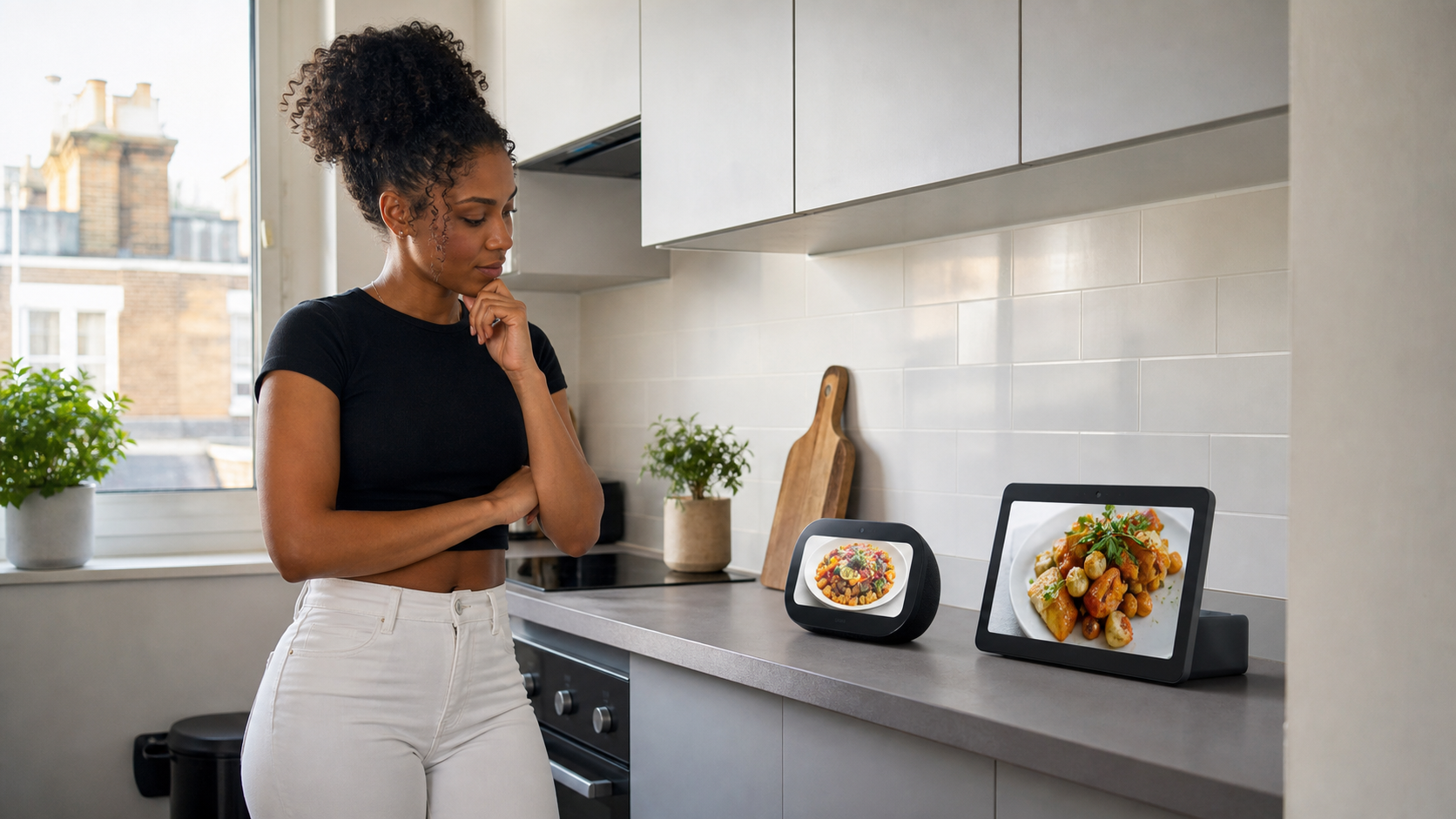
Smart displays for small kitchens UK homeowners can use should provide genuinely useful information without taking over the worktop. The best models let you set hands-free timers, follow recipes, manage shopping lists, play music and control compatible smart devices from one convenient screen.
For most people, the Amazon Echo Show 8 is our top pick. Its screen is large enough to read from across a compact kitchen, but the device remains reasonably easy to position beside a wall or beneath a cupboard.
Our five recommendations are:
✔ Amazon Echo Show 8 — Our Top Pick
✔ Amazon Echo Show 5 — Best for Very Small Kitchens
✔ Google Nest Hub 2nd Gen — Best for Google Home Users
✔ Amazon Echo Show 11 — Best Large-Screen Option
✔ Apolosign Digital Family Planner — Best for Family Organisation
The right choice will depend on how much worktop space you have and whether your home already uses Alexa or Google Home. Smart displays for small kitchens UK households choose should fit their existing technology rather than forcing them to replace perfectly good smart devices.
Small kitchens rarely have room for unnecessary technology, so our guide to the best smart home devices for small flats can help you identify which connected products will genuinely improve your home.
🏆 The Best Smart Displays for Small Kitchens UK
Small kitchens are unforgiving when it comes to unnecessary technology. A display may look compact in a promotional photograph but feel surprisingly intrusive once it is placed beside a kettle, toaster and food-preparation area.
That is why our selection of smart displays for small kitchens UK buyers should consider is not simply a list of the biggest or most expensive screens. Each recommendation has a clear purpose, from the compact Echo Show 5 to the larger Apolosign family planner.
Our Top Pick
Amazon Echo Show 8
The Echo Show 8 offers the strongest balance of screen size, everyday usefulness and manageable dimensions. It is our preferred choice for most small UK kitchens because it can display recipes, timers, calendars and compatible camera feeds without feeling excessively large.
Check Latest Price on Amazon →
The Echo Show 5 is the better option when every centimetre of worktop matters. Google Home users should consider the Nest Hub 2nd Gen, while households wanting a central family calendar may find the Apolosign display more useful than a conventional voice-assistant screen.
Smart displays for small kitchens UK homes can accommodate should earn their place. If a device only shows the time and plays music, a small smart speaker may be sufficient. A screen becomes worthwhile when you regularly use visual recipes, calendar reminders, shopping lists, video calls or smart-home controls.
📊 Smart Display Comparison Table
The table below compares the five smart displays for small kitchens UK households are most likely to find useful.
| Smart display | Screen | Best for | Voice assistant | Main advantage | Main drawback | Latest price |
|---|---|---|---|---|---|---|
| Amazon Echo Show 8 | 8.7 inches | Most small kitchens | Alexa | Excellent balance of size and usability | Requires a reasonable section of worktop | Check Latest Price on Amazon → |
| Amazon Echo Show 5 | 5.5 inches | Extremely limited spaces | Alexa | Very compact footprint | Small screen is harder to read from a distance | Check Latest Price on Amazon → |
| Google Nest Hub 2nd Gen | 7 inches | Google Home households | Google Assistant | Compact design and useful Google integration | International listing requires additional checks | Check Latest Price on Amazon → |
| Amazon Echo Show 11 | 11 inches | Larger screens and shared kitchens | Alexa | Spacious Full-HD display | Too large for some narrow worktops | Check Latest Price on Amazon → |
| Apolosign Digital Family Planner | 15.6 inches | Busy households and family planning | App-based system | Large shared calendar and planning tools | Less suitable as a compact countertop assistant | Check Latest Price on Amazon → |
Affiliate Disclosure: This article contains affiliate links. If you purchase through one of these links, we may earn a commission at no additional cost to you. As an Amazon Associate I earn from qualifying purchases.
There is no single perfect screen for every kitchen. The Echo Show 8 provides the best general balance, but the Echo Show 5 is easier to accommodate in a studio flat or narrow galley kitchen. The Google Nest Hub is the strongest alternative for people already invested in Google services.
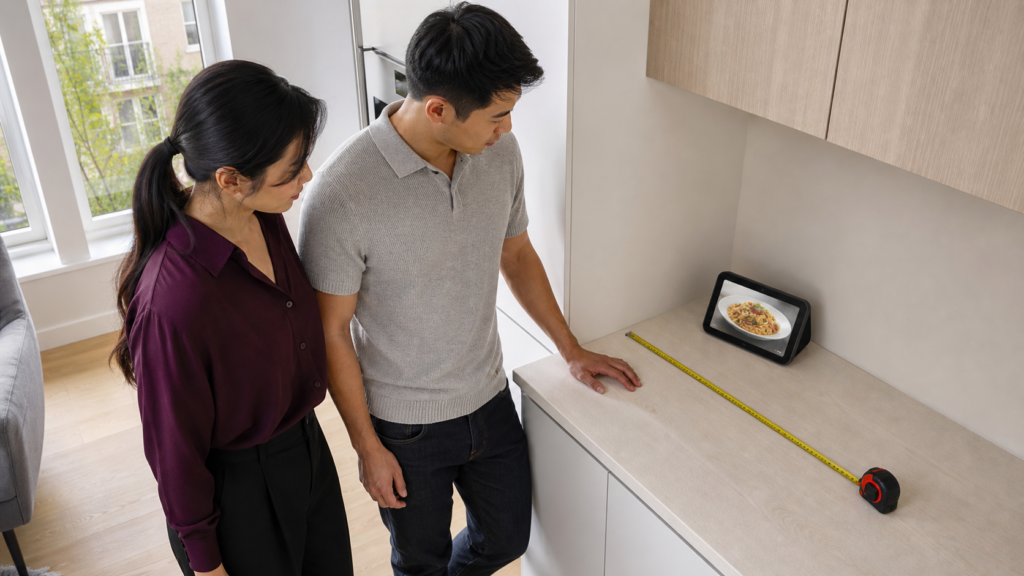
When comparing smart displays for small kitchens UK buyers should measure the intended position rather than relying on screen size alone. The speaker base, power cable and viewing angle can all affect how much usable space the device requires.
🔍 How We Chose These Smart Displays
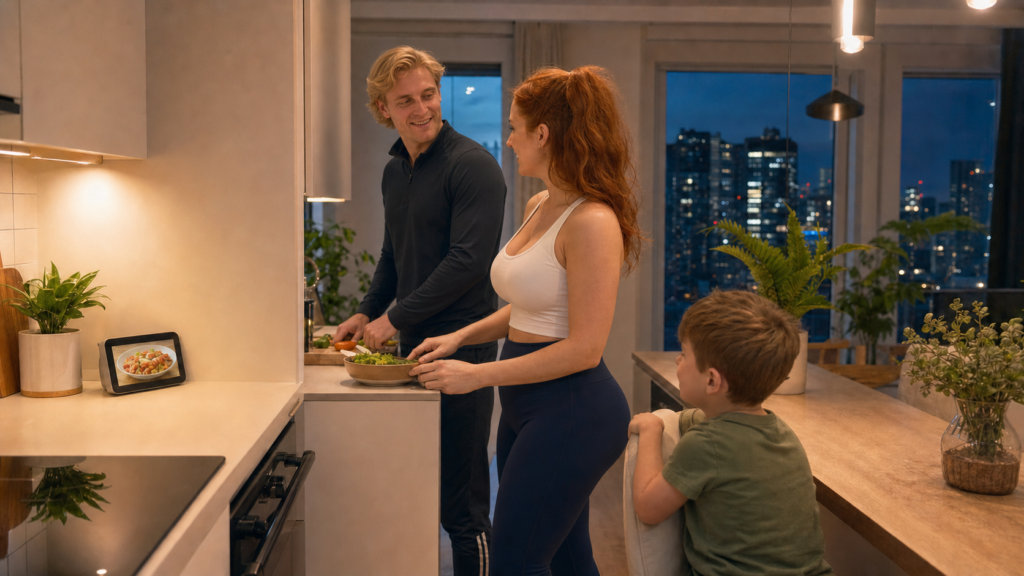
We looked beyond headline screen sizes and considered how each display would work during an ordinary day in a compact British kitchen.
The most useful smart displays for small kitchens UK homes can use comfortably should be easy to see, simple to operate and convenient without becoming another obstacle.
A Manageable Footprint
A small kitchen display should sit safely against a wall or in a quiet corner of the worktop. It should not obstruct cupboard doors, cooking areas, plug sockets or the route between the sink and hob.
Screen size alone does not reveal the full footprint. Some displays have deep speaker bases, while others need additional room behind them for cables. Smart displays for small kitchens UK homeowners choose must be assessed as complete devices rather than screens in isolation.
Before buying, measure:
✔ The available worktop width
✔ The depth between the wall and worktop edge
✔ The clearance beneath wall cupboards
✔ The distance from the nearest socket
✔ Whether the power cable can be routed safely
Leave enough room to wipe around the display. Kitchens produce crumbs, steam and grease, and a device squeezed tightly between appliances will be frustrating to clean.
Useful Hands-Free Features
A smart display should make kitchen tasks easier when your hands are occupied. Timers, unit conversions, weather information and spoken questions are particularly convenient while preparing food.
Visual information is where these devices become more helpful than ordinary smart speakers. You can glance at a timer, check the next recipe step or see who is calling without touching your phone.
We prioritised smart displays for small kitchens UK households can use for several everyday jobs rather than products designed around one novelty feature.
Clear Screens at Practical Distances
A compact display is only useful if you can read it from where you normally stand. A 5.5-inch screen may be perfectly adequate beside a breakfast bar but difficult to follow from the opposite end of a kitchen.
Larger displays provide clearer recipes and calendar information, although they demand more physical space. The ideal balance depends on the kitchen layout rather than the number of people in the household.
Smart-Home Compatibility
Existing smart-home equipment should influence the decision. Alexa households will usually find an Echo Show easier to integrate, while people using Google Home, Google Photos and compatible Nest devices may prefer the Google Nest Hub.
Choosing a display from an unfamiliar ecosystem can create unnecessary setup work. Smart displays for small kitchens UK residents buy should bring their existing devices together, not leave them juggling several unrelated apps.
If you have not chosen an ecosystem yet, our Amazon Alexa vs Google Home for small flats comparison explains the practical differences between the two platforms.
Privacy Controls
A display placed in a kitchen may be able to hear conversations throughout an open-plan flat. Models with cameras also require thoughtful placement.
We looked for accessible privacy controls, including ways to disable microphones and cameras. Anyone uncomfortable with a kitchen camera may prefer the Google Nest Hub 2nd Gen, which does not include one.
Privacy is especially important in studio flats because the kitchen, living and sleeping areas may share one open room. The best smart displays for small kitchens UK renters choose should provide controls they can understand and use easily.
For renters, smart displays for small kitchens UK households choose should also be easy to remove without leaving permanent alterations.
🥇 1. Amazon Echo Show 8 — Our Top Pick
The Amazon Echo Show 8 is our top recommendation because it occupies the useful middle ground between a tiny bedside-style display and an oversized household screen.
Its 8.7-inch HD display offers enough viewing area for recipes, calendars, video calls and compatible camera feeds. It is easier to read from a normal working distance than the Echo Show 5, yet it is considerably more manageable than an 11-inch or 15.6-inch alternative.
For most smart displays for small kitchens UK comparisons, this is the model that makes the fewest compromises.
Why It Works in a Small Kitchen
The Echo Show 8 can sit against a backsplash or wall without dominating the entire room. It still requires proper worktop space, but its proportions are realistic for many modern flats and compact kitchens.
Voice control is particularly convenient when cooking. You can request a timer, add something to a shopping list, check the weather or control compatible lighting without stopping to unlock a phone.
The display can also act as a central point for compatible smart-home devices. This may include lights, plugs, thermostats, cameras and video doorbells, depending on the equipment already installed.
That versatility helps it justify the space it occupies. Among smart displays for small kitchens UK homes can use every day, the Echo Show 8 offers one of the broadest combinations of entertainment, organisation and smart-home control.
What We Like
✔ Clear 8.7-inch display
✔ Easier to read than the smaller Echo Show 5
✔ Alexa voice control
✔ Suitable for recipes, timers and calendars
✔ Can display compatible cameras and video doorbells
✔ Useful audio performance for a compact kitchen
✔ Physical privacy controls
What Could Be Better
✘ Requires more space than the Echo Show 5
✘ Best suited to households already comfortable with Alexa
✘ Some services and advanced features may require separate accounts or subscriptions
✘ A screen this size may still feel substantial in an extremely narrow kitchen
Who Should Buy It?
Choose the Echo Show 8 if you want one display to handle most kitchen tasks and have enough room for a medium-sized device. It is particularly suitable for couples, small families and people living in open-plan flats.
The best smart displays for small kitchens UK couples use can make shared shopping lists and calendar reminders much easier to manage.
It is also the safest choice for first-time buyers who are uncertain about screen size. The display is large enough to be useful without moving immediately into tablet-sized territory.
A screen is not essential for every household, so consider the best smart speakers for small flats if music and voice commands matter more than recipes or visual controls.
Our Verdict
The Echo Show 8 is the strongest all-round option among smart displays for small kitchens UK homeowners can currently consider. It combines a practical screen, useful voice controls and broad smart-home compatibility in a size that many compact kitchens can accommodate.
Check Latest Price on Amazon →
📏 2. Amazon Echo Show 5 — Best for Very Small Kitchens
The Amazon Echo Show 5 is designed for places where a larger screen would be awkward. Its 5.5-inch display and compact body make it easier to position on a short shelf, narrow worktop or small breakfast bar.
This is one of the most space-conscious smart displays for small kitchens UK residents can buy. It is particularly appealing in studio flats, converted properties and galley kitchens where appliances already occupy most available surfaces.
Why It Works in a Small Kitchen
The Echo Show 5 delivers many of the everyday Alexa functions available on larger Echo displays. It can show timers, weather information, compatible camera feeds and basic visual information while also playing music and answering questions.
Its small footprint is the main attraction. You are less likely to resent the space it uses, and it can fit into positions where an 8-inch or 11-inch display would look oversized.
The smaller screen does create limitations. Recipes containing several lines of text may require more scrolling, and the display can be difficult to read from across the room. It works best when placed close to the main food-preparation area.
For compact smart displays for small kitchens UK buyers prioritising physical size over visual impact, that trade-off may be entirely reasonable.
What We Like
✔ Compact 5.5-inch touchscreen
✔ Easier to place in a restricted kitchen
✔ Alexa timers, reminders and shopping lists
✔ Can show compatible cameras and doorbells
✔ Built-in camera cover and privacy controls
✔ Suitable for music, radio and short video content
What Could Be Better
✘ Small screen can feel cramped for detailed recipes
✘ Less comfortable to view from across the kitchen
✘ Audio and visual impact are more modest than larger Echo Shows
✘ Not the best choice for a shared family calendar
Who Should Buy It?
The Echo Show 5 is best for solo residents, couples and renters who want a visual assistant but cannot sacrifice a large section of worktop.
It also suits anyone who primarily wants timers, weather updates, music controls and quick camera views. If detailed cooking videos and large calendar layouts matter more, the Echo Show 8 will be the better investment.
Our Verdict
Among smart displays for small kitchens UK flats with severe space restrictions, the Echo Show 5 is one of the easiest models to accommodate. Its screen is undeniably small, but that is precisely why it works in kitchens where larger alternatives become inconvenient.
Check Latest Price on Amazon →
🌐 3. Google Nest Hub 2nd Gen — Best for Google Home Users
The Google Nest Hub 2nd Gen gives this selection an important alternative to Amazon’s Alexa ecosystem. It combines a 7-inch touchscreen with Google Assistant, Google Home controls and support for compatible services.
It is a particularly attractive choice for people who already use Google Calendar, Google Photos, YouTube or Google Home devices. Switching to Alexa simply to obtain a screen may make little sense when the rest of the flat already runs through Google.
The Nest Hub is also compact enough to suit many smart displays for small kitchens UK searches. Its screen is larger than the Echo Show 5 but smaller than the Echo Show 8, placing it in a useful middle position.
Why It Works in a Small Kitchen
The 7-inch display is large enough for timers, recipes, photographs and smart-home controls without requiring the space of an 11-inch screen.
Google’s voice search can be especially convenient for cooking questions. You can ask about ingredient substitutions, measurements, timings or general information without touching the screen.
The Nest Hub can also control compatible Google Home devices and display supported camera feeds. When idle, it can work as a digital photo frame rather than presenting a permanently blank screen.
One important difference is the absence of a built-in camera. That prevents conventional video calling through the device, but it may appeal to people who do not want a camera facing into an open-plan living space.
For privacy-conscious smart displays for small kitchens UK households may prefer, this camera-free design is a meaningful advantage.
What We Like
✔ Compact 7-inch touchscreen
✔ Excellent choice for existing Google Home users
✔ Google Assistant voice control
✔ No built-in camera
✔ Useful for recipes, timers and general questions
✔ Can display Google Photos when idle
✔ Matter-compatible smart-home hub functionality
What Could Be Better
✘ No camera for conventional video calls
✘ Less suitable for Alexa-based households
✘ Availability on Amazon UK can be inconsistent
✘ International listings require additional checks before ordering
Important Buying Check
The selected Amazon listing uses the model reference GA01331-INTL, indicating an international version. Buyers should confirm that the item is listed as new, includes a suitable UK power adaptor and comes with acceptable seller warranty and returns coverage.
The Nest Hub 2nd Gen itself is suitable for the UK market, but the exact contents and warranty arrangements can vary when a product is supplied through an international marketplace seller.
This does not automatically make it a poor purchase. It simply means the listing deserves closer inspection than an Echo device sold directly by Amazon.
Google provides the official Nest Hub 2nd Gen specifications, including its dimensions, connectivity, power requirements and UK regulatory information.
Who Should Buy It?
Choose the Google Nest Hub if your lights, plugs, cameras and other devices are already organised through Google Home. It is also a good option if Google Calendar, YouTube and Google Photos are more important to you than Amazon services.
Its lack of a camera may be beneficial in a studio flat, shared kitchen or open-plan apartment where privacy is a priority.
Our Verdict
The Google Nest Hub 2nd Gen is the best choice among smart displays for small kitchens UK Google Home users can consider. Its compact screen, useful voice assistant and camera-free design make it well suited to smaller properties, provided the Amazon seller and international model details are checked carefully.
Check Latest Price on Amazon →
🖥️ 4. Amazon Echo Show 11 — Best Large-Screen Smart Display
The Amazon Echo Show 11 is intended for people who want a screen that can be read easily from across the kitchen. Its Full-HD 11-inch display offers considerably more viewing space than the Echo Show 5, Echo Show 8 or Google Nest Hub.
That extra space makes recipe instructions, calendars, camera feeds and video content clearer. However, the Echo Show 11 is only one of the best smart displays for small kitchens UK households can consider when there is a suitable position for it.
This is not a discreet little screen that can be squeezed between a toaster and a kettle. It needs a dedicated area where it will not interfere with food preparation or make the kitchen feel crowded.
Why It Works in the Right Small Kitchen
A small kitchen does not always have a tiny worktop. Some compact flats have short but relatively deep counters, unused corners or open shelving that can accommodate a larger display.
In those situations, the Echo Show 11 provides a more comfortable visual experience than the smaller models. Instructions are easier to follow, family calendar entries are clearer and supported camera feeds are more useful at the larger size.
The spacious screen may also suit an open-plan flat where the display needs to be visible from both the kitchen and nearby living area. It can function as a shared screen rather than a device used only while standing directly beside it.
Among larger smart displays for small kitchens UK residents might choose, the Echo Show 11 offers a good mixture of entertainment, home organisation and compatible smart-device control.
What We Like
✔ Large 11-inch Full-HD display
✔ Easier to read from across the kitchen
✔ Suitable for visual recipes and cooking videos
✔ Spacious calendar and smart-home controls
✔ Alexa voice commands
✔ Can show compatible doorbells and security cameras
✔ Useful spatial audio for open-plan spaces
✔ On-device microphone and camera controls
What Could Be Better
✘ Considerably larger than the Echo Show 5 and Nest Hub
✘ Needs a dedicated position
✘ May overwhelm a narrow galley kitchen
✘ More expensive than smaller Echo displays
✘ Unnecessary if you only need timers and music
Who Should Buy It?
Choose the Echo Show 11 if screen visibility is more important than minimising the device’s footprint. It is particularly useful for families, people with reduced vision or anyone who wants to follow recipes without standing directly in front of the screen.
It can also work well in a combined kitchen and living room. Place it where the screen remains visible from both areas, and it may replace the need for separate displays.
Do not buy it simply because the larger screen looks impressive. Measure the complete space first and check that cupboard doors, sockets and food-preparation areas will remain accessible.
Our Verdict
The Echo Show 11 is one of the most capable smart displays for small kitchens UK homes with a suitable spare corner can use. Its generous screen is excellent for recipes and shared information, but it requires more careful placement than our top pick.
For most compact kitchens, the Echo Show 8 remains the better balance. Choose the Echo Show 11 when you have confirmed that the additional viewing area will be genuinely useful.
Check Latest Price on Amazon →
📅 5. Apolosign Digital Family Planner — Best for Family Organisation
The Apolosign Digital Family Planner is different from the conventional voice-assistant screens in this guide. Its main purpose is to give a household one visible place for calendars, routines, tasks and family organisation.
The selected model uses a large 15.6-inch touchscreen. That makes it far less suitable for an already crowded worktop, but it can work well when mounted or positioned vertically in an unused part of the kitchen.
For families comparing smart displays for small kitchens UK homes can accommodate, the Apolosign may solve a more specific problem than an Echo Show. It is designed around household planning rather than primarily acting as a voice assistant, speaker or entertainment screen.
Ultimately, smart displays for small kitchens UK homeowners purchase should solve an everyday problem rather than simply add another screen.
Why It Works for Busy Households
The kitchen often becomes the natural information centre of a family home. School dates, appointments, meal plans, household jobs and reminders all need to be visible somewhere.
Paper calendars can become untidy, while information stored on individual phones is easy for other family members to miss. A shared digital planner makes upcoming events more visible without covering the fridge in separate notes.
The large display is useful when several people need to check the schedule quickly. Calendar entries and task lists are easier to scan than they would be on the Echo Show 5.
This makes the Apolosign one of the more specialised smart displays for small kitchens UK families might find worthwhile. It does not win on compactness, but it can reduce visual clutter by replacing several paper planners, lists and notices.
What We Like
✔ Large 15.6-inch touchscreen
✔ Designed around shared family organisation
✔ Useful for calendars, routines and household tasks
✔ Easier for several people to read
✔ Can reduce the need for paper planners and notices
✔ Suitable for a dedicated wall or family-command area
What Could Be Better
✘ Much larger than a conventional compact smart display
✘ Requires a carefully planned position
✘ Not the best choice for simple timers and music
✘ May be excessive for solo residents or couples
✘ Less focused on voice-assistant features than an Echo Show or Nest Hub
Who Should Buy It?
The Apolosign is best for families that genuinely need one shared planning screen. It may suit households managing school schedules, shift work, appointments, meal planning and recurring chores.
It is less convincing for someone who simply wants to ask for a timer while cooking. An Echo Show 5 or Echo Show 8 will offer a more conventional smart-assistant experience in much less space.
Before buying, decide exactly where the display will live. A 15.6-inch screen should not be treated as a last-minute addition to the worktop. It needs a dedicated wall, shelf or planning station away from steam and cooking splashes.
Our Verdict
The Apolosign is not the smallest option, but it earns its place among smart displays for small kitchens UK families may consider because it can replace several sources of household clutter.
Choose it when shared organisation is the priority. For general kitchen assistance, the Echo Show 8 or Google Nest Hub will be more practical.
Check Latest Price on Amazon →
🤔 How to Choose Smart Displays for Small Kitchens UK Homes
The best display is not necessarily the newest model or the one with the largest screen. It is the device that fits your kitchen, works with your existing services and solves problems you experience regularly.
When choosing smart displays for small kitchens UK buyers should begin with the available position. Features only matter if the device can remain somewhere safe and convenient.
Every smart display requires a stable internet connection, and our guide to WiFi in small flats explains how to improve coverage without filling a compact home with unnecessary equipment.
Measure the Entire Device
Screen measurements are given diagonally and do not describe the complete width or depth of the product. A display with an 8-inch screen may have a substantial speaker section behind it.
Measure the intended surface and compare it with the full product dimensions. Leave additional room around the device for ventilation, cleaning and cable routing.
A paper template can help. Cut a piece of paper or cardboard to the approximate footprint and leave it in the intended position for a day. This provides a more realistic sense of whether the display will become annoying.
Match the Screen to the Viewing Distance
Think about where you will stand when using the display.
A small screen works well when placed beside the main preparation area. If the display will sit across the kitchen, a larger model will be easier to read.
As a simple guide:
✔ Choose approximately 5–7 inches for close-range information and extremely restricted spaces.
✔ Choose approximately 8–9 inches for the best balance between visibility and footprint.
✔ Choose 11 inches or more when the display must be visible across the room.
Screen brightness and text size also matter. Smart displays for small kitchens UK households use for recipes need to remain legible in both daylight and evening lighting.
Choose the Right Smart-Home Ecosystem
Alexa and Google Home both support a wide range of compatible products, but buying within your existing system is usually easier.
Choose an Echo Show if you already use Alexa speakers, Alexa routines or compatible devices organised through the Alexa app.
Choose a Google Nest Hub if your home is already managed through Google Home or you rely heavily on Google services.
A family-planning display makes more sense when shared calendars and household routines matter more than voice control.
Voice-controlled timers are one reason smart displays for small kitchens UK cooks use can feel more convenient than ordinary tablets.
Avoid choosing an ecosystem based on one isolated feature. Think about the lights, plugs, thermostat, cameras and speakers you may want to connect later.
A display becomes considerably more useful when combined with these smart lighting ideas for small flats, allowing compatible kitchen lights to be controlled by voice, routines or the touchscreen.
Decide Whether You Need a Camera
A camera enables video calls and certain home-monitoring features, but not everyone wants one in the kitchen.
This is particularly important in a studio flat. A kitchen display may face the living area, sofa or bed, so its camera can feel more intrusive than it would in a separate room.
Echo Show devices include privacy controls, but they still require users to understand and manage those settings. The Google Nest Hub 2nd Gen is an appealing alternative for anyone who would prefer a display without a camera.
Check the Power-Socket Position
Every model in this guide requires continuous mains power. A perfect-looking corner is useless if the cable must cross a sink, hob or busy preparation area to reach a socket.
Avoid trailing extension leads across the kitchen. Cables should be kept away from water, heat and places where they can be caught while moving appliances.
When assessing smart displays for small kitchens UK renters should also avoid permanent cable alterations unless the landlord has approved them.
You can also learn whether smart plugs are worth it before using your display to control lamps, coffee machines or other suitable household devices.
Consider Who Will Use It
A solo resident may only need a small screen for timers, music and reminders. A couple may benefit from shared shopping lists and calendars, while a family may require a larger planning display.
Accessibility also matters. Small text can be difficult to read, and touch controls may not suit everyone. Voice commands and a larger screen may be worth the additional space when they make the device easier for the whole household to use.
🍳 Are Smart Displays Worth Having in a Small Kitchen?
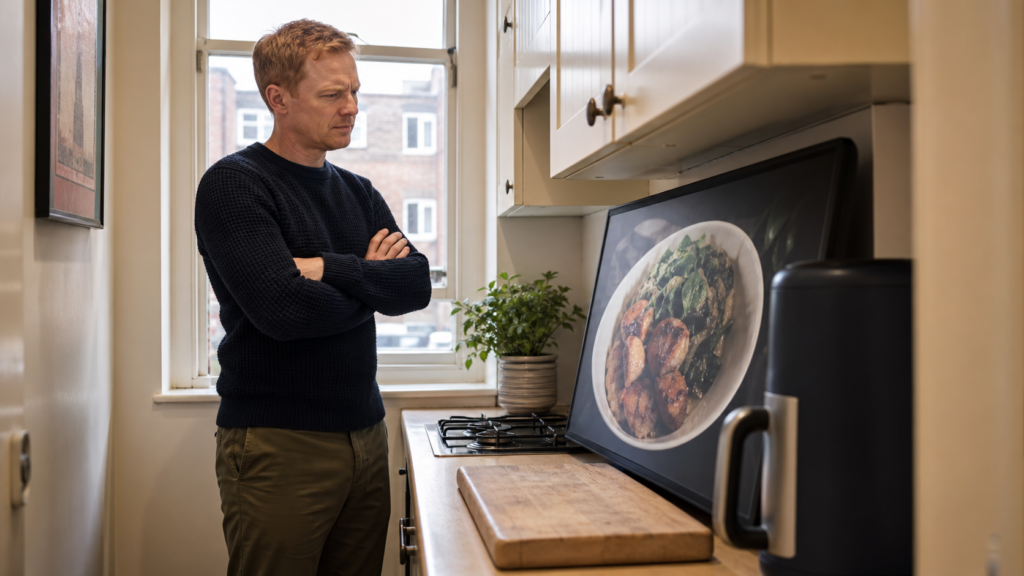
A smart display can be worthwhile if you use its visual features regularly. It can combine several everyday tools in one device and reduce the need to handle a phone while cooking.
Smart displays for small kitchens UK residents use effectively can provide:
✔ Multiple named cooking timers
✔ Step-by-step recipe information
✔ Measurement and temperature conversions
✔ Shared calendars and reminders
✔ Digital shopping lists
✔ Music, radio and podcasts
✔ Compatible smart-lighting control
✔ Compatible thermostat adjustments
✔ Video-doorbell and camera feeds
✔ Voice or video calls on supported models
The important question is whether you need the screen. If you only want music, weather information and spoken timers, a compact smart speaker may provide similar benefits while taking up less room.
A display becomes more valuable when you frequently follow visual recipes, check calendars, view cameras or manage compatible smart devices through touchscreen controls.
📍 Where Should You Put a Smart Display in a Small Kitchen?
The safest position is usually against a wall, away from the sink and at a comfortable viewing angle. It should be easy to hear and see without interrupting normal kitchen movement.
Suitable positions may include:
✔ A quiet worktop corner
✔ A breakfast bar away from food preparation
✔ A deep shelf with suitable ventilation
✔ A dedicated family-planning area
✔ An unused section beneath a high wall cupboard
Avoid placing the display directly beside the hob. Heat, grease and steam can make the screen difficult to maintain and may damage electronics over time.
It should also remain away from the sink, draining board and kettle steam. Water and powered electronics are a poor combination, even when the device seems safely positioned.
The cable should reach a socket without becoming a trip or snagging hazard. Never stretch it across an active preparation area.
For smart displays for small kitchens UK flats with open-plan layouts, consider what the camera can see from its chosen position. Adjust the angle or use the privacy controls when required.
Our guide to creating a smart home setup for a studio flat offers additional advice on choosing and positioning connected devices in one open-plan room.
⚠️ Common Smart Display Buying Mistakes
A smart display should simplify a kitchen, but the wrong model can add clutter and frustration.
Buying the Biggest Screen Available
A large display can look attractive online while being completely impractical on a narrow worktop. More screen space is only helpful when the kitchen can accommodate it safely.
Ignoring the Speaker Base
Some displays are deeper than expected because the screen is attached to a speaker base. Check the full dimensions rather than comparing diagonal screen sizes.
Mixing Incompatible Ecosystems
An Alexa display may not provide the smoothest experience when every existing device is organised through Google Home. Check compatibility before buying.
Positioning It Near Steam
Placing a display beside a kettle may seem convenient until the screen is repeatedly covered in condensation. Choose a cooler and drier position.
Expecting Every Feature to Be Free
Some entertainment, camera-storage and third-party services require subscriptions or separate accounts. Check the services you intend to use before deciding that a particular feature adds value.
Buying an International Model Without Checking It
Marketplace listings can include imported devices. Confirm the plug type, condition, language support, seller, warranty and returns arrangements.
This is particularly relevant to the selected Google Nest Hub listing. The product is a useful choice, but the exact Amazon offer should be checked carefully before purchase.
⚖️ Which Smart Display Should You Choose?
Choose the Amazon Echo Show 8 if you want the best overall balance. It has a useful screen without becoming as imposing as the Echo Show 11.
Choose the Amazon Echo Show 5 if space is severely restricted and you mainly need timers, music, reminders and quick information.
Choose the Google Nest Hub 2nd Gen if your existing devices use Google Home or you want a camera-free kitchen display.
Choose the Amazon Echo Show 11 if you need a screen that can be read from across the room and have a dedicated position available.
Choose the Apolosign Digital Family Planner if shared calendars, household tasks and family organisation are more important than conventional voice-assistant features.
For most smart displays for small kitchens UK buyers, the Echo Show 8 remains the easiest recommendation. It is neither the smallest nor the largest, but it provides the most practical combination of features and size.
❓ Frequently Asked Questions
What are the best smart displays for small kitchens UK buyers can choose?
The Amazon Echo Show 8 is the best overall option for most people. It balances a clear 8.7-inch display with dimensions that remain manageable in many compact kitchens.
The Echo Show 5 is better when worktop space is extremely limited. Google Home users should consider the Nest Hub 2nd Gen, while families wanting a large shared calendar may prefer the Apolosign Digital Family Planner.
What is the smallest smart display for a kitchen?
The Echo Show 5 is the smallest option in our selection. Its 5.5-inch screen makes it easier to place on a narrow counter or shelf.
Its compact size is useful, but recipes and calendar entries will not be as easy to read from a distance as they are on an Echo Show 8 or Echo Show 11.
Compact smart displays for small kitchens UK residents buy should remain easy to read without overwhelming the surrounding worktop.
Can I use a smart display for recipes?
Yes. Smart displays can show recipe instructions, cooking videos and timers. The exact recipe services available will depend on the model, region and connected accounts.
A medium or large screen is generally easier to follow while cooking. The Echo Show 8 offers a good balance, while the Echo Show 11 is better for viewing from further away.
Well-chosen smart displays for small kitchens UK families share can provide one convenient place for recipes, reminders and household information.
Can a smart display replace a kitchen television?
A larger smart display can play supported video services, news and other content, but it is not a complete replacement for every television.
Available apps and streaming services vary between platforms. A smart display is better treated as a kitchen assistant with entertainment features rather than a conventional TV.
Before ordering smart displays for small kitchens UK buyers should confirm that their preferred apps and services are supported.
Do smart displays need to stay plugged in?
Yes. The products in this guide require continuous mains power and are not designed to operate as portable battery-powered tablets.
This makes socket location an important part of choosing smart displays for small kitchens UK homes can position safely.
Can I put a smart display beside a sink?
It is better to keep powered electronics away from the sink, draining board and other areas where they may be splashed.
Choose a dry position where the cable does not cross a wet surface. Follow the manufacturer’s placement and safety instructions.
If the kitchen receives a weak signal, reconsidering where to place a WiFi router in a small flat may improve reliability without requiring another extender.
When positioned carefully, smart displays for small kitchens UK flats can accommodate do not need to consume the main food-preparation area.
Can I put a smart display beside a kettle?
Avoid placing it directly beside a kettle. Repeated exposure to steam and condensation can make the screen dirty and may be harmful to electronic equipment.
Leave a reasonable gap and direct the kettle’s steam away from the display.
Are smart displays safe to use in a studio flat?
They can be, provided the device is set up securely and its privacy controls are used appropriately.
A camera in an open-plan studio may face more of the living space than expected. Use the camera cover or disable the camera and microphone when desired. Alternatively, choose a camera-free model such as the Google Nest Hub 2nd Gen.
Do I need Alexa to use an Echo Show?
An Echo Show is built around Alexa and requires an Amazon account for setup. It provides the best experience for households already using Alexa-compatible services and devices.
Google Home users may find the Nest Hub more familiar.
Is a Google Nest Hub better than an Echo Show?
Neither platform is automatically better for every household.
The Nest Hub is a strong choice for Google Home users and people who prefer a camera-free display. Echo Show models offer a wider choice of screen sizes and integrate naturally with Alexa households.
Your existing ecosystem should be a larger influence than small differences between individual features.
Can smart displays control kitchen lights?
They can control compatible smart bulbs, switches and lighting systems after those devices have been connected and configured correctly.
Compatibility varies, so check that the lighting products support Alexa, Google Home or the ecosystem used by your chosen display.
Can a smart display help reduce kitchen clutter?
A smart display can replace a separate clock, timer, radio, paper calendar and some handwritten lists. However, it only reduces clutter when it has a permanent, sensible position.
Buying an oversized model and squeezing it onto an already crowded worktop will have the opposite effect.
✅ Final Verdict: Smart Displays for Small Kitchens UK
The best smart displays for small kitchens UK households can buy should make everyday tasks easier without consuming the space needed for cooking.
Our top pick is the Amazon Echo Show 8. Its 8.7-inch screen is large enough for recipes, calendars and compatible camera feeds, while the overall device remains realistic for many compact kitchens.
The Echo Show 5 is the better choice when space is exceptionally tight. The Google Nest Hub 2nd Gen provides a valuable alternative for Google Home users, while the Echo Show 11 suits people who need a larger and more visible screen.
The Apolosign Digital Family Planner serves a different purpose. It is worth considering when a household needs one central place for calendars, routines and family tasks.
Measure the intended location, check your existing smart-home ecosystem and decide which features you will actually use. Smart displays for small kitchens UK homeowners choose carefully can become genuinely helpful parts of the room rather than expensive pieces of worktop clutter.