How To Fix Weak WiFi In One Room UK (7 Easy Fixes)
📶 How To Fix Weak WiFi In One Room UK
If you’re searching for how to fix weak WiFi in one room UK, you’re probably dealing with:
- Slow internet in a bedroom
- Buffering upstairs
- Weak signal behind thick walls
- Dead zones in certain rooms
- Unstable gaming or streaming
- Strong WiFi near the router but poor speeds elsewhere
For the complete guide to improving connectivity in smaller homes, read wifi in small flats uk
This is extremely common in:
- UK flats
- older houses
- thick-wall homes
- multi-floor properties
The good news is that learning how to fix weak WiFi in one room UK is usually much easier than people expect.
🔥 QUICK PICKS
- Best Overall Mesh WiFi: Check Latest Price on Amazon ➜
- Best Budget Signal Fix: Check Latest Price on Amazon ➜
- Best Router Upgrade: Check Latest Price on Amazon ➜
- Best Premium WiFi Setup: Check Latest Price on Amazon ➜
Affiliate Disclosure: This article contains affiliate links. If you click a link and make a purchase, we may earn a small commission at no extra cost to you.
| WiFi Fix | Best For | Difficulty | Main Benefit |
|---|---|---|---|
| Improve Router Placement | Weak signal rooms | Easy | Better overall coverage |
| Use 2.4GHz Band | Thick-wall homes | Easy | Better wall penetration |
| Mesh WiFi System | Multi-room homes | Medium | Eliminates dead zones |
| Change WiFi Channels | Busy flats | Easy | Reduced interference |
| Upgrade ISP Router | Older broadband setups | Easy | Stronger signal output |
| Add Mesh Node Upstairs | Multi-floor homes | Medium | Better upstairs coverage |
| Reduce Device Congestion | Smart-home heavy homes | Easy | Improved stability |
| Powerline Adapter | Difficult rooms | Easy | Uses electrical wiring |
🧱 Thick Walls Often Cause The Problem
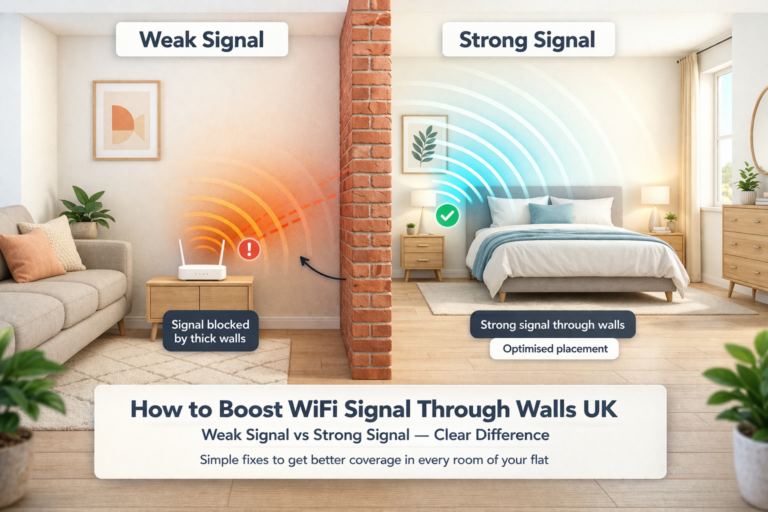
One of the biggest reasons people search for how to fix weak WiFi in one room UK is because thick walls weaken wireless signals dramatically.
This is especially common with:
- brick walls
- stone walls
- concrete structures
- older UK homes
Every wall the signal passes through reduces strength slightly.
👉 One thick wall can massively reduce WiFi performance.
For stronger whole-home setups, read best wifi setup for thick walls uk
📡 Move Your Router To A Better Position
Router placement is one of the easiest fixes.
Avoid placing routers:
- behind TVs
- inside cupboards
- beside thick walls
- on the floor
- near metal furniture
Instead:
- place the router centrally
- keep it elevated
- leave it in open space
👉 Better placement alone can improve signal strength immediately.
For placement guidance, read best place to put router for thick walls uk
⚡ Use 2.4GHz For Distant Rooms
The 2.4GHz WiFi band travels further and penetrates walls better than 5GHz.
This makes it ideal for:
- upstairs bedrooms
- distant rooms
- older houses
- thick-wall flats
Benefits include:
- Better wall penetration
- More stable coverage
- Wider signal range
👉 Many weak-room problems are caused by devices staying connected to weak 5GHz signals.
For signal improvement advice, read how to improve wifi signal in old houses uk
🚪 Mesh WiFi Often Fixes Dead Zones Completely
For many homeowners researching how to fix weak WiFi in one room UK, mesh WiFi becomes the best long-term solution.
Mesh systems help by:
- spreading coverage evenly
- reducing dead zones
- improving roaming
- stabilising weak rooms
This is especially useful in:
- larger homes
- old properties
- awkward layouts
- flats with interference
👉 Mesh WiFi is usually far more effective than cheap extenders.
🔄 Change Crowded WiFi Channels
In busy UK flats and neighbourhoods, wireless interference is extremely common.
Changing channels can improve:
- streaming quality
- gaming stability
- evening speeds
- signal consistency
The best 2.4GHz channels are usually:
- Channel 1
- Channel 6
- Channel 11
👉 WiFi interference is often overlooked.
For interference reduction tips, read how to stop wifi interference in flats uk
🏠 Upgrade Weak ISP Routers
Many provider routers are simply not strong enough for difficult homes.
Upgrading your router can improve:
- wall penetration
- overall coverage
- device handling
- stability
This is especially important if:
- your router is old
- your home has thick walls
- multiple people stream simultaneously
👉 Better hardware often fixes long-term weak-room issues.
For wall penetration guidance, read how to boost wifi signal through walls uk
🚀 Fastest Ways To Fix Weak WiFi In One Room UK
If your signal constantly struggles, the best fixes are usually:
- Improve router placement
- Use 2.4GHz in distant rooms
- Reduce wireless interference
- Add mesh WiFi coverage
- Upgrade weak ISP hardware
Most people searching for how to fix weak WiFi in one room UK see major improvements surprisingly quickly after optimising these areas properly.
👉 Small adjustments can make a massive difference.
For mesh coverage advice, read best mesh wifi for thick walls uk
🏆 Final Verdict
So, how do you fix weak WiFi in one room UK?
Usually by:
- improving router placement
- managing frequency bands properly
- reducing interference
- using mesh WiFi
- upgrading weak hardware
Learning how to fix weak WiFi in one room UK can dramatically improve speeds, stability and coverage throughout difficult rooms and thick-wall homes.
With the right setup, even older UK homes can achieve fast and reliable whole-home WiFi coverage.
For broadband and wireless advice, see Ofcom