5 Best Chromebooks for Schoolwork UK: Brilliant Picks
Affordable, portable Chromebooks for homework, lessons and everyday study
Best Chromebooks for Schoolwork UK buyers should consider need to be quick enough for everyday learning, portable enough for lessons and simple enough that students can concentrate on their work. A Chromebook can be an excellent alternative to a Windows laptop when most homework involves Google Classroom, browser research, documents, presentations and video calls. However, memory, storage, screen quality and software compatibility still matter. We compared five of the best Chromebooks for Schoolwork UK students can use, ranging from affordable 4GB models to a more capable Chromebook Plus with 8GB of memory and 256GB of storage.
If ChromeOS may be too restrictive, compare these options with our broader guide to the best laptops for students UK.
This article contains affiliate recommendations. If you purchase through one of our Amazon links, we may receive a small commission at no additional cost to you.
⚡ Quick Answer: Which Chromebook Is Best for Schoolwork?
The HP Chromebook Plus 14 is our top pick. Its Intel Core i3 processor, 8GB of RAM, 256GB of storage and 14-inch Full HD display provide the strongest overall specification in this comparison.
Our shortlist of the best Chromebooks for Schoolwork UK includes:
✔ Best overall: HP Chromebook Plus 14
✔ Best large-screen Chromebook: Acer Chromebook 315
✔ Best for portability and battery life: Lenovo IdeaPad Slim 3 Chromebook
✔ Best budget Chromebook: ASUS Chromebook 14 CX1405
✔ Best compact Chromebook: Samsung Chromebook Go
Students working with a tighter spending limit can also explore our best budget laptops for students UK.
🏆 OUR TOP PICK: HP Chromebook Plus 14
The HP Chromebook Plus 14 is our leading recommendation because it provides considerably more memory and storage than most entry-level Chromebooks. Its 8GB of RAM should make multitasking more comfortable, while the 256GB of storage gives students useful room for offline files and downloaded applications.
Among the best Chromebooks for Schoolwork UK, it offers the greatest performance headroom for older students, sixth-form work and demanding browser-based study. The 14-inch Full HD display also strikes a sensible balance between portability and usable workspace.
The HP costs more than a basic Chromebook, but its stronger specification should remain practical for longer. That makes it a more convincing long-term purchase for students who will use their Chromebook every day.
Check Latest Price on Amazon →
📊 Best Chromebooks for Schoolwork UK Compared
| Product | Best for | Key specification | Main advantage | Amazon |
|---|---|---|---|---|
| HP Chromebook Plus 14 | Best overall | Intel Core i3, 8GB RAM, 256GB storage, 14-inch Full HD display | Strongest overall performance and storage | Check Latest Price on Amazon → |
| Acer Chromebook 315 | Large-screen study | Intel Celeron N4500, 8GB RAM, 128GB eMMC, 15.6-inch Full HD display | More screen space for documents and split-screen work | Check Latest Price on Amazon → |
| Lenovo IdeaPad Slim 3 Chromebook | Portability and battery life | MediaTek Kompanio 520, 4GB RAM, 64GB eMMC, 14-inch Full HD display | Lightweight design and long advertised battery life | Check Latest Price on Amazon → |
| ASUS Chromebook 14 CX1405 | Best budget option | Intel Celeron N50, 4GB RAM, 64GB eMMC, 14-inch Full HD display | Affordable everyday schoolwork option | Check Latest Price on Amazon → |
| Samsung Chromebook Go | Compact portability | Intel Celeron N4500, 4GB RAM, 64GB eMMC, 11.6-inch HD display | Smallest and easiest to carry | Check Latest Price on Amazon → |
Prices, availability and individual configurations can change. Check the complete Amazon listing before ordering to confirm that the selected version matches the specification shown in this guide.
🔍 How We Chose the Best Chromebooks for Schoolwork UK
Finding the best Chromebooks for Schoolwork UK is not simply a matter of choosing the cheapest device. Students may use the same Chromebook for several academic years, so it must remain comfortable for everyday tasks and compatible with the school’s learning platforms.
We compared the five products using the following practical criteria.
Everyday schoolwork performance
A Chromebook should manage browser research, Google Docs, presentations, educational videos and video calls without becoming frustrating. ChromeOS is relatively lightweight, but the processor and memory still determine how comfortably the device handles multiple tabs and applications.
The best Chromebooks for Schoolwork UK should respond quickly during normal learning activities. Students should not need to close every browser tab whenever they join a lesson or open a document.
For other useful equipment that can make homework easier, see our guide to the best study tech for students UK.
Memory
Four gigabytes of RAM can be sufficient for straightforward schoolwork, especially when the student uses only a few browser tabs at once. However, 8GB provides more breathing room for multitasking and is a better choice for students who regularly use several web applications together.
The HP and Acer both include 8GB of memory, giving them an important advantage over the three 4GB models. Memory strongly influenced our ranking of the best Chromebooks for Schoolwork UK because it cannot always be upgraded after purchase.
Storage
Chromebooks are designed around cloud storage, so they often provide less local space than Windows laptops. A 64GB model can work when documents are stored in Google Drive, but larger capacities offer more flexibility for offline files, Android applications and downloads.
The HP provides 256GB, while the Acer offers 128GB. The Lenovo, ASUS and Samsung each provide 64GB. The best Chromebooks for Schoolwork UK do not all need enormous storage, but students should understand how much local space they are buying.
Screen size and resolution
A Full HD display is helpful when reading detailed web pages, editing documents or using two windows side by side. Four of the five choices provide a Full HD screen, while the compact Samsung uses a smaller HD display.
Fourteen inches is a practical size for many students. It provides sufficient workspace without making the Chromebook excessively awkward to carry. The Acer’s 15.6-inch display is better for desk-based use, while the Samsung’s 11.6-inch screen prioritises portability.
Screen quality is especially important when comparing the best Chromebooks for Schoolwork UK because students may look at the display for several hours each day.
Battery practicality
Advertised battery life is measured under controlled conditions and should be treated as an estimate. Screen brightness, video calls, streaming and wireless activity can all reduce the time between charges.
The Lenovo advertises up to 13.5 hours, while the ASUS lists up to 12 hours and the HP lists up to 11 hours. These figures do not guarantee identical results in real use, but they help indicate which devices have been designed for mobile working.
For the best Chromebooks for Schoolwork UK, useful battery life matters most when students cannot easily charge during lessons.
Portability
A compact Chromebook can be easier to carry than a conventional laptop, but size is not the only consideration. The protective sleeve, charger, books and school supplies all contribute to the total weight of a student’s bag.
The 11.6-inch Samsung is the smallest choice, while the Lenovo combines a 14-inch screen with an approximate weight of 1.3kg. The Acer provides greater screen space but will be less convenient for daily travel.
Portability helped separate the best Chromebooks for Schoolwork UK because the right size depends on whether the device moves between classrooms or remains on a bedroom desk.
ChromeOS update support
Chromebooks receive automatic updates for a defined period. Buyers should check the precise model’s Automatic Update Expiration date before ordering, particularly when buying an older design.
A low purchase price becomes less attractive if the Chromebook has substantially less update support remaining. The best Chromebooks for Schoolwork UK should provide a sensible usable lifespan as well as an affordable initial cost.
Application compatibility
ChromeOS is excellent for browser-based learning, but it cannot run every Windows or macOS application. Google Workspace, Microsoft 365 web applications and many Android applications are available, although functionality may differ from desktop versions.
Before choosing from the best Chromebooks for Schoolwork UK, ask the school or course provider whether any required program needs Windows or macOS. This is particularly important for advanced design, engineering, music production and specialist examination software.
💻 1. HP Chromebook Plus 14 — Best Overall
The HP Chromebook Plus 14 is the most capable product in this guide. It combines an Intel Core i3 N-series processor with 8GB of memory, 256GB of storage and a 14-inch Full HD display.
Key specifications
- Intel Core i3 N-series processor
- 8GB RAM
- 256GB flash storage
- 14-inch Full HD display
- ChromeOS
- Integrated Intel graphics
- Dual speakers
- Advertised battery life of up to 11 hours
The Chromebook Plus standard is intended to provide a stronger baseline than an ordinary entry-level Chromebook. That is reflected in this HP’s 8GB of memory and 256GB of storage.
For schoolwork, those specifications should help when a student has several browser tabs open alongside a document, video lesson and messaging platform. It should also provide more room for downloaded applications and offline files than a 64GB Chromebook.
The 14-inch Full HD display offers a practical working area without making the laptop as bulky as a 15.6-inch model. Students should find it suitable for typing essays, watching lessons and comparing research sources.
Its processor is more capable than the entry-level chips used in the other products. That does not turn it into a gaming or professional creative workstation, but it gives the HP a stronger everyday foundation.
This is why the HP leads our best Chromebooks for Schoolwork UK comparison. It provides the most balanced combination of performance, memory, storage and portability.
What we like
✔ 8GB of memory
✔ Generous 256GB storage
✔ Intel Core i3 processor
✔ 14-inch Full HD display
✔ Chromebook Plus specification
✔ Suitable for heavier browser multitasking
✔ Good long-term option for older students
Things to consider
✘ More expensive than an entry-level Chromebook
✘ ChromeOS still cannot replace every Windows application
✘ Advertised battery life will vary with real use
✘ Additional performance may be unnecessary for very basic homework
Who should buy it?
The HP is best for students who expect to use their Chromebook frequently and want more performance headroom than a basic model provides. It should be particularly suitable for secondary school, sixth form and university courses built around browser-based tools.
If you want the most capable all-round choice from the best Chromebooks for Schoolwork UK, the HP Chromebook Plus 14 is the model we would consider first.
Check Latest Price on Amazon →
🖥️ 2. Acer Chromebook 315 — Best Large-Screen Chromebook
The Acer Chromebook 315 is the largest option in this comparison. Its 15.6-inch Full HD display gives students more room for documents, spreadsheets, research and split-screen working.
Key specifications
- Intel Celeron N4500 processor
- 8GB RAM
- 128GB eMMC storage
- 15.6-inch Full HD display
- ChromeOS
- Integrated graphics
- Silver finish
The most important advantage is the combination of 8GB of memory and a spacious display. While the processor is modest, the additional memory should help when several browser tabs and web applications are open.
Its 128GB of storage is also more generous than the 64GB provided by the Lenovo, ASUS and Samsung. That gives students additional room for offline work, downloads and Android applications.
The Full HD resolution is useful on a 15.6-inch screen because it keeps documents and websites relatively sharp. Students who mainly work at home may find the Acer more comfortable than a small portable model.
The disadvantage is size. It requires more desk space and a larger protective bag, making it less convenient for students who carry their Chromebook between lessons every day.
Nevertheless, the Acer remains one of the best Chromebooks for Schoolwork UK for students who value screen space and memory more than maximum portability.
What we like
✔ 15.6-inch Full HD screen
✔ 8GB of memory
✔ 128GB local storage
✔ Comfortable for long documents and research
✔ Useful for split-screen working
✔ Strong choice for a permanent study desk
Things to consider
✘ Larger and less portable than a 14-inch Chromebook
✘ Intel Celeron N4500 is an entry-level processor
✘ eMMC storage is not as fast as a conventional SSD
✘ May feel oversized on a very small bedroom desk
Who should buy it?
The Acer is best for students who will mainly use their Chromebook at home, in accommodation or at a fixed study desk. Its larger display can make long homework sessions more comfortable.
Among the best Chromebooks for Schoolwork UK, it is the strongest large-screen option and a sensible alternative to the HP when display size is the main priority.
Check Latest Price on Amazon →
🎒 3. Lenovo IdeaPad Slim 3 Chromebook — Best for Portability and Battery Life
The Lenovo IdeaPad Slim 3 Chromebook combines a 14-inch Full HD screen with a lightweight body and an advertised battery life of up to 13.5 hours.
Key specifications
- MediaTek Kompanio 520 processor
- 4GB RAM
- 64GB eMMC storage
- 14-inch Full HD display
- ChromeOS
- Approximate weight of 1.3kg
- Advertised battery life of up to 13.5 hours
- MicroSD card slot
The MediaTek processor is designed for efficient everyday ChromeOS use rather than demanding workloads. It should be appropriate for documents, browser research, educational videos and straightforward online lessons.
Its 4GB of memory requires more careful multitasking than the HP or Acer. Students who keep a large number of browser tabs open may notice the limitation, particularly during video calls.
The 64GB storage capacity also encourages cloud-based working. A microSD card can provide additional space for compatible files, but it does not transform the Chromebook into a high-capacity workstation.
Where the Lenovo performs particularly well is portability. At approximately 1.3kg, it should be manageable in a school bag, while the 14-inch Full HD display remains large enough for everyday coursework.
The advertised battery life of up to 13.5 hours is another reason it ranks highly among the best Chromebooks for Schoolwork UK. Real results will vary, but the efficient hardware should suit students who work away from sockets.
Students carrying their Chromebook between lessons should also compare the best school bags with laptop compartments UK.
What we like
✔ Lightweight 1.3kg design
✔ 14-inch Full HD display
✔ Long advertised battery life
✔ MicroSD expansion
✔ Practical size for school bags
✔ Efficient ChromeOS performance
Things to consider
✘ Only 4GB of memory
✘ Limited 64GB eMMC storage
✘ Not suitable for demanding multitasking
✘ MediaTek processor is designed for lighter workloads
Who should buy it?
The Lenovo is best for students who regularly carry their Chromebook between home and school. It is particularly suitable when homework, Google Classroom and online research make up most of the workload.
For portable use, it is one of the most convincing best Chromebooks for Schoolwork UK choices, provided the student is comfortable with 4GB of memory and cloud-based storage.
Check Latest Price on Amazon →
💷 4. ASUS Chromebook 14 CX1405 — Best Budget Chromebook
The ASUS Chromebook 14 CX1405 is the straightforward budget option in our best Chromebooks for Schoolwork UK selection. It combines an Intel Celeron N50 processor with 4GB of memory, 64GB of eMMC storage and a 14-inch Full HD screen.
Key specifications
- Intel Celeron N50 processor
- 4GB RAM
- 64GB eMMC storage
- 14-inch Full HD display
- ChromeOS
- Integrated Intel graphics
- Approximate weight of 1.39kg
- Advertised battery life of up to 12 hours
The ASUS is designed for ordinary browser-based tasks rather than demanding multitasking. It should handle Google Classroom, Google Docs, web research, email and educational videos when used sensibly.
Its Intel Celeron N50 processor is an entry-level chip, while the 4GB of memory means students may need to avoid keeping excessive numbers of browser tabs open. This limitation matters most during video calls or when several web applications are running together.
The 64GB of eMMC storage is adequate for a cloud-focused Chromebook, but students should not expect to keep a large collection of videos, applications and offline files on the device. Google Drive or another cloud-storage service will form an important part of the setup.
A 14-inch Full HD display is a strong feature at the affordable end of the market. It gives students more usable detail than a basic HD panel without making the laptop as large as a 15.6-inch model.
The ASUS weighs approximately 1.39kg, making it practical for school bags and compact study areas. Its advertised battery life of up to 12 hours also supports use away from a charger, although real results will vary.
These characteristics make it one of the best Chromebooks for Schoolwork UK for families seeking an affordable device for straightforward homework.
What we like
✔ Affordable Chromebook for everyday learning
✔ 14-inch Full HD screen
✔ Portable size and weight
✔ Up to 12 hours of advertised battery life
✔ Suitable for Google Classroom and browser research
✔ Intel processor
Things to consider
✘ Only 4GB of memory
✘ Limited 64GB eMMC storage
✘ Not designed for demanding multitasking
✘ No meaningful performance headroom for specialist work
✘ Cloud storage will be important
Who should buy it?
The ASUS is best for school pupils who mainly use browser-based learning platforms, documents and online resources. It provides the essential Chromebook experience without charging for premium performance that may never be used.
For buyers prioritising affordability, the ASUS is one of the best Chromebooks for Schoolwork UK provided its 4GB memory and 64GB storage match the student’s needs.
Check Latest Price on Amazon →
👜 5. Samsung Chromebook Go — Best Compact Chromebook
The Samsung Chromebook Go is the smallest device among the best Chromebooks for Schoolwork UK in this comparison. Its 11.6-inch display and compact body make it particularly easy to carry between home, classrooms and the library.
Key specifications
- Intel Celeron N4500 processor
- 4GB RAM
- 64GB eMMC storage
- 11.6-inch HD anti-glare display
- ChromeOS
- 180-degree hinge
- Memory-card slot
- Silver finish
Google explains how families can check a Chromebook’s official update schedule before purchasing an older or discounted model.
The Samsung uses an Intel Celeron N4500 processor with 4GB of memory. This is a modest specification intended for simple coursework rather than demanding multitasking.
It should manage documents, Google Classroom, web research and educational streaming when only a sensible number of applications and browser tabs are open. Students expecting to switch rapidly between numerous demanding tools should choose the HP or Acer instead.
The 11.6-inch HD screen is both its greatest advantage and its main limitation. The small format makes the Samsung easier to pack into a school bag, but it provides less workspace than a 14-inch Full HD display.
Long essays and split-screen research may feel cramped. However, younger students and pupils who need a highly portable homework device may prefer its manageable dimensions.
The anti-glare finish should help in brightly lit rooms, while the 180-degree hinge allows the screen to lie flatter when students want to share what they are viewing with someone nearby.
Its 64GB eMMC storage is intended for cloud-based use. The memory-card slot provides another way to carry compatible files, but careful storage management will still be necessary.
The Samsung earns its place among the best Chromebooks for Schoolwork UK because it offers a genuinely different benefit: maximum portability rather than the largest screen or strongest performance.
What we like
✔ Compact 11.6-inch design
✔ Easy to carry in smaller bags
✔ Anti-glare display
✔ 180-degree hinge
✔ Memory-card slot
✔ Suitable for basic browser-based homework
Things to consider
✘ Small HD screen
✘ Only 4GB of memory
✘ Limited 64GB eMMC storage
✘ Less comfortable for split-screen working
✘ Not suitable for demanding applications
Who should buy it?
The Samsung is best for younger students or anyone who prioritises a small, easily transported Chromebook. It should work well for basic homework, research and online learning, but it is not the strongest choice for long daily study sessions.
Among the best Chromebooks for Schoolwork UK, it is the compact specialist rather than the most capable all-rounder.
Check Latest Price on Amazon →
⚖️ Which of the Best Chromebooks for Schoolwork UK Should You Choose?
Choosing between the best Chromebooks for Schoolwork UK becomes easier when you identify the student’s main priority.
Choose the HP Chromebook Plus 14 for the strongest all-round experience
The HP is the best choice for students who want comfortable multitasking, more local storage and stronger performance. Its 8GB of memory and 256GB storage give it a clear advantage over entry-level Chromebooks.
For frequent everyday use, the HP is our leading choice from the best Chromebooks for Schoolwork UK.
Choose the Acer Chromebook 315 for a larger screen
The Acer’s 15.6-inch Full HD display provides more space for documents, spreadsheets and research. Its 8GB of memory and 128GB storage also make it more capable than many affordable alternatives.
It is one of the best Chromebooks for Schoolwork UK for students who primarily work at a permanent desk and do not need maximum portability.
Choose the Lenovo IdeaPad Slim 3 for travelling between lessons
The Lenovo combines a 14-inch Full HD display, approximate weight of 1.3kg and an advertised battery life of up to 13.5 hours.
Students carrying their device every day may find it the most practical of the best Chromebooks for Schoolwork UK, provided 4GB of memory is sufficient.
Choose the ASUS Chromebook 14 for a sensible budget option
The ASUS provides a 14-inch Full HD display and portable design without moving into Chromebook Plus pricing. It is appropriate for documents, web research and Google Classroom.
The ASUS is one of the best Chromebooks for Schoolwork UK for families who want an affordable but usable school laptop.
Choose the Samsung Chromebook Go for maximum compactness
The Samsung’s 11.6-inch screen makes it easy to transport, but students sacrifice working space and Full HD resolution.
It is the most compact of the best Chromebooks for Schoolwork UK and is better suited to basic homework than extended, demanding study.
🪟 Can a Chromebook Replace a Windows Laptop for Schoolwork?
A Chromebook can replace a Windows laptop when the student’s work happens mainly through a browser. Google Classroom, Google Docs, Google Sheets, Google Slides, email, research and many video-conferencing services all work naturally within ChromeOS.
This makes the best Chromebooks for Schoolwork UK particularly appealing to schools that already use Google Workspace for Education.
However, ChromeOS cannot run every conventional Windows program. Some courses rely on specialist applications for design, engineering, programming, music production or examinations. Browser-based or Android alternatives may exist, but they may not include every feature.
Before buying, ask the school for a list of required applications. If even one essential program requires Windows or macOS, choosing a Chromebook solely because it is affordable could become an expensive mistake.
The best Chromebooks for Schoolwork UK are excellent tools when their operating system matches the student’s curriculum. They are not universal replacements for every type of computer.
📡 Can Students Use a Chromebook Offline?
Chromebooks work best with an internet connection, but many tasks can still be prepared for offline use. Google Docs, Sheets and Slides can be configured so selected files remain available without Wi-Fi.
Students should enable offline access before leaving a reliable connection. Files must also have time to synchronise when the Chromebook reconnects.
Downloaded media and supported Android applications may work offline, although behaviour varies between applications. A Chromebook with more local storage provides greater flexibility for offline files.
For students with inconsistent home broadband, the best Chromebooks for Schoolwork UK may be models with 128GB or 256GB of storage rather than the most basic 64GB versions.
Offline capability should be tested before an important lesson, journey or deadline. A file that has never been prepared for offline use may not open when the connection disappears.
📱 Can Chromebooks Run Android Applications?
Many Chromebooks can install compatible Android applications through the Google Play Store. This can expand what the device can do, but application support is not identical across every model.
Some Android applications are designed primarily for phone-sized touchscreens and may feel awkward with a keyboard and trackpad. Others work well on a larger Chromebook display.
Students using a school-managed Google account may also find that application installation is restricted by an administrator.
Android support adds flexibility to the best Chromebooks for Schoolwork UK, but it should not be treated as a guaranteed replacement for desktop software.
Before relying on a particular application, check that it supports the Chromebook, works with the required account and includes the features needed for coursework.
🖨️ Can You Connect a Printer to a Chromebook?
Modern wireless printers often work with ChromeOS through the same Wi-Fi network. USB printing may also be possible with compatible devices, but older printers can be more difficult to configure.
Check the printer manufacturer’s ChromeOS guidance before buying a Chromebook specifically for use with an existing printer.
Students who submit most work digitally may rarely need to print. However, printing revision sheets, coursework drafts and labels can still be useful.
The best Chromebooks for Schoolwork UK should fit the household’s existing equipment, so printer compatibility is worth checking before purchase rather than after delivery.
🔐 Are Chromebooks Safe for Students?
ChromeOS includes automatic updates, application sandboxing and verified boot features designed to reduce common security risks. No computer is completely immune from threats, but Chromebooks are generally straightforward to maintain.
Students should still use strong passwords, enable two-step verification where appropriate and avoid sharing account details. School accounts and personal accounts should also be kept separate when possible.
Automatic updates are an important reason families choose the best Chromebooks for Schoolwork UK. However, every Chromebook model has an Automatic Update Expiration date, after which guaranteed ChromeOS updates end.
Parents should check that date before ordering. An older model with a short remaining support period may offer poor long-term value even if its current price appears attractive.
🎓 Best Chromebook by Education Level
Secondary school
For secondary-school homework, the Lenovo or ASUS should be sufficient when lessons rely on Google Classroom and browser-based resources. The Samsung may suit younger students who need something compact.
Parents comparing the best Chromebooks for Schoolwork UK should confirm that required homework platforms support ChromeOS.
Families preparing for a new academic year can find the remaining equipment in our guide to the best secondary-school supplies UK.
Sixth form
Sixth-form students often manage longer essays, more research tabs and substantial collections of notes. The HP Chromebook Plus 14 is our preferred option because its 8GB of memory and 256GB storage provide more headroom.
The Acer is another strong choice when a large display matters. Both sit above the entry-level models in our best Chromebooks for Schoolwork UK ranking.
Our complete selection of best sixth-form essentials UK covers stationery, organisation and everyday study equipment.
University
A Chromebook can suit university courses based around essays, research and browser applications. It may be unsuitable for courses that require specialist desktop software.
The HP is the strongest university option among the best Chromebooks for Schoolwork UK, but students must check their department’s technology requirements first.
Students moving away from home should also check our practical guide to the best university essentials UK.
🏠 Using a Chromebook in a Small Bedroom
Chromebooks are particularly suitable for small study areas because many models are thinner and lighter than traditional laptops. A 14-inch Chromebook can leave enough desk space for a notebook, textbook and lamp.
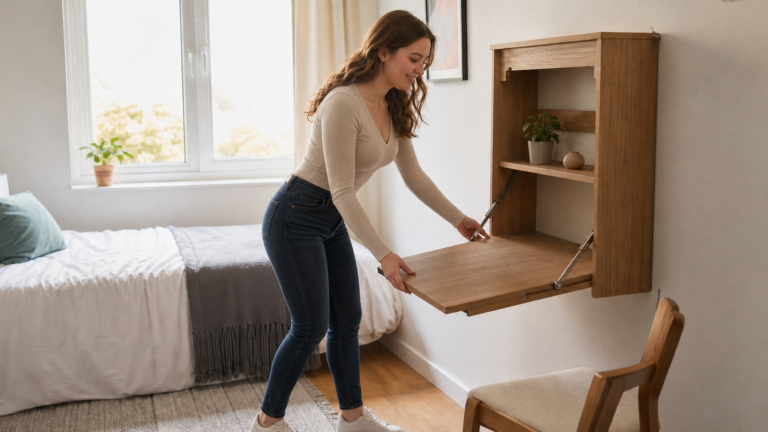
For a compact workspace that leaves room for notebooks and textbooks, compare our best study desks for small bedrooms UK.
The Samsung takes up the least room, while the Acer needs a wider working surface. Students should measure the available desk before choosing solely on screen size.
A laptop stand can raise the display, but regular use may then require a separate keyboard and mouse. Charging cables should be routed away from walkways, and the Chromebook should always have space for ventilation.
For compact homes, the best Chromebooks for Schoolwork UK balance screen comfort with the ability to store the device easily after studying.
🚫 Common Chromebook Buying Mistakes
Buying the cheapest Chromebook without checking the specification
An extremely cheap model may have a low-resolution screen, minimal storage or a short remaining update period. A small saving is not worthwhile if the Chromebook becomes frustrating immediately.
The best Chromebooks for Schoolwork UK provide usable value rather than simply the lowest advertised price.
Assuming 4GB and 8GB of memory feel the same
Four gigabytes can handle basic work, but 8GB provides more room for browser tabs, applications and video calls. Students who multitask regularly should prioritise the HP or Acer.
Memory is one of the clearest differences between the best Chromebooks for Schoolwork UK in this comparison.
Ignoring the update expiry date
Every Chromebook has a defined automatic-update period. Check the exact model rather than assuming every newly purchased device receives the same support.
Update longevity should form part of the true cost when comparing the best Chromebooks for Schoolwork UK.
Choosing a screen that is too small
An 11.6-inch screen is easy to carry but can feel restrictive during long essays or split-screen research. Students who mainly work at home may prefer a 14-inch or 15.6-inch display.
The best Chromebooks for Schoolwork UK include different screen sizes because portability and comfort are personal priorities.
Forgetting to check required software
A Chromebook cannot run every Windows or macOS application. Always confirm course requirements before ordering.
Software compatibility is more important than price when selecting the best Chromebooks for Schoolwork UK.
❓ Frequently Asked Questions
Are Chromebooks good for schoolwork?
Yes. Chromebooks are particularly good for Google Classroom, browser research, documents, presentations, email and online lessons.
The best Chromebooks for Schoolwork UK provide a simple, secure environment for students whose required applications support ChromeOS.
Students approaching important exams may also benefit from our guide to the best GCSE study essentials UK.
Is 4GB of RAM enough for a school Chromebook?
Four gigabytes can be sufficient for basic documents and web browsing, but students must manage browser tabs carefully. Eight gigabytes is preferable for frequent multitasking and older students.
Both memory levels appear among the best Chromebooks for Schoolwork UK, allowing buyers to match the device to the workload.
Is 64GB enough storage for a Chromebook?
Sixty-four gigabytes can work when files are stored in the cloud. Students who download applications, videos or offline coursework may prefer 128GB or 256GB.
Storage requirements help determine which of the best Chromebooks for Schoolwork UK is appropriate for each student.
Can you use Microsoft Word on a Chromebook?
Students can use Microsoft Word through Microsoft 365 on the web. The web version may not include every feature available in the full Windows desktop application.
Anyone choosing from the best Chromebooks for Schoolwork UK should check whether the web version provides everything their course requires.
Can a Chromebook join online lessons?
Yes. Chromebooks can use browser-based video-conferencing platforms and supported applications. A reliable internet connection remains important for smooth calls.
Online lessons are a core use case for the best Chromebooks for Schoolwork UK, although battery drain may increase during long video sessions.
Can you play games on a Chromebook?
Chromebooks can run browser games, supported Android games and some cloud-gaming services. They are not designed to replace conventional gaming laptops.
The best Chromebooks for Schoolwork UK prioritise education, portability and battery efficiency rather than demanding games.
What size Chromebook is best for a student?
A 14-inch Chromebook offers the most balanced combination of workspace and portability. An 11.6-inch model is easier to carry, while a 15.6-inch model is more comfortable at a desk.
This guide includes all three sizes because the best Chromebooks for Schoolwork UK depend on how and where the student studies.
How long should a Chromebook last?
Physical lifespan depends on build quality, battery condition and daily treatment. Software usefulness also depends on the model’s Automatic Update Expiration date.
Checking update support is essential when comparing the best Chromebooks for Schoolwork UK, particularly when considering an older discounted model.
Which Chromebook is best for schoolwork?
The HP Chromebook Plus 14 is our overall winner because its Core i3 processor, 8GB of memory and 256GB storage offer the strongest all-round specification.
However, the Acer is better for a large screen, the Lenovo for portability, the ASUS for a lower budget and the Samsung for compactness. The best Chromebooks for Schoolwork UK ultimately depend on the student’s routine and software requirements.
✅ Final Verdict
The HP Chromebook Plus 14 is our top recommendation. It provides the most convincing combination of performance, memory, storage and portability, making it suitable for students who expect to use their Chromebook frequently.
The Acer Chromebook 315 is the strongest large-screen alternative. The Lenovo IdeaPad Slim 3 is the better portable choice, while the ASUS Chromebook 14 delivers the essential experience on a tighter budget. The Samsung Chromebook Go is best when compact dimensions matter above everything else.
The best Chromebooks for Schoolwork UK should support the student’s actual curriculum, fit comfortably into their daily routine and receive updates for a sensible period.
Check the required software, Automatic Update Expiration date, memory and screen size before purchasing. By matching those factors carefully, families can choose from the best Chromebooks for Schoolwork UK without overspending or buying a device that becomes restrictive too soon.