
5 Best Amazon WiFi Deals UK for Small Flats – Autumn 2026
Improve Weak Signals, Thick-Wall Coverage and Frustrating WiFi Dead Zones
Amazon WiFi Deals UK shoppers have several practical ways to improve unreliable internet without drilling holes or permanently altering a rented property. A carefully positioned extender may solve one troublesome bedroom, while mesh WiFi can provide smoother coverage throughout a flat and powerline technology can help when thick walls repeatedly weaken the wireless signal. We compared five promotion-listed options for different layouts, budgets and connection problems, helping you decide which solution makes sense before checking Amazon’s latest price and promotional status.
If you want to try free improvements before buying equipment, our guide to improving WiFi in a small flat covers several practical starting points.
⚡ Quick Answer: Best Amazon WiFi Deals UK
Our five Amazon WiFi Deals UK recommendations are:
- ✔ TP-Link Deco Whole Home Mesh WiFi 6 System — best overall for seamless whole-flat coverage
- ✔ TP-Link RE500X WiFi 6 Extender — best for improving one weak room
- ✔ AVM FRITZ!Repeater 3000AX UK — best premium extender for demanding households
- ✔ Amazon eero 6 Mesh WiFi Three-Pack — best for simple app-guided mesh coverage
- ✔ TP-Link TL-WPA7517 Powerline WiFi Kit — best for thick walls and difficult wireless routes
The TP-Link Deco is our leading Amazon WiFi Deals UK recommendation because a proper mesh system is generally the most complete solution when several rooms have unreliable coverage. However, a mesh system may be unnecessary if only one nearby bedroom needs a stronger connection.
Prices, availability and promotional status can change during and after Amazon’s autumn promotion, so always check the live listing before ordering.
Affiliate Disclosure: This article contains affiliate links. If you purchase through one of these links, we may earn a commission at no additional cost to you. As an Amazon Associate I earn from qualifying purchases.
🏆 OUR TOP PICK: TP-Link Deco Whole Home Mesh WiFi 6 System
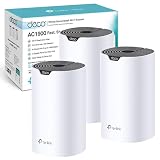
The TP-Link Deco Whole Home Mesh WiFi 6 System is our top choice from the current Amazon WiFi Deals UK selection. Unlike a basic extender that rebroadcasts the router’s signal, multiple Deco units are designed to operate as one coordinated network. This can make moving between the bedroom, kitchen and living area considerably more convenient because compatible devices can remain connected to the unified network.
WiFi 6 support also makes the Deco system appealing to flats containing numerous connected devices. Phones, laptops, televisions, tablets, speakers and smart-home equipment can all compete for capacity, particularly during evenings when several people are online.
The main limitation is that this approach costs more than adding one plug-in extender. Buyers must also check the exact number of Deco units included with the selected Amazon variation. A one-unit listing will not provide the same coverage options as a two-pack or three-pack.
For flats with weak coverage in several rooms, the Deco is the most complete Amazon WiFi Deals UK option in this comparison.
Check Latest Price on Amazon →
📊 Amazon WiFi Deals UK Comparison Table
| Product | Best for | Main advantage | Possible drawback | Latest price |
|---|---|---|---|---|
| TP-Link Deco Whole Home Mesh WiFi 6 System | Seamless whole-flat coverage | Creates a unified WiFi 6 mesh network | Check the selected pack size carefully | Check Latest Price on Amazon → |
| TP-Link RE500X WiFi 6 Extender | One weak bedroom or home office | Compact plug-in design with a Gigabit Ethernet port | Placement is critical for good performance | Check Latest Price on Amazon → |
| AVM FRITZ!Repeater 3000AX UK | Faster premium extension | Tri-band WiFi 6 design and two Gigabit LAN ports | More expensive and physically larger than basic extenders | Check Latest Price on Amazon → |
| Amazon eero 6 Mesh WiFi Three-Pack | Straightforward mesh setup | Three coordinated units with app-based management | Some advanced features may require an additional subscription | Check Latest Price on Amazon → |
| TP-Link TL-WPA7517 Powerline WiFi Kit | Thick walls and difficult wireless routes | Uses existing electrical wiring between rooms | Performance depends on the property’s electrical circuits | Check Latest Price on Amazon → |
No single option will suit every flat. The best Amazon WiFi Deals UK choice depends on whether the problem affects one room, the entire property or a specific area separated by particularly dense walls.
🔍 How We Chose These Amazon WiFi Deals UK
We assessed these Amazon WiFi Deals UK products according to how useful they could be in typical British flats, converted properties, small houses and rented accommodation. We did not physically test every product, so our assessment is based on the listed specifications, supported network standards, connection options and practical suitability for common home layouts.
Our mesh WiFi versus WiFi extender comparison explains the differences between these two approaches in more detail.
Coverage method
We separated the products into three main categories:
- WiFi extenders, which repeat an existing wireless signal
- Mesh systems, which use coordinated units to create broader unified coverage
- Powerline kits, which carry network data through a property’s electrical wiring
This distinction is important because the strongest-looking specification does not automatically make a product right for the property. Someone with one weak bedroom may only need an extender, while a flat with unreliable coverage at both ends may benefit more from mesh.
Small-flat suitability
Compact equipment, simple placement and minimal cabling were priorities. Renters may not be allowed to drill through walls or install permanent Ethernet connections, so each Amazon WiFi Deals UK recommendation offers a comparatively non-destructive route to improving coverage.
WiFi generation and capacity
WiFi 6 products received particular consideration because they can manage modern connected households more efficiently than older equipment. However, we have not dismissed WiFi 5 or powerline products when they solve a specific problem effectively.
The speed printed on networking equipment is a theoretical link rate rather than a guaranteed internet speed. Actual performance will depend on the broadband connection, router, wall construction, interference, device capability and product placement.
Ethernet connectivity
An Ethernet port can be useful for a desktop computer, television, games console or other fixed device. It may provide a more consistent final connection than relying on WiFi for every stage of the route.
Setup and compatibility
We considered whether each product offered app-guided installation, push-button pairing or compatibility with a wider mesh ecosystem. Before choosing from the Amazon WiFi Deals UK promotion, buyers should still confirm compatibility with their existing router and broadband arrangement.
Value rather than headline discounts
We ranked these products according to usefulness and overall value rather than an advertised saving alone. Amazon promotions can change quickly, and a product should still make sense for the property even if the discount becomes smaller or disappears.
1. TP-Link Deco Whole Home Mesh WiFi 6 System — Best Overall
The TP-Link Deco Whole Home Mesh WiFi 6 System is the strongest all-round choice for flats where weak coverage affects more than one room. It replaces the patchwork feel of several independently named extenders with a coordinated mesh network.
Each Deco unit communicates as part of the same system. When appropriately positioned, the units can extend coverage through the property while presenting one network name to connected devices. This makes the system particularly attractive for open-plan flats with adjoining bedrooms, maisonettes and converted properties containing awkward internal walls.
WiFi 6 support is another reason the Deco leads our Amazon WiFi Deals UK ranking. It is designed to handle multiple active devices more efficiently, which matters when one person is streaming television, another is on a video call and several phones or smart devices remain connected in the background.
The Deco mobile app guides users through installation and can help with managing the network. Nevertheless, sensible positioning still matters. Mesh nodes should normally be placed in open areas where they can receive a usable signal from another unit. Hiding a node behind a television, inside a cupboard or at the far end of an existing dead zone can reduce its effectiveness.
Buyers also need to inspect the live Amazon variation carefully. The exact pack size determines how many rooms or floors can be covered. Do not assume that every colour, bundle or price shown on the same listing includes the same number of Deco units.
For a very small one-bedroom flat with only one weak corner, the Deco could be more equipment than necessary. For broader or recurring coverage problems, however, it provides the most flexible foundation among these Amazon WiFi Deals UK picks.
Pros
✔ Unified mesh network across multiple rooms
✔ WiFi 6 support for busy connected households
✔ App-guided setup and network management
✔ Coverage can be expanded with additional compatible Deco units
✔ More comprehensive than treating several dead zones separately
Cons
✘ Usually costs more than a single plug-in extender
✘ Exact performance depends on node placement and building construction
✘ Buyers must confirm the pack size included in the chosen listing
Our Verdict
The TP-Link Deco Whole Home Mesh WiFi 6 System is our preferred Amazon WiFi Deals UK option for households that want reliable, convenient coverage across an entire flat. It is particularly suitable when several rooms suffer from inconsistent WiFi rather than one isolated corner.
Check Latest Price on Amazon →
2. TP-Link RE500X WiFi 6 Extender — Best for One Weak Room
The TP-Link RE500X is a more focused and affordable option for extending an existing router’s signal into one troublesome room. It plugs directly into a wall socket and supports dual-band WiFi 6, with theoretical rates of up to 1,201Mbps on 5GHz and 300Mbps on 2.4GHz.
That combination makes it a practical Amazon WiFi Deals UK choice for a bedroom, study area or home office that receives a weak but still usable signal from the main router. It can extend the wireless network without replacing the entire home setup.
The RE500X also includes a Gigabit Ethernet port. This can be useful when a desktop computer, television or games console sits in the weak room. The extender still needs a good upstream connection to the router, but the final device can connect to the extender using an Ethernet cable.
EasyMesh compatibility gives the RE500X another advantage. When paired with compatible equipment, it can participate in a more unified network rather than acting only as a completely separate extender. It also supports access-point mode, which allows it to create WiFi from an existing wired Ethernet connection.
Placement remains the biggest consideration. The extender should usually sit between the router and the weak area—not directly inside the dead zone. If it receives a poor signal, it has very little useful signal to repeat.
At approximately 78mm wide, 36mm deep and 149mm tall, it is compact compared with a tabletop mesh node, although its upright body may obstruct nearby switches or sockets depending on the outlet layout.
The RE500X is one of the most accessible Amazon WiFi Deals UK choices for renters because it requires no permanent installation. It can also be unplugged and taken to another property when moving.
Pros
✔ Dual-band WiFi 6 support
✔ Gigabit Ethernet port for a wired device
✔ Works as either a range extender or access point
✔ EasyMesh compatibility with suitable equipment
✔ Compact, removable solution for rented homes
Cons
✘ Cannot rescue a room if the extender itself receives almost no router signal
✘ Less comprehensive than a multi-node mesh system
✘ May partially obstruct a closely positioned neighbouring socket
Our Verdict
Choose the TP-Link RE500X when one bedroom, office or entertainment area needs better coverage but the rest of the flat already works well. It is a more proportionate Amazon WiFi Deals UK purchase than replacing a functioning network with a full mesh system.
Check Latest Price on Amazon →
3. AVM FRITZ!Repeater 3000AX UK — Best Premium Extender
The AVM FRITZ!Repeater 3000AX is the premium extender in our Amazon WiFi Deals UK selection. Its tri-band WiFi 6 design uses three wireless radio units, giving it more scope to manage communication between the router, repeater and connected devices than a basic dual-band plug-in extender.
The Amazon promotion listing describes wireless performance of up to 3,600Mbps across its 5GHz radios and up to 600Mbps on 2.4GHz. These are theoretical wireless rates rather than guaranteed broadband speeds, but they indicate that the FRITZ!Repeater is intended for more demanding networks.
Two Gigabit LAN ports make it suitable for fixed equipment such as desktop computers, televisions, consoles or network storage. This is useful in a home office or media area where more than one wired connection may be valuable.
The unit can be particularly appealing to households already using a compatible FRITZ!Box router because products from the same ecosystem are designed to work together as a mesh network. Buyers using another router should check the available features and compatibility before assuming they will receive every ecosystem benefit.
Unlike the RE500X, the FRITZ!Repeater 3000AX is a tabletop device rather than a small plug-in unit. It requires a surface, a nearby socket and some open space around it. That makes positioning more flexible but also means it occupies more visible room.
Its higher specification may be unnecessary for basic browsing or one lightly used bedroom. The additional cost makes the most sense when several people regularly stream, work, study or game through the extended connection.
Among the Amazon WiFi Deals UK recommendations, this is the option for buyers who want a capable premium extender without immediately moving to a multi-unit whole-home package.
Pros
✔ Tri-band WiFi 6 design
✔ Two Gigabit LAN ports
✔ Suitable for busier networks and demanding rooms
✔ Strong ecosystem integration with compatible FRITZ! equipment
✔ Tabletop placement offers more positioning flexibility
Cons
✘ Costs more than a basic plug-in extender
✘ Occupies shelf or desk space
✘ Some mesh advantages depend on the existing router and network setup
Our Verdict
The AVM FRITZ!Repeater 3000AX is a strong Amazon WiFi Deals UK choice for a busy home office, entertainment room or household already using compatible FRITZ! networking equipment. Less demanding flats may achieve everything they need with the cheaper TP-Link RE500X.
Check Latest Price on Amazon →
4. Amazon eero 6 Mesh WiFi Three-Pack — Best for Straightforward Setup
The Amazon eero 6 three-pack is one of the easiest Amazon WiFi Deals UK options to understand. Three coordinated units create a unified mesh network, helping devices remain connected as people move between rooms rather than forcing users to switch manually between separately named networks.
Amazon describes this three-pack as supporting coverage of up to 420 square metres and more than 75 connected devices. Those figures represent ideal conditions, and most small flats will require considerably less coverage. The advantage is that the additional units provide flexibility for awkward layouts, maisonettes and converted properties where the router sits at one end of the home.
The system supports WiFi 6 and is intended for internet connections of up to 500Mbps. Faster broadband packages may therefore benefit from a higher-specification mesh system, particularly when maximum wireless speed is important. For normal browsing, streaming, studying, video calls and smart-home use, the eero 6 remains a capable Amazon WiFi Deals UK choice.
Setup and management take place through the eero app. This can make installation approachable for people who do not want to manage complicated networking menus. The app helps users position and configure the units, although good placement remains essential. Each eero needs a sufficiently strong connection to another unit, so placing one directly inside a severe dead zone may produce disappointing results.
The compact appearance is well suited to smaller homes because the units can sit on shelves, sideboards or narrow desks without dominating the room. They should remain in open positions rather than being hidden behind televisions or placed inside closed cupboards.
Some enhanced management and security features may be connected to an optional subscription. Buyers should check which functions are included without an ongoing payment before choosing this over another Amazon WiFi Deals UK mesh system.
Pros
✔ Three coordinated mesh units
✔ WiFi 6 support
✔ App-guided installation and management
✔ Compact design for shelves and small surfaces
✔ Suitable for flats with several weak areas
Cons
✘ Three units may be excessive for a very small flat
✘ Intended for broadband connections up to 500Mbps
✘ Some additional features may require a subscription
✘ Performance still depends on sensible node placement
Our Verdict
The Amazon eero 6 three-pack is a convenient Amazon WiFi Deals UK recommendation for households that value straightforward setup and consistent coverage more than advanced manual controls. It works particularly well for people who want one manageable system rather than several independent extenders.
Check Latest Price on Amazon →
5. TP-Link TL-WPA7517 Powerline WiFi Kit — Best for Thick Walls
The TP-Link TL-WPA7517 Kit takes a different approach from the other Amazon WiFi Deals UK recommendations. Instead of relying entirely on a wireless signal travelling between rooms, it uses the property’s existing electrical wiring to carry the network connection from one powerline adaptor to another.
One adaptor connects to the router with an Ethernet cable. The second adaptor is positioned in the room requiring better connectivity, where it provides both WiFi and a Gigabit Ethernet connection. This can be useful in older flats with dense brick walls, extensions or awkward layouts where a normal extender receives an unreliable signal.
The kit is rated for theoretical powerline data transfer of up to 1,000Mbps and offers dual-band wireless connectivity. These headline rates should not be treated as guaranteed internet speeds. Actual performance depends heavily on the condition, age and arrangement of the property’s electrical circuits.
Both adaptors should normally be connected directly to wall sockets. Extension leads, surge protectors and filtered power strips can weaken or block the powerline signal. The two sockets must also be connected through a suitable shared electrical circuit. Performance can be inconsistent when sockets sit on separate circuits or consumer units.
This makes the TL-WPA7517 less predictable than a mesh system, but it can succeed in places where wireless repeaters struggle. Its Gigabit Ethernet port is particularly valuable for a desktop computer, television or games console located away from the main router.
The kit can also copy compatible WiFi settings and supports TP-Link’s associated management tools. Buyers using other networking brands should verify which synchronisation and mesh functions will remain available.
For the right property, this is one of the most practical Amazon WiFi Deals UK products because it avoids drilling and running a long visible cable between rooms. Renters should still use the adaptors normally and avoid altering sockets or electrical fittings.
Pros
✔ Uses existing electrical wiring to cross difficult walls
✔ Includes WiFi and Gigabit Ethernet connectivity
✔ Requires no permanent network cabling
✔ Useful for fixed equipment in a distant room
✔ Straightforward plug-and-pair principle
Cons
✘ Performance depends on the property’s electrical wiring
✘ Should not be connected through most extension leads or surge protectors
✘ Different electrical circuits can reduce reliability
✘ Less portable around the home than a normal wireless extender
Our Verdict
The TP-Link TL-WPA7517 is the most specialised Amazon WiFi Deals UK recommendation. Choose it when thick walls or an awkward route prevent a normal wireless extender from receiving a dependable signal, provided the relevant sockets share a suitable electrical circuit.
Check Latest Price on Amazon →
🛒 Amazon WiFi Deals UK Buying Guide
Choosing between the available Amazon WiFi Deals UK products becomes easier once you identify the type of coverage problem inside the property. Buying the fastest or most expensive equipment without diagnosing the problem can add complexity without producing a meaningful improvement.
Start by identifying the weak areas
Walk through the flat with a phone or laptop and note where performance drops. Test the connection close to the router, in the problem room and at one or two possible locations between them.
If every room performs poorly—even beside the router—the problem may involve the broadband service, router or incoming connection rather than coverage. A new extender cannot create internet speed that the router is not receiving.
If performance is good near the router but poor in one bedroom, an extender may be enough. If several rooms or floors suffer from inconsistent coverage, a mesh system becomes more compelling. This basic diagnosis should happen before comparing Amazon WiFi Deals UK prices.
A connection that only struggles in one location may require a different solution, as explained in our guide to fixing slow WiFi in one room.
When should you choose a WiFi extender?

A range extender is normally the simplest solution when:
- One room receives a weak but detectable signal
- The router cannot be moved to a better position
- The flat is relatively small
- The budget does not justify a complete mesh system
- A plug socket is available between the router and the weak room
The TP-Link RE500X suits this situation. The AVM FRITZ!Repeater 3000AX provides a more capable alternative for a busier connection or a household already using compatible FRITZ! networking equipment.
An extender must receive a usable signal before it can rebroadcast one. Positioning it halfway towards the problem area is usually better than installing it beside the device that has no connection. That placement principle is more important than selecting the most impressive-looking Amazon WiFi Deals UK specification.
When is mesh WiFi better?
Mesh is normally preferable when:
- Several rooms have weak or inconsistent coverage
- People regularly move around while using calls or streaming
- The property has more than one floor
- Numerous connected devices are used simultaneously
- The household wants one unified network
- Future expansion may be required
The TP-Link Deco and Amazon eero 6 provide two different mesh approaches. Deco is our overall choice for flexibility and broader network control, while eero prioritises an approachable app-led experience.
A one-bedroom flat may only need one or two carefully positioned nodes. Adding unnecessary nodes too close together can create extra interference rather than better performance. Check the chosen pack size instead of assuming that more equipment automatically makes an Amazon WiFi Deals UK purchase better.
When should you consider powerline?
Powerline networking is worth considering when walls or floors repeatedly block the wireless route. It can be helpful in older converted properties, flats with dense internal masonry and rooms where an extender cannot receive a stable signal.
However, powerline is not guaranteed to perform equally in every property. The condition and layout of the electrical wiring matter. If possible, purchase from a retailer offering an appropriate return policy in case the home’s circuitry prevents satisfactory performance.
The TP-Link TL-WPA7517 is the only powerline product in this Amazon WiFi Deals UK comparison. It is not automatically better than mesh, but it solves a different problem.
If you are choosing between these technologies, read our complete powerline versus mesh WiFi comparison before ordering.
Think about router placement first
Before buying additional equipment, check whether the existing router can be moved:
- Raise it above floor level
- Keep it away from large metal objects
- Avoid hiding it inside a television cabinet
- Move it away from thick structural walls where possible
- Keep it clear of microwaves and other potential interference
- Position it more centrally if the broadband connection allows
Our guide to placing a WiFi router in a small flat can help you identify a stronger central position.
A small router-position change can sometimes improve coverage enough to avoid another purchase. It can also help any extender or mesh system perform more effectively after installation.
Router placement should therefore be considered alongside Amazon WiFi Deals UK rather than treated as a separate issue.
Check Ethernet requirements
A Gigabit Ethernet port can provide a useful connection for:
- Desktop computers
- Smart televisions
- Games consoles
- Network storage
- Work equipment
- Devices with unreliable built-in WiFi
The RE500X includes one Gigabit port, the FRITZ!Repeater 3000AX includes two, and the TL-WPA7517 powerline kit provides Ethernet connectivity at the remote end.
Remember that a Gigabit port does not guarantee Gigabit internet. The final speed remains limited by the broadband package, router, wireless or powerline link and connected device.
Match the equipment to the broadband speed
There is little benefit in paying for extremely high theoretical wireless rates when the broadband service is comparatively slow and the household performs only basic tasks. Conversely, an older extender can become a bottleneck on a fast full-fibre connection.
The eero 6 listing is intended for internet connections up to 500Mbps. Buyers with faster broadband should decide whether that ceiling matters for their normal use. A device used for web browsing may never require the full line speed, while large downloads and local network transfers can benefit from faster equipment.
Compare realistic needs before selecting from Amazon WiFi Deals UK, particularly when the premium product costs substantially more.
Confirm compatibility
Most ordinary extenders can work with routers from different manufacturers, but unified mesh functions often depend on compatible standards or ecosystems.
Check:
- Existing router model
- Supported WiFi generation
- EasyMesh, OneMesh or manufacturer-specific mesh compatibility
- Available Ethernet ports
- App requirements
- Broadband speed
- Whether the new system replaces or supplements the existing router
Do not assume that two products described as “mesh” will automatically combine into one coordinated network.
💷 How Much Should You Spend on Amazon WiFi Deals UK?
The right Amazon WiFi Deals UK budget depends on how many rooms need attention and whether the existing router remains suitable.
Lower-cost solution: one extender
A single plug-in extender is usually the least expensive route. It makes sense when the rest of the property already receives acceptable coverage and only one room requires help.
Paying for a complete mesh package in this situation may solve the problem, but it can also be unnecessary. The RE500X provides WiFi 6 and Ethernet connectivity without requiring the household to replace its entire network arrangement.
Mid-range solution: premium extender or powerline kit
A premium extender may be justified when the remote room contains several demanding devices. A powerline kit may represent better value where structural walls prevent a dependable wireless connection.
These products solve more specific problems, so their value depends heavily on the property. The best Amazon WiFi Deals UK value is not necessarily the cheapest product; it is the product that addresses the actual cause of the weak connection.
Higher-cost solution: mesh system
Mesh packages generally cost more because they contain multiple coordinated units. They provide better value when several rooms need coverage or when the household wants to replace a mixture of old extenders with one unified system.
A mesh system can also become a longer-term investment if compatible nodes can be added later. Check whether expansion requires the same product family and whether important management features involve ongoing fees.
Do not rely on the advertised saving alone
Amazon prices can change quickly during seasonal events. A highlighted discount does not prove that a product is the best value for the home.
Compare the current price with:
- The number of units included
- Supported WiFi standard
- Ethernet connectivity
- Compatibility with existing equipment
- Coverage method
- Subscription requirements
- Return terms
These checks help distinguish genuinely useful Amazon WiFi Deals UK products from equipment that is discounted but unsuitable.
🏠 Using Amazon WiFi Deals UK in a Small Flat
Small flats do not always have simple WiFi conditions. A compact floor area can still contain thick brick walls, foil-backed insulation, metal pipework, mirrors and neighbouring networks that interfere with the signal.
The advantage of a smaller home is that sensible positioning can make a substantial difference. One correctly located extender or two mesh nodes may cover the property without filling every room with equipment.
You can learn more about the underlying problem in our guide explaining why WiFi struggles through thick walls.
Keep networking equipment in the open
Routers, extenders and mesh nodes perform best when their signals are not immediately blocked. Place them on an open shelf or table rather than:
- Behind a television
- Inside a cupboard
- On the floor beneath furniture
- Next to a large radiator
- Beside a microwave
- Behind a metal filing cabinet
This simple rule can improve the results of any Amazon WiFi Deals UK setup.
Avoid placing nodes too close together
Mesh nodes require enough separation to extend coverage, but they must remain close enough to communicate reliably. In a small flat, placing three nodes within a few metres of one another may be unnecessary.
Begin with the main unit and one additional node. Test several positions before installing every unit included in the package. The app may provide placement guidance, but real-world testing in the property remains valuable.
Ofcom’s official guidance for improving your WiFi experience explains how walls, metal, glass and electrical equipment can affect router performance.
Consider neighbouring networks
Blocks of flats can contain dozens of nearby WiFi networks. Congested channels may reduce performance even when the router’s signal appears strong.
Modern mesh and WiFi 6 equipment can manage busy environments more efficiently, but no product can eliminate all interference. Keeping firmware current and allowing automatic channel selection may help.
Our guide to reducing WiFi interference in flats provides additional help for congested apartment buildings.
Plan around rented-property limitations

The Amazon WiFi Deals UK products in this article require no permanent structural changes. That makes them suitable for renters who cannot drill walls or install fixed network cabling.
Use removable cable management where Ethernet leads are required, and never alter electrical sockets to accommodate powerline equipment. Keep the original packaging if the equipment may need to move to another property later.
⚠️ Common Amazon WiFi Deals UK Buying Mistakes
Several common mistakes can prevent otherwise capable Amazon WiFi Deals UK products from producing the expected improvement.
Buying an extender when the broadband itself is slow
Test the connection beside the main router first. If the speed is already poor there, contact the broadband provider or investigate the router before extending the signal.
Installing an extender inside the dead zone
An extender needs a usable connection to the router. Move it closer to the router until its signal indicator or management app confirms an appropriate position.
Assuming every mesh listing contains the same number of units
Amazon variations can combine different pack sizes on one product page. Confirm whether the selected option contains one, two or three nodes before paying.
Hiding equipment to keep the room tidy
A router or mesh node inside a closed cabinet may look neater, but the surrounding materials can reduce signal strength. Use an open shelf and manage the power cable neatly instead.
Using powerline adaptors through extension leads
Powerline equipment should normally connect directly to wall sockets. Surge protection and filtering inside an extension lead can interfere with the network signal.
Expecting advertised wireless rates everywhere
Theoretical product rates are measured under controlled conditions. Walls, interference, distance, device capability and broadband speed all affect real performance.
Mixing incompatible mesh ecosystems
EasyMesh, OneMesh, Deco, eero and FRITZ! Mesh are not interchangeable names for one universal system. Verify compatibility before expecting different products to create a unified network.
❓ Amazon WiFi Deals UK Frequently Asked Questions
Which option is best for one weak bedroom?

The TP-Link RE500X is the most proportionate Amazon WiFi Deals UK choice when one bedroom receives a weak but usable router signal. Place it between the router and the bedroom rather than at the furthest edge of coverage.
Is mesh WiFi worthwhile in a small flat?
Mesh can be worthwhile when several rooms have inconsistent coverage, the flat occupies more than one level or thick walls create several separate weak areas. It may be unnecessary in a compact open-plan studio where moving the router solves the problem.
Which product is best for thick walls?
The TP-Link TL-WPA7517 powerline kit is the most relevant option when dense walls repeatedly block WiFi. It carries the network through compatible electrical wiring, although results depend on the property’s circuits.
Will an extender increase my broadband speed?
No extender can make the incoming broadband connection faster. It can improve coverage and help devices access more of the available speed in a weak room.
Do I need WiFi 6?
WiFi 6 is useful in homes with numerous connected devices and can provide better efficiency than older standards. Devices using earlier WiFi generations can generally still connect, but they will not gain every WiFi 6 advantage.
Can I use these products with any router?
Basic extender functionality is often widely compatible, but mesh and synchronisation features may require supported routers or matching ecosystems. Check compatibility before choosing an Amazon WiFi Deals UK product.
Where should a mesh node be placed?
Place it in an open position between the main router or mesh unit and the weak area. It needs a reliable upstream connection. Avoid cupboards, floor-level positions and locations immediately beside large metal objects.
Are three mesh units too many for a small flat?
They can be. A small one-bedroom property may only require one main unit and one additional node. Use the minimum number that provides dependable coverage and keep unused units for expansion where appropriate.
For more detailed placement guidance, see how many mesh nodes you need for thick walls.
Can powerline adaptors work between different floors?
They can work between floors when the relevant sockets share a compatible electrical system. Performance may decline across separate circuits, consumer units or unsuitable wiring.
Will these deals remain available after autumn?
Promotional prices and availability may change at any time. The products can remain useful after the event, but readers should always check the live listing rather than relying on a previously advertised discount.
✅ Final Verdict: Best Amazon WiFi Deals UK
The TP-Link Deco Whole Home Mesh WiFi 6 System is our overall winner because it provides the most complete route to improving coverage across several rooms. It is the strongest Amazon WiFi Deals UK choice for households experiencing multiple dead zones or wanting one unified network.
Choose the TP-Link RE500X if only one bedroom or home office needs help. Select the AVM FRITZ!Repeater 3000AX for a more capable premium extension, particularly within a compatible FRITZ! network. The Amazon eero 6 three-pack offers approachable mesh management, while the TP-Link TL-WPA7517 is the specialist option for thick walls and difficult wireless routes.
The best result comes from matching the equipment to the problem rather than buying the largest advertised discount. Check the current product variation, pack size, compatibility, promotional status and return terms before ordering from the Amazon WiFi Deals UK selection.