5 Best Compact Printers for Students UK: Reliable Winners
🖨️ Print Assignments Without Sacrificing Your Entire Desk
Best Compact Printers for Students UK buyers can choose should produce dependable coursework without overwhelming a small bedroom, studio flat or university room. A suitable student printer needs to fit on a narrow desk or shelf, connect easily to laptops and phones, and avoid creating unreasonable ink costs. We compared five models covering affordable all-in-one printing, automatic double-sided documents, occasional home use and genuine battery-powered portability. This guide to the Best Compact Printers for Students UK will help you choose a practical model for assignments, lecture notes, forms and revision material.
Students building a complete study setup can also compare the best laptops for students UK for coursework, research and everyday university work.
Affiliate Disclosure: This article contains affiliate links. If you purchase through one of these links, we may earn a commission at no additional cost to you. As an Amazon Associate I earn from qualifying purchases.
⚡ Quick Answer: Best Compact Printers for Students UK
The Canon PIXMA TS4150i is our overall winner among the Best Compact Printers for Students UK because it combines colour printing, scanning, copying, wireless connectivity and automatic double-sided A4 printing in a space-conscious design.
Our complete shortlist is:
✔ Canon PIXMA TS4150i — Best overall
✔ Epson Expression Home XP-4200 — Best for regular coursework
✔ HP DeskJet Wireless All-in-One — Best budget choice
✔ Canon PIXMA TS3750i — Best for occasional printing
✔ HP OfficeJet 200 — Best portable printer
The Epson XP-4200 is particularly attractive for students who print regularly because it includes a 100-sheet paper tray, automatic duplex printing and four individually replaceable ink colours. Students working with a smaller initial budget may prefer the HP DeskJet or Canon TS3750i.
Those trying to control the total cost of their technology can explore the best budget laptops for students UK before allocating money to a printer.
🏆 OUR TOP PICK
Canon PIXMA TS4150i
The Canon PIXMA TS4150i is our top recommendation among the Best Compact Printers for Students UK. It provides print, copy and scan functions in one machine while supporting automatic double-sided printing for ordinary A4 documents.
Its wireless connectivity allows students to print from compatible laptops, phones and tablets without permanently running a cable across a small room. Support for both 2.4GHz and 5GHz wireless connections also gives students more flexibility when setting it up on a suitable home network.
The printer is designed so everyday access can take place from the front, which can make it easier to position on a shelf or against a wall. This is valuable in student bedrooms where every centimetre of usable depth matters.
Best for: Students wanting one compact printer for coursework, scanning, copying and regular double-sided documents.
Check Latest Price on Amazon →
📊 Best Compact Printers for Students UK Comparison Table
| Printer | Best for | Functions | Automatic duplex? | Main advantage | Check latest price |
|---|---|---|---|---|---|
| Canon PIXMA TS4150i | Best overall | Print, scan and copy | Yes | Strong all-round features in a space-conscious design | Check Latest Price on Amazon → |
| Epson Expression Home XP-4200 | Regular coursework | Print, scan and copy | Yes | Individual inks and a 100-sheet tray | Check Latest Price on Amazon → |
| HP DeskJet Wireless All-in-One | Budget buyers | Print, scan and copy | Check listing | Affordable wireless all-in-one functionality | Check Latest Price on Amazon → |
| Canon PIXMA TS3750i | Occasional printing | Print, scan and copy | Manual/basic | Simple and affordable for light use | Check Latest Price on Amazon → |
| HP OfficeJet 200 | Portability | Print only | Manual | Rechargeable battery and slim mobile design | Check Latest Price on Amazon → |
Prices, bundles and included ink promotions can change. Always inspect the current Amazon listing before ordering any of the Best Compact Printers for Students UK.
🔍 How We Chose the Best Compact Printers for Students UK
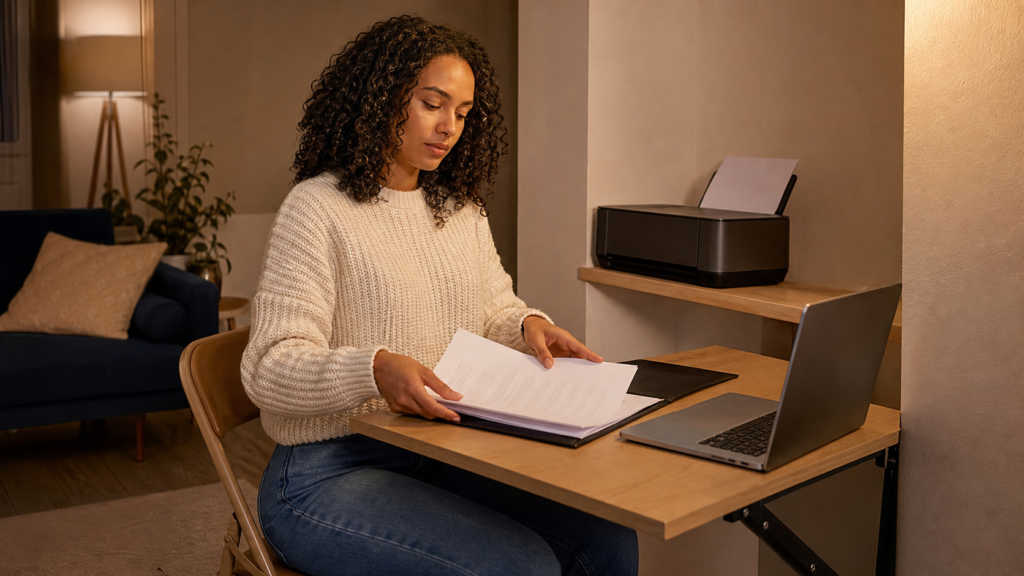
We assessed the Best Compact Printers for Students UK around real student routines rather than comparing print resolution alone. A printer may produce excellent pages but still be unsuitable if it consumes an entire desk, requires expensive cartridges or cannot connect reliably to the student’s devices.
Compact Stored Dimensions
Printers often become considerably deeper when their paper trays and output supports are open. We considered both stored size and the working clearance needed during printing.
A compact printer should fit on the intended surface without blocking a door, radiator, window or walkway. Students should measure the full available width, depth and height before purchasing.
The Best Compact Printers for Students UK must also leave room for paper to enter and exit without bending or striking the wall.
Print, Scan and Copy Functions
An all-in-one model can be valuable for students who need to digitise forms, copy identification documents or scan handwritten work. Combining these functions avoids finding space for a separate scanner.
The HP OfficeJet 200 is the exception because it focuses on portable printing. It is substantially slimmer than the all-in-one models but cannot scan or copy.
Students comparing the Best Compact Printers for Students UK should decide whether portability or multifunction capability is more important.
Wireless Connectivity
Wireless printing can reduce cable clutter and allow several compatible devices to use the same printer. It may also let students print directly from a phone or tablet.
However, university-managed Wi-Fi networks can restrict printers or prevent devices from communicating with one another. Students living in halls should check the accommodation’s rules before assuming a wireless printer will connect normally.
USB connectivity can provide a useful alternative where supported. The Best Compact Printers for Students UK should fit the student’s actual network arrangement rather than relying entirely on an app.
Students relying on ChromeOS should confirm printer support and compare the best Chromebooks for schoolwork UK for compatible portable study options.
Automatic Double-Sided Printing
Automatic duplex printing turns the paper over internally, allowing both sides to be printed without manual intervention. This can reduce paper consumption when printing lecture notes, research drafts and longer assignments.
The Canon TS4150i and Epson XP-4200 both support automatic double-sided A4 printing. That feature strengthens their positions among the Best Compact Printers for Students UK.
Manual duplex printing is still possible with many basic models, but the student must reinsert the pages in the correct orientation.
Ink and Running Costs
A cheap printer can become expensive if replacement cartridges have low page yields. We therefore considered the type of ink system alongside the initial purchase price.
Students should compare:
✔ The cost of black and colour replacements
✔ Standard and high-capacity cartridge options
✔ Whether colours can be replaced individually
✔ Estimated page yields
✔ Subscription terms
✔ How frequently the printer will be used
Ink subscriptions can be convenient for some students, but they should never be treated as automatically free or compulsory unless the current product terms state otherwise.
The Best Compact Printers for Students UK should remain affordable beyond the first set of cartridges.
Print Speed
Students rarely need commercial-office speeds, but a very slow printer can become frustrating before deadlines. We considered the manufacturers’ stated document speeds while recognising that photographs, high-quality settings and complex pages take longer.
The Canon TS4150i is listed at up to approximately 14 monochrome images per minute and nine colour images per minute under its stated testing method. The Epson XP-4200 is listed at ten monochrome and five colour pages per minute using its ISO measurement.
These figures are useful for comparison, but actual performance can vary.
Paper Capacity
A larger input tray reduces how often paper must be added. The Epson XP-4200 accepts up to 100 sheets of standard paper, while the Canon TS3750i has a smaller listed capacity.
Students who only print a few pages each week may not need a large tray. Paper should not be left exposed for long periods in a damp room because it can absorb moisture and cause feeding problems.
Compatibility
Before buying any of the Best Compact Printers for Students UK, students should confirm compatibility with their laptop, operating system and mobile devices.
This is especially important for Chromebooks, tablets and newer computers with limited physical ports. Application requirements and supported operating systems can change over time.
Noise and Placement
Printers create mechanical noise and vibration. That may be noticeable in a small bedroom, particularly during late-night printing.
We favoured models intended for home use, but no conventional printer is silent. Students in shared accommodation should print at considerate times and avoid placing the machine directly against a shared wall.
1. Canon PIXMA TS4150i — Best Overall
The Canon PIXMA TS4150i earns first place in our guide to the Best Compact Printers for Students UK because it covers the features most students are likely to need without becoming a specialist office machine.
It prints in colour, scans documents and produces copies. Automatic duplex printing also makes it easier to create double-sided lecture notes and assignment drafts without manually turning every sheet.
Why It Works for Students
The TS4150i is intended to work as a compact home printer. Its design allows everyday paper and ink access from the front, helping it fit into tighter positions where rear access is limited.
This does not mean the printer can be squeezed into an enclosed cupboard. It still requires ventilation, paper clearance and access for maintenance. Students should follow the manufacturer’s positioning instructions.
Among the Best Compact Printers for Students UK, its combination of space-conscious design and useful features makes it the strongest all-round choice.
Print, Copy and Scan
A flatbed scanner lets students digitise single pages, forms, artwork and handwritten notes. It can also be used to copy documents without turning on a laptop.
This may be useful for:
✔ Scanning signed forms
✔ Saving handwritten diagrams
✔ Copying administrative documents
✔ Digitising feedback sheets
✔ Submitting paper-based work online
✔ Preserving important university paperwork
The flatbed design means books and individual sheets can be placed directly on the scanner glass. There is no automatic document feeder, so multiple pages must normally be positioned one at a time.
Automatic Duplex Printing
Automatic double-sided printing is one of the TS4150i’s most valuable student features. It reduces manual handling and can halve the number of sheets used for suitable documents.
Duplex printing is helpful for:
✔ Lecture slides
✔ Revision packs
✔ Draft essays
✔ Reading material
✔ Practice questions
✔ Personal reference copies
Students must still follow submission instructions. A department may request single-sided printing, specific margins or a particular binding format.
The automatic duplex feature helps the Canon stand above several cheaper Best Compact Printers for Students UK alternatives.
Wireless Printing
The TS4150i supports wireless printing from compatible computers and mobile devices. It also supports common mobile-printing services.
Wireless Direct can allow a compatible device to communicate with the printer without using the main household router. This may be useful in certain setups, although students must follow the printer’s security and connection instructions.
University accommodation networks can be more complicated. Some block communication between connected devices, meaning a printer may not appear even when both devices have internet access.
Anyone printing regularly from a touchscreen device can compare our best tablets for students UK for coursework, reading and entertainment.
Speed
The Canon is listed at approximately 14 images per minute for monochrome documents and nine images per minute for colour under the relevant standard.
That should be sufficient for ordinary student printing. It is not designed for producing several hundred pages immediately before a deadline.
Students should print large documents early enough to handle paper jams, low ink or connection problems. Even the Best Compact Printers for Students UK cannot rescue an assignment submitted minutes before the cut-off.
Possible Drawbacks
The TS4150i uses cartridges rather than refillable ink tanks. Students who print hundreds of colour pages may find cartridge costs significant.
It also lacks an automatic document feeder, so scanning a long document can be slow. The printer needs space for its trays while operating, even though its stored design is compact.
Who Should Buy It?
The Canon TS4150i should suit:
✔ Students printing coursework every week
✔ Buyers wanting automatic duplex printing
✔ Students who need scanning and copying
✔ Small bedrooms with limited desk depth
✔ Phone, tablet and laptop users
✔ Students wanting colour and monochrome printing
Who Should Avoid It?
It may be unsuitable for:
✘ Students producing extremely high monthly volumes
✘ Buyers needing automatic multi-page scanning
✘ Accommodation where personal printers are prohibited
✘ Students wanting battery-powered portability
✘ Anyone needing very low-cost bulk colour printing
Verdict
The Canon PIXMA TS4150i is our leading choice among the Best Compact Printers for Students UK. Its automatic duplex printing, useful wireless options and three-in-one functionality provide the most balanced package for an ordinary student room.
Best for: Students wanting a capable printer, scanner and copier without purchasing a bulky office model.
Check Latest Price on Amazon →
2. Epson Expression Home XP-4200 — Best for Regular Coursework
The Epson Expression Home XP-4200 takes second place in our Best Compact Printers for Students UK comparison. It combines print, scan and copy functions with automatic duplex printing, a colour display and four individual ink cartridges.
Its stored dimensions are approximately 37.5cm wide, 30cm deep and 17cm high. It weighs around 4.3kg, making it realistic for a permanent desk, shelf or small printer trolley rather than daily transport.
Why It Suits Regular Printing
The XP-4200 has a 100-sheet standard paper capacity. This is useful for students who print lecture notes, reading material and drafts throughout the week.
Individual ink cartridges mean one depleted colour can be replaced without discarding the remaining colours. That does not guarantee the lowest running cost, but it can reduce unnecessary waste compared with a combined tri-colour cartridge.
These features make the Epson one of the more practical Best Compact Printers for Students UK for repeated coursework.
Automatic Double-Sided Printing
The Epson supports automatic duplex printing on ordinary A4 paper. Students can print longer documents on both sides without manually reinserting the stack.
This can save paper and reduce the thickness of revision packs. It also makes the printer more convenient when producing personal copies of longer academic readings.
Automatic duplex is not always available for every paper size, type or print setting. Students should check the selected options before starting a large job.
Printing Performance
Epson lists ISO speeds of approximately ten monochrome pages per minute and five colour pages per minute. It can print faster in less demanding modes, but ISO figures provide the more useful comparison.
This is adequate for typical student work. The Best Compact Printers for Students UK do not need office-department speeds, but they should produce a short assignment without an excessive wait.
Scanner Quality
The flatbed scanner has a listed optical resolution of 1,200 × 2,400 dpi. It can scan documents, images and handwritten pages to a compatible computer or supported service.
Students can use it to:
✔ Digitise lecture notes
✔ Scan signed paperwork
✔ Save project sketches
✔ Create copies of important forms
✔ Submit handwritten exercises
✔ Archive receipts and course documents
As with the Canon, there is no automatic document feeder. Each page normally needs to be placed on the scanner individually.
Students who prefer handwritten digital pages can also explore the best tablets for university notes UK for annotation, lectures and organised revision.
Wireless and Mobile Printing
The XP-4200 supports Wi-Fi, Wi-Fi Direct and compatible mobile-printing services. Epson also provides its Smart Panel application for setup and supported printer controls.
Applications can simplify routine printing, but students should not assume every advanced function will work identically across all devices.
USB provides another connection option. This can be useful where wireless setup is unreliable or the accommodation’s network prevents printer discovery.
Ink Considerations
The XP-4200 uses four separate cartridges: black, cyan, magenta and yellow. Standard cartridges may have modest yields, so students expecting regular use should compare the cost of compatible high-capacity options.
The printer may be promoted with a trial of Epson’s ReadyPrint service. Trials and subscriptions can change, so students should read the current conditions carefully.
A subscription should only be selected if the included page allowance suits the student’s realistic printing pattern. The Best Compact Printers for Students UK should not encourage paying for pages that are never used.
Space Requirements
Although the stored depth is approximately 30cm, its operating depth increases when trays and paper supports are extended. Students should measure the intended space with enough additional clearance.
Avoid placing the printer:
✘ Inside a sealed cupboard
✘ Directly above a radiator
✘ On an unstable folding shelf
✘ Where paper blocks a walkway
✘ Beside drinks or a sink
✘ Where the scanner lid cannot open
Possible Drawbacks
The Epson is not the smallest printer in every direction, and cartridge costs may be relatively high for students producing large colour volumes.
Its 100-sheet tray and automatic duplex system improve everyday convenience, but those features will not matter to somebody printing only a few pages each month.
Who Should Buy It?
The Epson XP-4200 is a strong option for:
✔ Students printing several times each week
✔ Buyers wanting individual colour cartridges
✔ Students needing automatic duplex printing
✔ Users who scan handwritten or administrative documents
✔ Small rooms with space for a permanent all-in-one printer
✔ Students using laptops, phones or tablets
Verdict
The Epson Expression Home XP-4200 is one of the strongest Best Compact Printers for Students UK for regular coursework. Its 100-sheet tray, automatic duplex printing, flatbed scanner and individual inks make it more practical than many entry-level alternatives.
Best for: Students who expect to print and scan consistently throughout the academic year.
Check Latest Price on Amazon →
3. HP DeskJet Wireless All-in-One — Best Budget Choice
The HP DeskJet Wireless All-in-One takes third place in our guide to the Best Compact Printers for Students UK. It is intended for students who need basic colour printing, scanning and copying without paying for more advanced office features.
Its relatively low initial price makes it approachable for light home use. Students can print ordinary coursework, copy a form or scan a handwritten page without accommodating several separate devices.
Why It Is a Good Budget Option
The main attraction is straightforward all-in-one functionality. A student who prints occasionally may not need a larger paper tray, automatic document feeder or high-volume ink system.
The HP DeskJet is designed around everyday home printing rather than demanding workloads. That makes it a sensible inclusion among the Best Compact Printers for Students UK for students producing a few documents at a time.
Wireless connectivity can also reduce permanent cable clutter. Students may be able to print from compatible laptops, phones and tablets through HP’s supported application and mobile-printing services.
What Can Students Print?
This type of entry-level DeskJet should work well for:
✔ Short assignments
✔ Revision notes
✔ Administrative forms
✔ Basic colour diagrams
✔ Draft essays
✔ Personal statements
✔ Travel documents
✔ Occasional photographs
Students should use the correct paper type and settings for each task. Standard copier paper is normally suitable for coursework, while photographs require compatible photo paper and use considerably more ink.
Scanning and Copying
The flatbed scanner provides a convenient way to digitise individual documents. Students may need to upload signed forms, handwritten calculations or evidence documents through an online portal.
Copying can also be completed without opening a computer. This may save time when producing one additional copy of a form or letter.
As with several compact all-in-one models, there is no automatic document feeder. Scanning a long stack will therefore require each page to be positioned separately.
The combination of these features keeps it competitive among the more affordable Best Compact Printers for Students UK.
Wireless Setup
The printer is intended to connect wirelessly to compatible devices. Setup will usually require the relevant HP application, an appropriate Wi-Fi connection and an HP account for certain services.
Students should keep the printer near enough to the router for a stable signal. A printer placed inside a distant bedroom alcove may struggle if the flat has thick walls or heavy wireless interference.
Accommodation networks can prevent device-to-device communication. If the printer will be used in university halls, check the network policy before ordering.
Ink Costs and Subscriptions
Entry-level printers are often inexpensive because ongoing cartridge sales form an important part of the manufacturer’s business model. Students must therefore compare the price of replacement cartridges rather than judging the printer on purchase price alone.
The supplied listing may include an introductory ink offer or access to HP’s Instant Ink service. Read the current terms carefully because promotions, page allowances and subscription prices can change.
A subscription may suit a student who prints a predictable number of pages each month. It may offer poor value for somebody who prints heavily during one term and almost nothing during another.
When comparing the Best Compact Printers for Students UK, calculate the likely annual cost rather than relying only on the initial discount.
Possible Drawbacks
This HP DeskJet is a budget model, so it may print more slowly and hold less paper than a more expensive all-in-one. Automatic double-sided printing should not be assumed unless the exact current listing confirms it.
Combined colour cartridges can also mean replacing the complete cartridge when one colour runs out. This may become costly for students who print many colour-heavy pages.
Who Should Buy It?
The HP DeskJet should suit:
✔ Students with a limited initial budget
✔ Occasional home printing
✔ Buyers wanting print, scan and copy functions
✔ Students using wireless devices
✔ Small households sharing one basic printer
✔ Students producing short documents
Who Should Avoid It?
It may not suit:
✘ Students printing hundreds of pages each month
✘ Buyers requiring automatic duplex printing
✘ Courses involving large colour portfolios
✘ Students needing fast multi-page scanning
✘ Anyone wanting battery-powered portability
Verdict
The HP DeskJet is one of the Best Compact Printers for Students UK for light, budget-conscious use. It provides the essential functions most students recognise while keeping the initial cost accessible.
Best for: Students who only need occasional printing, scanning and copying at home.
Check Latest Price on Amazon →
4. Canon PIXMA TS3750i — Best for Occasional Printing
The Canon PIXMA TS3750i ranks fourth in our Best Compact Printers for Students UK selection. It is a simple colour inkjet all-in-one intended for light printing, scanning and copying.
The printer has listed dimensions of approximately 43.5cm wide, 32.7cm deep and 14.5cm high when stored. Its low height may make it easier to place beneath a suitable shelf, although the scanner lid still needs room to open.
Simple Everyday Functions
The TS3750i can print A4 documents, scan individual pages and produce copies. Its relatively basic feature set can be an advantage for students who want an uncomplicated printer for occasional work.
It supports wireless and USB connectivity, allowing students to choose the most suitable connection for their room.
The Canon is not the smallest model by width, but its low profile earns it a place among the Best Compact Printers for Students UK where vertical clearance is limited.
Printing Speed
Canon lists speeds of approximately 7.7 monochrome images per minute and four colour images per minute. That is slower than the more capable TS4150i.
For a five-page assignment or a few revision sheets, the speed should be manageable. It will feel slow when printing long reading packs or many colour documents.
Students should avoid leaving large print jobs until immediately before travelling to a lecture or submitting an assignment.
Paper Capacity
The listed input capacity is up to 60 sheets. This should be enough for light student use, although it requires more frequent refilling than the Epson XP-4200’s 100-sheet tray.
Paper should be kept flat, dry and protected from dust. Student bedrooms affected by condensation or damp may cause stored sheets to curl and feed inconsistently.
The Best Compact Printers for Students UK still require properly stored paper to work reliably.
Colour and Borderless Printing
The TS3750i supports colour output and compatible borderless photo printing. This can be useful for personal photographs, presentation material and visually organised revision pages.
Colour ink can disappear quickly when printing full-page graphics. Students should use draft or monochrome settings where suitable and reserve high-quality colour for work that genuinely requires it.
Wireless Smartphone Printing
Students can print from compatible smartphones and tablets through Canon’s supported services. This may be useful for documents received through email or stored online.
Before printing directly from a phone, always preview:
✔ Page size
✔ Orientation
✔ Margins
✔ Number of copies
✔ Colour setting
✔ Double-sided setting
✔ Selected pages
A poorly configured mobile print job can waste both paper and ink.
PIXMA Print Plan
The TS3750i is compatible with Canon’s PIXMA Print Plan. This optional subscription can automatically arrange ink supplies according to the selected allowance.
Students should compare the subscription cost with purchasing cartridges normally. Consider whether unused pages roll over, what happens after exceeding the allowance and whether the printer must remain connected to the internet.
Subscriptions can change, so they should never be described as permanently free. The Best Compact Printers for Students UK should be chosen according to current, confirmed terms.
Possible Drawbacks
The printer is slower and more basic than the Canon TS4150i. It does not offer the same automatic duplex convenience, so students may need to turn pages manually for double-sided documents.
Its cartridge system may also become expensive if the student regularly prints photographs or colour-heavy coursework.
Who Should Buy It?
The Canon TS3750i should suit:
✔ Students printing a few documents each month
✔ Buyers needing a low-profile all-in-one
✔ Students wanting simple wireless printing
✔ Occasional scanning and copying
✔ Families sharing a basic home printer
✔ Students who value a lower initial price
Verdict
The Canon PIXMA TS3750i is one of the Best Compact Printers for Students UK for occasional use. It is not particularly fast or advanced, but it covers the essential tasks without turning a small room into an office.
Best for: Students needing a straightforward printer for occasional assignments, forms and revision pages.
Check Latest Price on Amazon →
5. HP OfficeJet 200 — Best Portable Printer
The HP OfficeJet 200 is the most unusual product in our guide to the Best Compact Printers for Students UK. It is a genuine mobile colour inkjet printer with a rechargeable battery, rather than a conventional all-in-one designed to remain on a desk.
Its stored dimensions are approximately 36.4cm wide, 18.6cm deep and only 6.9cm high. It weighs around 2.2kg with the battery installed.
That slim profile allows it to fit into spaces where a printer with a flatbed scanner would be impossible.
Why It Is So Portable
The OfficeJet 200 closes into a relatively slim rectangular shape for transport and storage. Its rechargeable battery allows students to print away from a permanent mains connection.
This could suit:
✔ Students moving between accommodation and home
✔ Placements involving printed forms
✔ Temporary study spaces
✔ Students without a permanent desk
✔ Events and society administration
✔ Courses requiring documents at different locations
It is the easiest of the Best Compact Printers for Students UK to store inside a drawer or transport carefully between locations.
Proper A4 Printing
Unlike small thermal printers, the OfficeJet 200 uses ordinary ink cartridges and can print colour A4 documents on standard compatible paper.
This means students are not restricted to specialist thermal sheets. Printed coursework can be filed and handled like pages from a conventional inkjet printer.
The OfficeJet supports A4, A5, A6 and several other compatible formats. It also produces borderless output on certain smaller media sizes.
Battery Operation
HP supplies the OfficeJet 200 with a rechargeable battery. Official specifications list professional-mode speeds of up to ten monochrome pages per minute on mains power and nine pages per minute on battery.
Colour speeds are listed at up to seven pages per minute on mains power and six on battery under the corresponding mode.
Battery performance will depend on print settings, page complexity, wireless use, battery condition and temperature. Students should charge it before travelling rather than assuming it will always be ready.
Wireless and USB Printing
The OfficeJet supports wireless and USB connections. Wireless operation uses the 2.4GHz band, so students should confirm that their intended network and device setup are compatible.
As with every model in our Best Compact Printers for Students UK guide, managed university networks may restrict printer discovery.
USB can provide a useful direct alternative for compatible laptops. Students using tablets or phones should confirm supported mobile-printing requirements.
No Scanner or Copier
The slim design comes with an important compromise: the OfficeJet 200 prints but does not contain a flatbed scanner or copier.
Students who need to scan documents can use an appropriate phone scanning application or a separate university facility. Phone scans can work for ordinary pages, but they may be unsuitable where an organisation requires a specific resolution or certified copy.
This limitation is why the OfficeJet does not rank higher among the Best Compact Printers for Students UK despite being the most portable model.
Manual Duplex Printing
Double-sided printing is manual. The driver can guide the user, but the pages must be reinserted correctly.
Students printing longer documents may find this less convenient than the automatic systems in the Canon TS4150i and Epson XP-4200.
Paper Capacity and Workload
The input tray accepts up to approximately 50 sheets. HP recommends a monthly page volume of roughly 100 to 300 pages, with a maximum listed monthly duty cycle of 500 pages.
The recommended range is more meaningful than the maximum figure. A duty cycle is not a target for continuous use.
The OfficeJet is designed for mobile convenience rather than heavy departmental printing.
Possible Drawbacks
The OfficeJet 200 can cost significantly more than a basic all-in-one despite offering fewer functions. Students are paying for its battery, compact construction and portability.
It also lacks automatic duplex, scanning and copying. Its HP 62 cartridges should be included in any running-cost comparison.
Who Should Buy It?
The HP OfficeJet 200 should suit:
✔ Students genuinely needing portable A4 printing
✔ Buyers with extremely limited permanent space
✔ Students moving between several study locations
✔ Placement students producing forms or documents
✔ Buyers wanting proper inkjet pages rather than thermal prints
✔ Students who already have another way to scan
Who Should Avoid It?
It is less suitable for:
✘ Students wanting the lowest purchase price
✘ Buyers needing scanning and copying
✘ Students printing large reading packs
✘ Anyone wanting automatic double-sided printing
✘ Students who will never move the printer
Verdict
The HP OfficeJet 200 is one of the Best Compact Printers for Students UK for genuine portability. Its rechargeable battery and slim profile are impressive, but most students will receive better value from a conventional all-in-one.
Best for: Students who need to store or transport a proper A4 colour printer regularly.
Check Latest Price on Amazon →
⚖️ Which Compact Student Printer Should You Choose?
The right choice among the Best Compact Printers for Students UK depends on printing frequency, available space and whether scanning is essential.
Choose the Canon TS4150i If…
You want the strongest overall combination of automatic duplex printing, scanning, copying and wireless connectivity.
Choose the Epson XP-4200 If…
You expect to print coursework regularly and value individual colour cartridges, a 100-sheet tray and automatic duplex printing.
Choose the HP DeskJet If…
You have a limited initial budget and only need basic wireless printing, scanning and copying.
Choose the Canon TS3750i If…
You print infrequently and want a straightforward low-profile all-in-one.
Choose the HP OfficeJet 200 If…
You genuinely need to carry or store the printer frequently and can manage without a scanner.
📏 How Much Space Does a Student Printer Need?
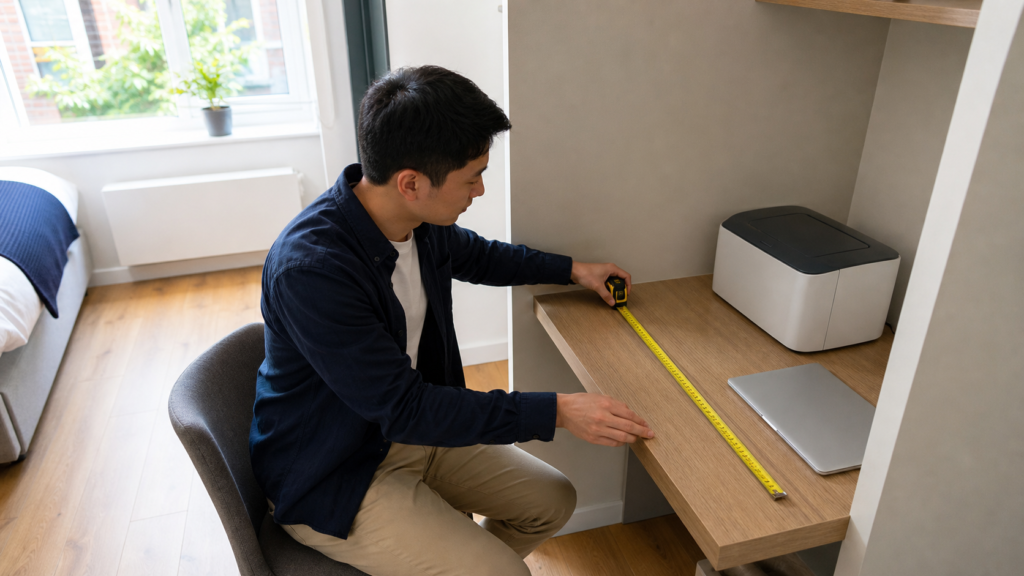
The stored dimensions tell only part of the story. The Best Compact Printers for Students UK need additional room while paper trays, output supports and scanner lids are open.
Measure:
✔ Total surface width
✔ Usable depth
✔ Height beneath any shelf
✔ Scanner-lid clearance
✔ Space for input paper
✔ Space for output pages
✔ Access to ink compartments
✔ Distance from the nearest socket
Do not let pages fall behind furniture or onto the floor. The printer should sit on a level, stable surface capable of supporting its weight.
Can a Printer Go on a Shelf?
Yes, if the shelf is strong, deep and stable enough. It must provide safe access to the controls, paper path and scanner lid.
A wall-mounted shelf should be properly installed into a suitable structure. Renters and university residents must obtain permission before drilling.
Avoid positioning a printer above a bed or where it could fall onto someone.
Can a Printer Go Inside a Cupboard?
A printer can sometimes be stored in a cupboard when switched off, provided the manufacturer’s instructions are followed. It should normally be moved into a suitable operating position before use.
Do not print inside a sealed cupboard. Heat needs to escape, trays need room to open and paper must travel unobstructed.
💷 Inkjet Printer Running Costs for Students
Running costs can determine whether the Best Compact Printers for Students UK remain affordable throughout the academic year.
Check Page Yield
Manufacturers provide estimated cartridge yields based on standardised tests. Actual yield changes according to page coverage, cleaning cycles, print quality and document type.
A page containing a few paragraphs uses much less ink than a full-colour poster.
Compare XL Cartridges
High-capacity cartridges usually cost more initially but may reduce the cost per page. Confirm that the exact XL cartridge is compatible with the chosen printer.
Avoid Unnecessary Colour
Select monochrome printing when colour adds no value. Some printers may still use small amounts of colour ink for maintenance, so consult the relevant guidance.
Print Regularly but Sensibly
Inkjet print heads can experience problems after long periods without use. Printing a small appropriate page occasionally may help, but unnecessary test pages also waste ink.
Follow the manufacturer’s maintenance instructions rather than running repeated cleaning cycles without diagnosis.
Think Carefully About Subscriptions
Ink subscriptions can be useful for predictable monthly printing. Before joining, check:
✔ Monthly page allowance
✔ Cost of additional pages
✔ Rollover rules
✔ Cancellation conditions
✔ Cartridge ownership terms
✔ Internet-connection requirements
✔ What happens to subscription cartridges after cancellation
The Best Compact Printers for Students UK should fit both the student’s physical space and realistic printing pattern.
🎓 Do University Students Actually Need a Printer?
Not every student needs to own one. Universities often provide library or departmental printing, and digital submission has reduced the number of physical assignments.
A personal printer may be worthwhile when:
✔ The student lives far from campus printing
✔ Documents are regularly needed at short notice
✔ The course uses printed reading packs
✔ The student prefers paper revision
✔ Accessibility needs make home printing valuable
✔ Placements require forms
✔ University printing charges are high
A printer may be unnecessary when:
✘ Almost everything is submitted digitally
✘ Campus printing is convenient and inexpensive
✘ The bedroom has no safe location
✘ Accommodation rules prohibit personal printers
✘ The student prints fewer than a handful of pages each term
The Best Compact Printers for Students UK are convenient, but convenience must justify the purchase price, ink and occupied space.
Our guide to the best university essentials UK can help students prioritise other useful purchases before moving into accommodation.
🖨️ Inkjet or Laser Printer for Students?
All five products in this guide are inkjet printers. Inkjet models are often smaller and less expensive initially, and they can print colour photographs and graphics.
A monochrome laser printer may suit a student who prints large quantities of black text. Laser printers can offer faster output and competitive text-printing costs, but compact models may still be heavier and usually cannot print colour.
Choose inkjet for:
✔ Colour diagrams
✔ Occasional photographs
✔ Lower initial cost
✔ All-in-one home features
✔ Mixed document types
Consider laser for:
✔ High volumes of black text
✔ Fast essay printing
✔ Long gaps between print jobs
✔ Students who rarely need colour
The Best Compact Printers for Students UK are not automatically the best printers for every course. A law student printing long cases may have different needs from an art student producing colour drafts.
🔧 How to Prevent Common Student Printer Problems
Keep Paper Dry
Paper absorbs moisture and may curl, stick together or feed badly. Store it flat in its original wrapper away from condensation.
Do Not Overfill the Tray
Follow the printer’s capacity guidance and align the paper guides correctly.
Use the Correct Cartridge
Printer families often use cartridges that look similar but are not interchangeable. Check the exact model number before ordering replacements.
Install Updates Carefully
Use the manufacturer’s official software and support channels. Avoid downloading drivers from unfamiliar websites.
Leave Ventilation Space
Do not cover vents or operate the printer underneath clothing, bedding or loose papers.
Deal With Jams Gently
Switch off the printer when instructed and remove paper in the direction recommended by the manufacturer. Pulling aggressively can leave scraps inside or damage rollers.
Even the Best Compact Printers for Students UK require correct setup and basic maintenance.
❓ Frequently Asked Questions
What is the best compact printer for students?
The Canon PIXMA TS4150i is our top overall choice because it combines colour printing, scanning, copying, wireless connectivity and automatic double-sided printing.
It offers the strongest general-purpose package among the Best Compact Printers for Students UK.
What is the smallest printer for a university room?
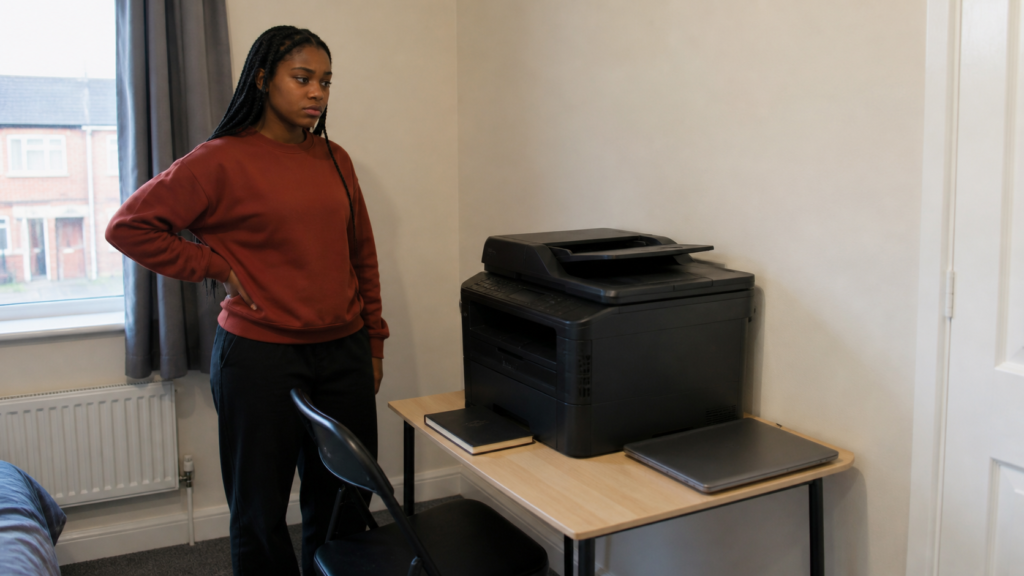
The HP OfficeJet 200 is the slimmest model in this selection at approximately 36.4 × 18.6 × 6.9cm when stored. It does not include a scanner or copier.
The complete battery, paper-handling, speed and compatibility details are available in HP’s official OfficeJet 200 specifications.
Students wanting an all-in-one should compare the stored and operating dimensions of the Canon and Epson models.
Is it worth buying a printer for university?
A personal printer may be worthwhile for frequent revision packs, placement forms or students living far from campus facilities.
It may not be worthwhile when work is submitted digitally and university printing is convenient.
Which student printer has the cheapest ink?
Ink cost depends on current cartridge prices, yield and how frequently the printer is used. The Epson XP-4200 lets students replace colours individually, while subscription-compatible models may suit predictable printing.
Compare current replacement costs before choosing from the Best Compact Printers for Students UK.
Is a wireless printer suitable for university halls?
Possibly, but managed accommodation networks may block communication between devices. Check the university’s network and electrical-appliance rules before buying.
A USB connection may provide an alternative where supported.
Do students need colour printing?
Many essays and forms only require black text. Colour becomes useful for diagrams, presentation material, creative courses and visually organised revision.
Students who never use colour may find a compact monochrome laser printer more economical.
Can I put a printer under my desk?
Yes, if it sits on a stable stand and remains protected from feet, chair wheels, dust and spills. The student must still access the controls and paper path safely.
Do not place the printer directly on thick carpet if this blocks ventilation.
Can I print from a Chromebook?
Many modern printers support ChromeOS printing, but compatibility should be confirmed for the exact model. Check the manufacturer’s current operating-system requirements before ordering.
Does a compact printer still scan A4 paper?
Most compact all-in-one printers in this guide have an A4 flatbed scanner. The HP OfficeJet 200 does not scan because its slim design is print-only.
Which printer is best for occasional use?
The Canon PIXMA TS3750i is our preferred occasional-use option. Students should still follow maintenance guidance because inkjet cartridges and print heads can be affected by very long periods without printing.
Which printer is best for double-sided coursework?
The Canon TS4150i and Epson XP-4200 both support automatic duplex printing on suitable A4 paper. They are the strongest Best Compact Printers for Students UK for regularly producing double-sided documents.
✅ Final Verdict
The Canon PIXMA TS4150i is our overall winner among the Best Compact Printers for Students UK. It combines the functions most students need with automatic duplex printing and a design intended to work in space-conscious homes.
The Epson Expression Home XP-4200 is an excellent alternative for regular coursework. Its individual inks, 100-sheet tray and automatic double-sided printing make it particularly practical.
The HP DeskJet provides an affordable starting point, while the Canon TS3750i suits lighter and less frequent use. The HP OfficeJet 200 is the specialist choice for students who genuinely need a rechargeable portable printer.
A compact printer can form part of a practical workspace alongside the best study tech for students UK for small bedrooms and shared homes.
Before ordering any of the Best Compact Printers for Students UK, measure the complete operating space and compare replacement ink costs. The best printer is not simply the smallest model—it is the one that fits the room, supports the student’s devices and remains affordable after the included cartridges run out.